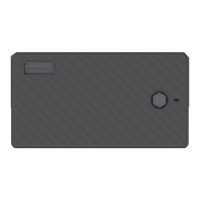
• The viewfinder design is similar to that of a rangefinder camera, resulting in a
slight deviation between the viewfinder and camera lens. The actual captured
image may appear slightly lower than what is seen in the viewfinder. Shooting
technique: Align the subject within the viewfinder and slightly lift the bottom of
the camera by about 5 degrees for the best results. (Fig. 1)!
What is the resolution of the camera? !
• The camera has a 1-megapixel wide-angle lens with a DFOV of 70 degrees. It
also comes with an ISP for professional image processing. It delivers good
imaging results when capturing subjects from a distance of half a meter or more.!
How to unbind the device?!
• Log in to the PAPERANG app using the PAPERANG account that is bound to
the device. Click on the device name in the upper-left corner, access the three
dots menu, and select "Delete PAPERANG."!
How long does it take to fully charge?!
• It takes about 1.5 hours to fully charge.!
Unable to connect to the PAPERANG app? !
• Check if Bluetooth is enabled on your phone and if a usable network connection
is established.!
• Verify that the Bluetooth permission is granted on your phone. Some Android
systems require granting location access.!
• Ensure that the camera has sufficient battery power (press and hold the power
button for 3 seconds to confirm if it can be powered on; if not, charge it first).!
• Check if the printer is bound to other devices; if so, it needs to be unbound first.!
Unable to print? !
• Ensure that Bluetooth is enabled on your phone and verify that it is not
connected to other devices.!
• Check if the thermal paper has run out.!
• Check if the thermal print head is overheated (indicated by a flashing white
light). If overheated, wait for the print head to cool down before attempting to
print again.!
• Restart the camera and try reconnecting the Bluetooth.!
Why is no content being printed? !
• Confirm that the consumables are installed correctly, with the correct orientation
(that is, the smooth side faces up). (Fig. 3)!
How to restart the device if it freezes?!
• Slide open the compartment cover, remove the consumables, and press the
Reset pinhole once with a paperclip to restart the device.!
How to check the battery level?!


 To Next Page
 Loading...