How Do I Access the PAR Phase Cable Well?
10/09/23
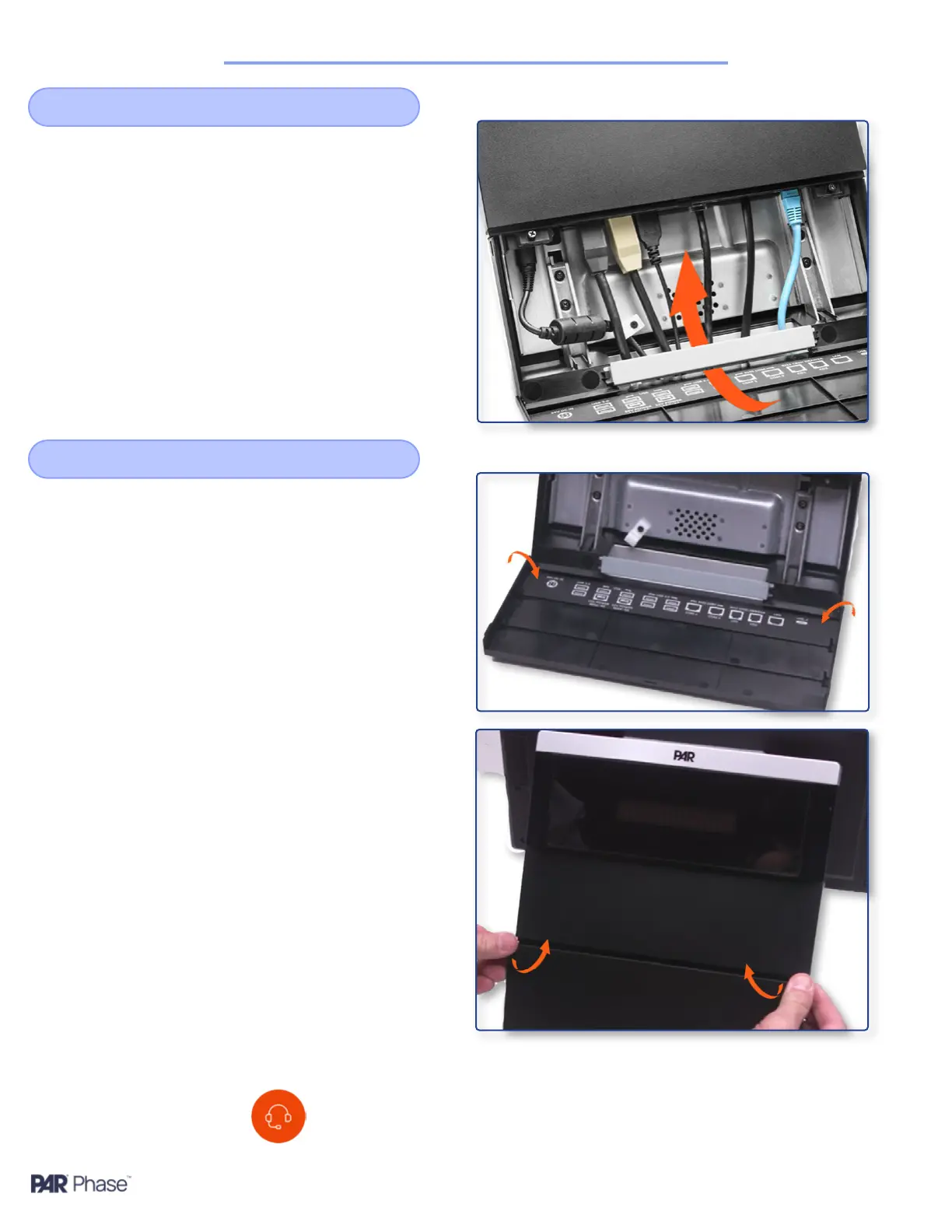
Route all cables through the cable slot and
connect them to the ports
Route and Attach Cables
3
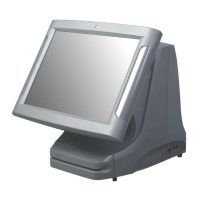
Set one pin into the corresponding slot on the
access door
Bring the other end of the door gently around,
exing it out to pull over the slot and set the pin
into it
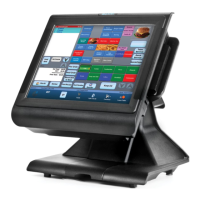
Close the access door, snapping both the center
and sides of the access door
Re-attach the Access Door
4
If you have additional questions about the PAR Phase
terminal, please reach out to our Support team by sending
an email to support.brinksoftware@partech.com.


 To Previous Page