6
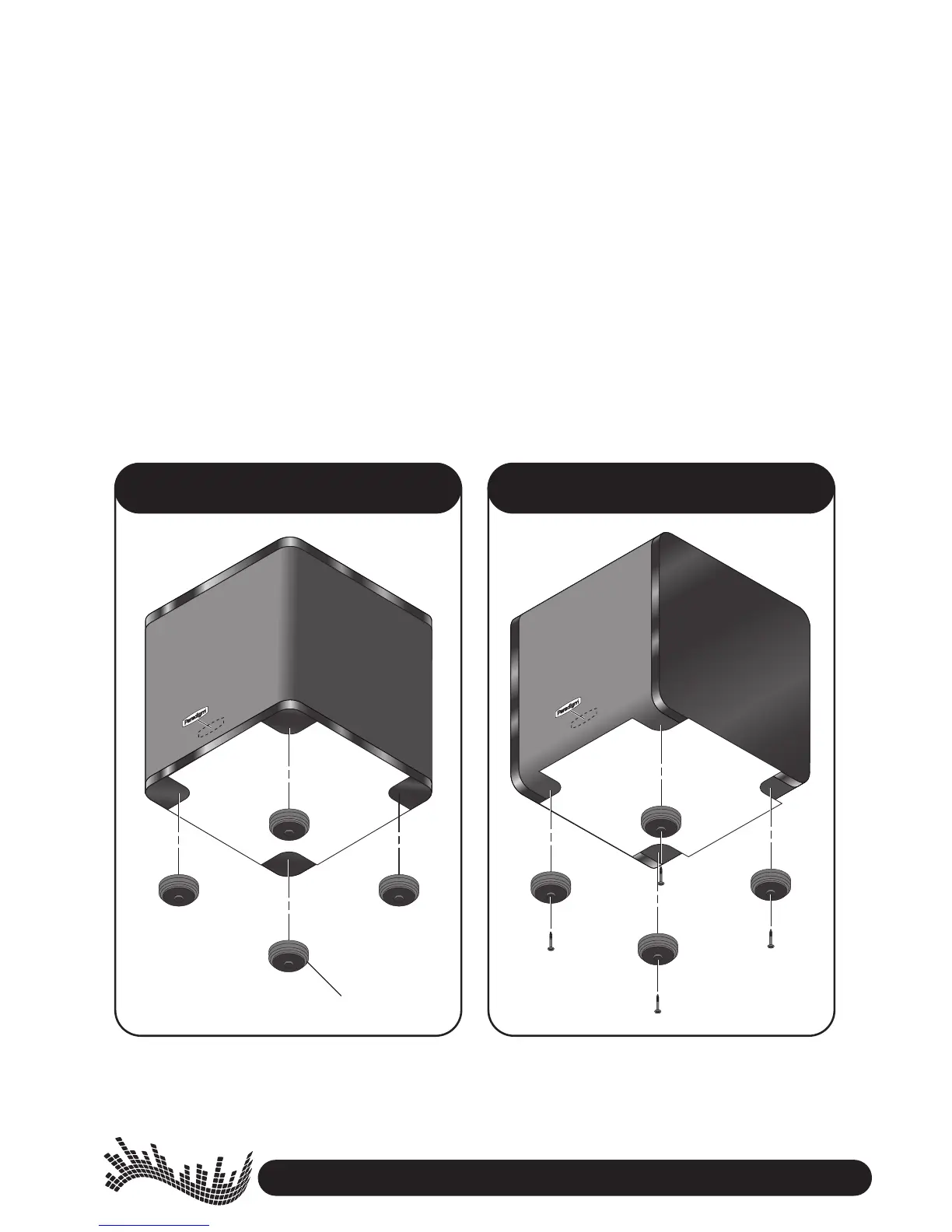
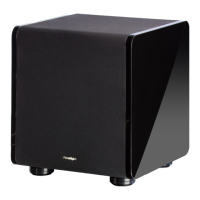
Cloth Side Up …Gloss Side Up …
Self-adhesive
ATTACHING THE FEET AND THE LOGO
#$)B06D8345>A0CC0278=6544C5>;;>FC74C4<?;0C48=2;D343F8C7H>DABD1F>>54A
1. Decide whether you want subwoofer to sit 2;>C7B834D? or 6;>BBB834D?)78B3428B8>=8B8<?>AC0=C
>=24H>D70E40CC02743544CC748=BC0;;0C8>=8B?4A<0=4=C
2. Align template with edges of subwoofer. NOTE: On cloth side, the two edges are beveled so template
will not lie perfectly flush. Don’t sweat this!
3. CC0278=644C$=;>BB(834
Before removing backing do a preliminary placement, positioning the first foot exactly as shown on
the template. Once you are comfortable, remove backing and attach foot. Attach remaining feet
using the same procedure.
CC0278=644C>=;>C7(834
Feel through cloth for screw hole underneath. Position foot over hole and screw in. Attach remaining
feet following the same procedure.
4. Paradigm logo: remove backing and carefully position as shown.


 To Next Page