EasyManua.ls Logo

Pard SA62 LRF - Page 11

Default Icon
30 pages
Print Icon
To Next Page IconTo Next Page
To Previous Page IconTo Previous Page
Loading...



Note: 



1
2
3
4
5
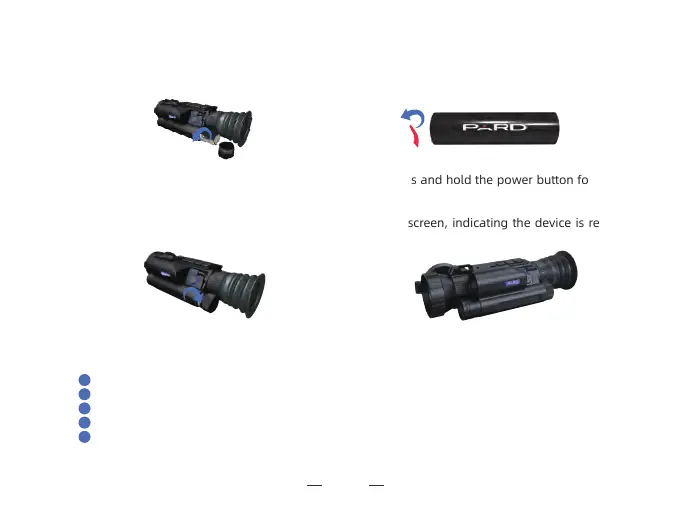
2.1 Unscrew the battery cap counterclockwise and
remove the battery.
2.2 Remove the insulating tape on the positive
(+) terminal of the battery.
2.3 Insert the battery, ensuring that the positive
(+) side goes in first and tighten the battery cap
clockwise.
2.4 Press and hold the power button for about 3
seconds to power the device. (The power light
illuminates and the PARD Logo will be displayed
on the screen, indicating the device is ready for
use.)
10

Related product manuals