EasyManua.ls Logo

Paris Rhone PE-AH009 - User Manual

Paris Rhone PE-AH009
15 pages
Print Icon
To Next Page IconTo Next Page
Loading...
HYBRID ULTRASONIC
HUMIDIFIER
User Manual
PE-AH009
Questions or Concerns?
support@parisrhone.co
Question and Answer IconNeed help?

Do you have a question about the Paris Rhone PE-AH009 and is the answer not in the manual?

Summary

Statement and Safety

Safety Instructions

Basic precautions to reduce the risk of fire, electrical shock, and injury to persons or damage to the product.

Before Using the Humidifier

Placement Guidance

Place on a flat, waterproof surface away from direct sunlight and at specific distances from walls and furniture.

Using the Humidifier Safely

Prohibited Placements

Do not place near naked flames or heat sources like stove tops, ovens, radiators, or computers.

Electrical and Operational Safety

Do not plug with wet hands, cover nozzle, clean while connected, or move while operating.

Ideal Humidity Level

The most comfortable environmental humidity is between 40%-60%.

After Using the Humidifier

Disconnect and Regular Cleaning

Always disconnect from power when not in use. Humidifier requires regular cleaning.

Warm Mist Cleaning Caution

Allow the humidifier to cool down completely before cleaning after diffusing warm mist.

Repair Prohibition

Do not attempt to repair or adjust electrical/mechanical functions to avoid voiding the warranty.

Package Contents and Specifications

Product Diagram and Operations

Component Identification

Identifies components like Nozzle, Tank Cover, Water Tank, LED Display, Control Buttons, Base, Aroma Box, etc.

Add Water

Remove tank cover, fill with water, and replace cover.

Add Essential Oil (Optional)

Remove aroma box, add oil to pad, and reinsert box.

Humidifier Functions

Standby Mode

Unit enters standby mode with a beep upon connecting to power. LED and buttons light up briefly.

LED Display Information

Shows current humidity, mist level, humidity setting, and timer setting.

Power On;Off Operation

Tap power button to turn on/off. Fan dries mist tube for 3 minutes after turning off.

Mist Adjustment

Cycle through mist levels (Low, Medium, High) using the Mist Button.

Humidity Setting

Set humidity level from 40-80% in 5% increments. Unit stops misting when target is reached.

Warm Mist Adjustment

Cycle through warm mist heat levels (Low, Medium, High) or OFF.

AUTO Mode Operation

Automatic humidifying mode adjusts mist and heat based on ambient humidity.

Sleep Mode

Turn off LED display for sleep mode. Tap any button to wake up.

Timer Setting

Set timer from 1 to 9 hours. Unit automatically turns off when time is up.

Low Water Protection

Humidifier stops misting and activates protection when water is low.

Memory Function

Remembers last settings (except timer) when power is not disconnected.

Cleaning and Maintenance Guide

Cautionary Notes

Do not submerge base, allow water into openings, or wash parts in a dishwasher.

Daily Maintenance

Turn off, unplug, and drain water from tank, reservoir, and base.

Weekly Maintenance

Recommend scale removal and disinfection. Do not mix vinegar and bleach.

Scale Removal Instructions

Use vinegar solution to loosen mineral buildup on atomizer and tank.

Disinfecting Instructions

Use bleach solution to disinfect water tank and reservoir weekly or before/after storage.

Cleaning Aroma Pad

Rinse the aroma pad under warm water and dry it.

Cleaning Dustproof Sponge

Remove and clean the dustproof sponge from the aroma box once a month.

End-Of-Season Care and Storage

Clean and dry unit before storing in a cool, dry location. Do not store with water inside.

Battery Replacement

Replace remote battery with CR2025 Lithium Battery, ensuring correct polarity.

Troubleshooting Guide

LED Display and Indicator Issues

Covers problems with the LED display not lighting up or indicators flashing with beeps.

Mist Production Problems

Addresses issues like no mist, low mist, or mist height being too low.

Operational Anomalies

Covers condensation, odor, strange noise, and overheating issues.

Warranty and Customer Care

Warranty Exclusions

Warranty does not apply to misuse, unauthorized repairs, tampering, or damage from non-compliance.

Customer Support Contact

Contact Paris Rhône Customer Care via email or website for problems and questions.

Overview

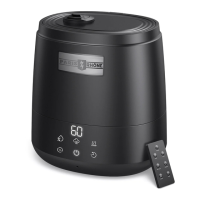
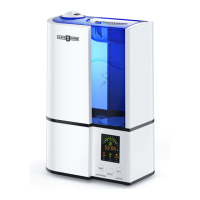
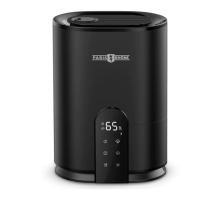
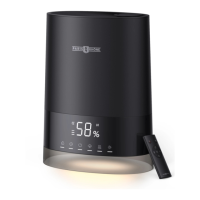
This document is a user manual for the Paris Rhône Hybrid Ultrasonic Humidifier, model PE-AH009. It provides comprehensive instructions for the safe operation, maintenance, and troubleshooting of the device.

The humidifier is designed to add moisture to the air, improving comfort in indoor environments. It features a hybrid ultrasonic technology, allowing for both cool and warm mist output. The device is equipped with a range of user-friendly features, including an LED display and control buttons, as well as a remote control for convenient operation.

Function Description:

The Paris Rhône Hybrid Ultrasonic Humidifier operates by converting water into a fine mist, which is then dispersed into the air. The ultrasonic technology uses high-frequency vibrations to create this mist, ensuring quiet operation. The "hybrid" aspect indicates its capability to produce both cool and warm mist, catering to different preferences and environmental conditions. Warm mist is generated by a heating element, which can help to slightly raise the room temperature and may feel more comfortable in colder climates. The device also incorporates an aroma box, allowing users to add essential oils for aromatherapy purposes, enhancing the ambiance of the room.

Usage Features:

The humidifier offers several modes and settings to customize the user experience:

  • Power On/Off: The device can be turned on or off via the power button on the control panel or the remote control. Upon turning on, it defaults to a medium mist level and warm mist (level 3).
  • Standby Mode: When connected to a power source, the unit enters standby mode. The LED display and control buttons illuminate briefly, then turn off if no operation is performed within 2 seconds.
  • LED Display: The display shows important information such as the current environmental humidity level (Relative Humidity), the set mist level (1, 2, or 3), the set humidity level (40% to 80% RH), and the set timer (0 to 9 hours).
  • Mist Adjustment: Users can cycle through different mist levels (Low, Medium, High) to control the output intensity. The selected mist level flashes three times on the LED display to confirm the setting.
  • Humidity Setting: The desired humidity level can be set from 40% to 80% in 5% increments. Once the preset humidity is reached, the unit automatically stops misting. This setting can be canceled by holding the Humidity Button or repeatedly tapping it until "--" is displayed. The manual suggests maintaining environmental humidity between 40% and 60% for optimal comfort.
  • Warm Mist Adjustment: The humidifier offers three heat levels for warm mist (Low, Medium, High) or can be set to "OFF" for cool mist only. The corresponding heat level is displayed and flashes three times to confirm the setting.
  • AUTO Mode: This intelligent mode automatically adjusts the mist and heat levels to maintain a comfortable environmental humidity between 55% and 65%. The unit will stop misting once 65% humidity is reached and restart when it drops below 60%. Activating AUTO mode overrides any manual mist or heat level settings.
  • Sleep Mode: This mode turns off the LED display, providing a darker environment for sleep. It can be activated by holding the AUTO button on the control panel or pressing the Sleep Button on the remote control. The display can be reactivated by tapping any control panel button, and it will turn off again if no operation is performed within 3 seconds.
  • Timer Setting: A timer can be set from 1 to 9 hours in 1-hour increments, after which the unit will automatically turn off. The timer setting flashes three times for confirmation. To cancel the timer, users can repeatedly tap the Timer button until "OH" is displayed or hold the Timer button for 2 seconds.
  • Low Water Protection: This safety feature automatically stops misting when there is insufficient water in the reservoir. The LED display flashes three times with three beeps, and the humidifier cannot be started under low water conditions. This prevents overheating and damage to the atomizer.
  • Memory Function: The humidifier remembers the last settings (except for the timer setting) when it is turned on again, provided the power supply was not disconnected.
  • Adding Water: The tank cover needs to be removed to fill the tank with filtered or purified water. The manual explicitly states not to use hot water or add water through the nozzle or into the base.
  • Adding Essential Oil: The aroma box, located at the back of the base, can be pulled out to add several drops of essential oil to the aroma pad.

Maintenance Features:

Regular cleaning and maintenance are crucial for the humidifier's performance and longevity. The manual provides detailed instructions for daily, weekly, and end-of-season care:

  • Daily Maintenance: Turn off and unplug the humidifier, then drain any remaining water from the tank, reservoir, and base.
  • Weekly Maintenance: This involves two main steps: scale removal and disinfecting.
    • Scale Removal:
      1. Unplug the humidifier and remove the water tank.
      2. Remove and rinse the absorption pad from the heating element, then dry it.
      3. Fill the water tank halfway with undiluted distilled white vinegar (1 teaspoon).
      4. Place the tank onto the base, allowing the vinegar solution to loosen mineral buildup (scale) on the atomizer, water floater, and the bottom of the water tank for 15-20 minutes.
      5. Use the included cleaning brush to remove any mineral buildup from all parts of the water reservoir.
      6. Rinse the water reservoir and tank thoroughly until the vinegar smell is gone.
    • Disinfecting Instructions:
      1. Clean the water tank and reservoir as per the scale removal instructions.
      2. Fill the water tank halfway and add 1/2 teaspoon of bleach.
      3. Allow the solution to soak for 30 minutes to 1 hour.
      4. Pour out the solution and rinse all parts under cold water.
      5. Allow all parts to air dry before reassembling. Important Note: Do not mix vinegar and bleach solutions. Do not use more than 1 teaspoon of bleach per gallon of water to avoid damaging the humidifier.
  • Cleaning the Aroma Pad: Remove the aroma pad from the aroma box, rinse it under warm water, dry it with a clean cloth, and place it back. It is recommended to change the aroma pad every 6 months.
  • Cleaning the Dustproof Sponge: Remove the dustproof sponge from the aroma box, clean it with water or detergent once a month, and then place it back.
  • End-of-Season Care and Storage:
    1. Follow the cleaning instructions if the humidifier will not be used for at least a week or at the end of the season.
    2. Remove all accessories and allow the humidifier and accessories to dry completely.
    3. DO NOT store the unit with water inside the base, water reservoir, or tank.
    4. Pack the unit safely and store it in a cool, dry location.
  • Battery Replacement: Instructions are provided for replacing the CR2025 Type Lithium Battery in the remote control, ensuring the correct polarity (+ side facing up) and proper disposal of the old battery. A caution warns against incorrect replacement, dismantling, charging, or disposing of batteries in fire due to explosion or leakage risks.

The manual also includes a troubleshooting guide to help users resolve common issues, emphasizing the importance of regular cleaning to prevent mineral deposits from affecting operation. It advises users to contact customer support if problems persist.

Paris Rhone PE-AH009 Specifications

General IconGeneral
Model NumberPE-AH009
TypeUltrasonic Humidifier
Mist OutputUp to 300ml/h
Run Timeup to 30 hours
Operating Voltage100-240V
Frequency50/60Hz
Water Tank Capacity4.5L
Coverage Area30 square meters
FeaturesAdjustable Mist Levels, Auto Shut-Off, Night Light

Related product manuals