EasyManua.ls Logo

Parking Facilities PF9500 - User Manual

Default Icon
24 pages
Print Icon
To Next Page IconTo Next Page
Loading...
Parking and access control equipment manufactured in the UK
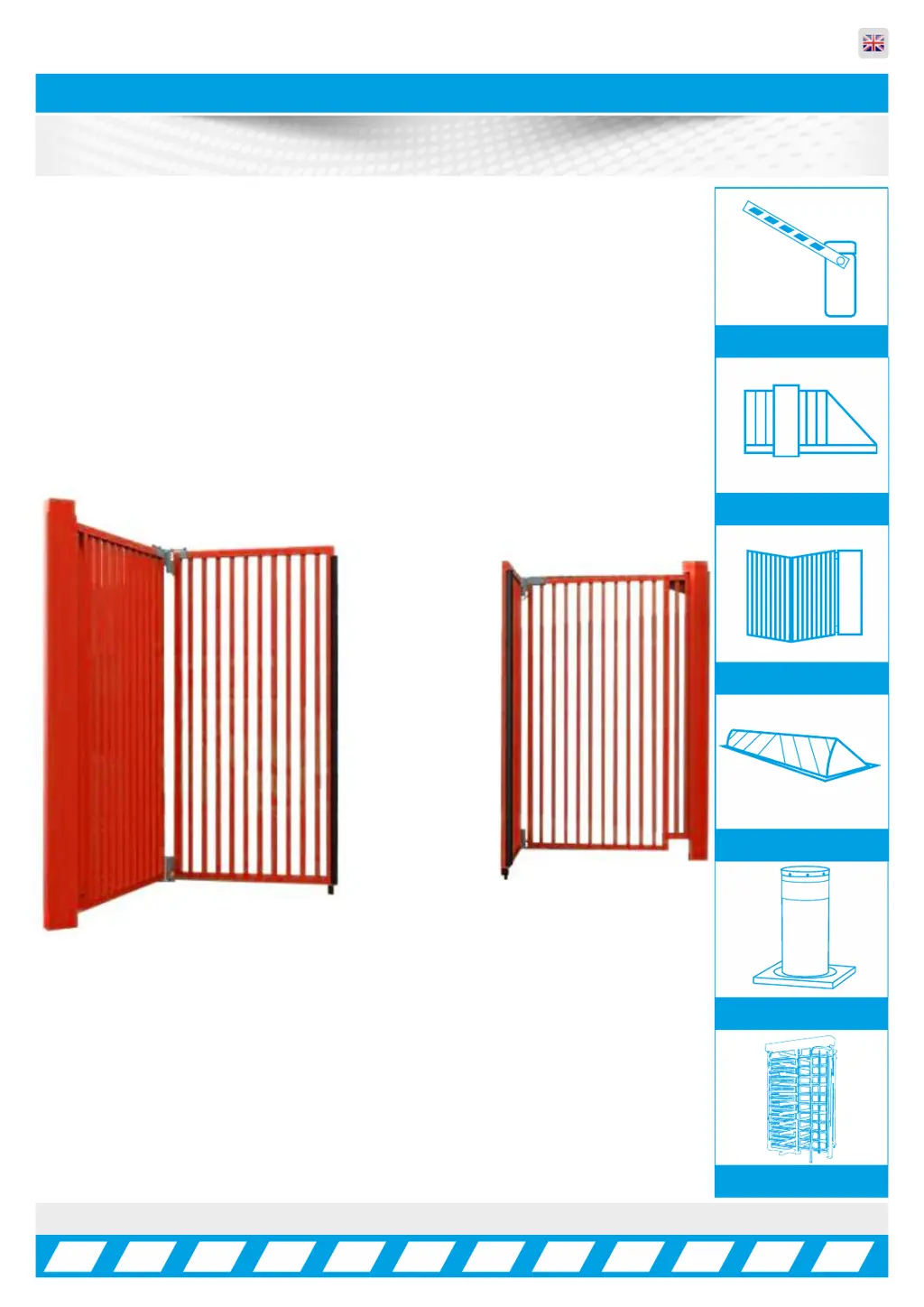
PF9500 Bi-Folding Speed Gate
Rev:8.2
Installation, Operation &
Maintenance Manual
Manual Barriers
Auto Sliding barriers
Auto Bi-Fold barriers
Auto Rising Kerbs
Turnstiles
Auto Rising Bollards

Questions and Answers

  • E
    Edward OneillAug 19, 2025
    What to do if Parking Facilities PF9500 Fencing & Gates motor run time exceeded?
    • S
      Stephanie BakerAug 19, 2025
      If the current motor run time has exceeded the set maximum run time, it may be due to the door sticking or being blocked. Check the door for any obstructions or sticking. Also, if using mechanical limit switches, inspect them to ensure they have tripped correctly.
  • T
    Tammy HendersonAug 21, 2025
    Why Parking Facilities PF9500 motor is blocked?
    • A
      Ashley GoldenAug 21, 2025
      If your gate or motor is blocked, check for any obstructions. Other potential causes include insufficient power, which means you should ensure the power supply is adequate. Also, too little speed can cause this, so adjust the speed setting. Check the mechanical limit switch condition. Inspect the encoder shaft for slippage. Verify and select the correct positioning system. Check for missing motor phases. Inspect the brake mechanism. Adjust failure detecting time settings.
  • D
    donaldthompsonAug 23, 2025
    Why Parking Facilities PF9500 motor won't start?
    • J
      Joshua VelazquezAug 23, 2025
      If the motor won't start, verify the motor data settings. Adjust the voltage increase/boost settings. Ensure the motor is correctly dimensioned for the door. Inspect and rectify any door sticking.
  • W
    william20Aug 26, 2025
    Why Parking Facilities Fencing & Gates motor is overheating?
    • B
      Billy OconnellAug 26, 2025
      If the motor is overheating, verify the motor data settings. Adjust the voltage increase/boost settings. Ensure the motor is correctly dimensioned for the door. Inspect and rectify any door sticking.
  • S
    Sharon BlevinsAug 28, 2025
    What to do if Parking Facilities Fencing & Gates has brake chopper issues?
    • R
      Renee JonesAug 28, 2025
      If you are experiencing brake chopper issues, check the brake chopper for defects. Reduce the feed voltage. Implement necessary adjustments to motor feedback.
  • A
    amanda51Aug 29, 2025
    How to resolve Parking Facilities Fencing & Gates encoder issues?
    • W
      williamnelsonAug 29, 2025
      If using incremental encoders and experiencing issues, correct encoder channels. If the motor rotation direction is reversed compared with the calibration setting, teach in the limits again. For too much 'pancaking' when starting, or if the brake releases too soon, or there's too little torque, adjust boost as necessary.
  • W
    waltonjenniferSep 1, 2025
    What to do if Parking Facilities PF9500 controller housing is overheating?
    • W
      wilsonlisaSep 1, 2025
      If the temperature inside the controller housing is too high, improve cooling or ventilation for the controller housing.
  • R
    Ricardo KingSep 3, 2025
    What to do if Parking Facilities PF9500 Fencing & Gates line supply is too high?
    • R
      Ryan LewisSep 3, 2025
      If the line supply for the Controller is too high, check the line supply voltage. If the line supply fluctuates extremely, stabilize line supply fluctuations.
  • L
    Lisa WardSep 5, 2025
    What to do if Parking Facilities PF9500 detects obstacle during closing?
    • A
      Angela ChavezSep 5, 2025
      If an obstacle is detected during closing, remove the obstacle during closing.
  • B
    buckjosephSep 7, 2025
    What to do if Parking Facilities PF9500 Fencing & Gates detects obstacle during opening?
    • A
      Anthony FuentesSep 7, 2025
      If, during opening, an obstacle has been recognized, remove the obstacle during opening.

Summary

Installation, Operation & Maintenance Manual

Introduction and Warnings

Important Safety Notice

Key safety advice for automatic gates, including pedestrian access and signage.

Information on Using This Manual

Advice on reading the manual, symbols, professional drawings, and product updates.

Delivery, Transport & Movement

Health and Safety Considerations

Focuses on reducing injuries and ill-health from goods movement, covering transport hazards.

Component Identification

Installation Steps 1-4

Details ground prep, first pour, tower alignment, and securing.

Component Identification (Continued)

Installation Steps 5-8

Discusses ducting, second pour, finishing, and connections for the gate tower.

Manual Release Guide

Safety and Maintenance Recommendations

Emphasizes bi-annual service, power isolation, and qualified technician checks for safety.

First Operation Manoeuvres

Automatic Gate Operation Guide

Explains using key switches and panel arrows for opening and closing the gate.

Panel Usage Guide

Parameter Settings and Functions

Lists common parameters, their descriptions, and effects on gate operation.

Troubleshooting Guide

Electrical Error Codes and Causes

Lists electrical error codes, their short descriptions, causes, and corrections.

Troubleshooting Guide (Continued)

Other Error Messages and Input Status

Details various error messages, their causes, and solutions, including input status.

Wiring Diagram and Basic Information

Understanding Control Panel Connections

Explains input/output configuration, voltage availability, and loop detector compatibility.

Input Configuration

Input Functions and Contact Types

Describes various input functions, parameter settings, and contact types (NO/NC).

Input and Output Configuration

Output Relay Switching Conditions

Details switching conditions for output relays, behavior, delays, and contact types.

Loop Detector System

Loop Detector Settings and Installation

Explains DIP switch settings, LED indications, and loop installation guidelines.

Electrical Troubleshooting Guide

Electrical Errors and Correction Methods

Provides a guide to electrical errors, their causes, and potential corrections.

Mechanical Troubleshooting Guide

Mechanical Errors and Correction Methods

Lists common mechanical errors, their causes, and recommended corrections.

Mechanical Troubleshooting Guide (Continued)

Potential Site Hazard Areas

Outlines potential hazard areas on site and suggests sketching system layout for client safety.

Installation;Commissioning Checklist

System Operation and Handover Checks

Details checks for system operation, safety devices, keys, signage, and documentation.

Service Log

Maintenance and Repair Record Keeping

Provides a template for recording service visits, reasons, and engineer signatures.

Commissioning Certificate

Certificate Signing Off Procedures

Section for installers and clients to sign, confirming satisfactory commissioning and handover.

Electronics Certificate

EC Type-Examination Certificate Details

Details the EC type-examination certificate for the safety component, including standards met.

Certificate of Conformity

Compliance with EU Directives and Standards

Declares machinery, low voltage, and EMC directive compliance, listing relevant standards.

Component Specifications

Electric Motor and Geared Motor Details

Lists specifications for the electric motor, geared motor, and overall product details.

Parking Facilities PF9500 Specifications

General IconGeneral
BrandParking Facilities
ModelPF9500
CategoryFencing & Gates
LanguageEnglish

Related product manuals