
 Need help?
Do you have a question about the Parkmate RVK-50SW and is the answer not in the manual?
Instructions for charging the rear camera's internal battery using a USB cable and charger.
Steps to verify all system components are functioning correctly before vehicle installation.
Guidance on tilting the camera and adjusting its depth for the best view and clearance.
Advice on selecting a suitable and safe location within the vehicle to mount the monitor.
Instructions for attaching the wireless remote button to the console or dashboard.
Steps to activate the rear camera, including using the remote button or monitor buttons.
Details on using the monitor's controls and understanding its status indicators.
Instructions on how to select from six different sizes for the parking guidelines.
 General
| Aspect Ratio | 16:9 |
|---|---|
| Video System | PAL/NTSC |
| Number of Camera Inputs | 4 |
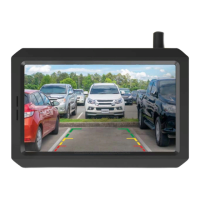
| Screen Size | 5 inch |
| Resolution | 800 x 480 |
| Power Supply | 12V |

 To Next Page