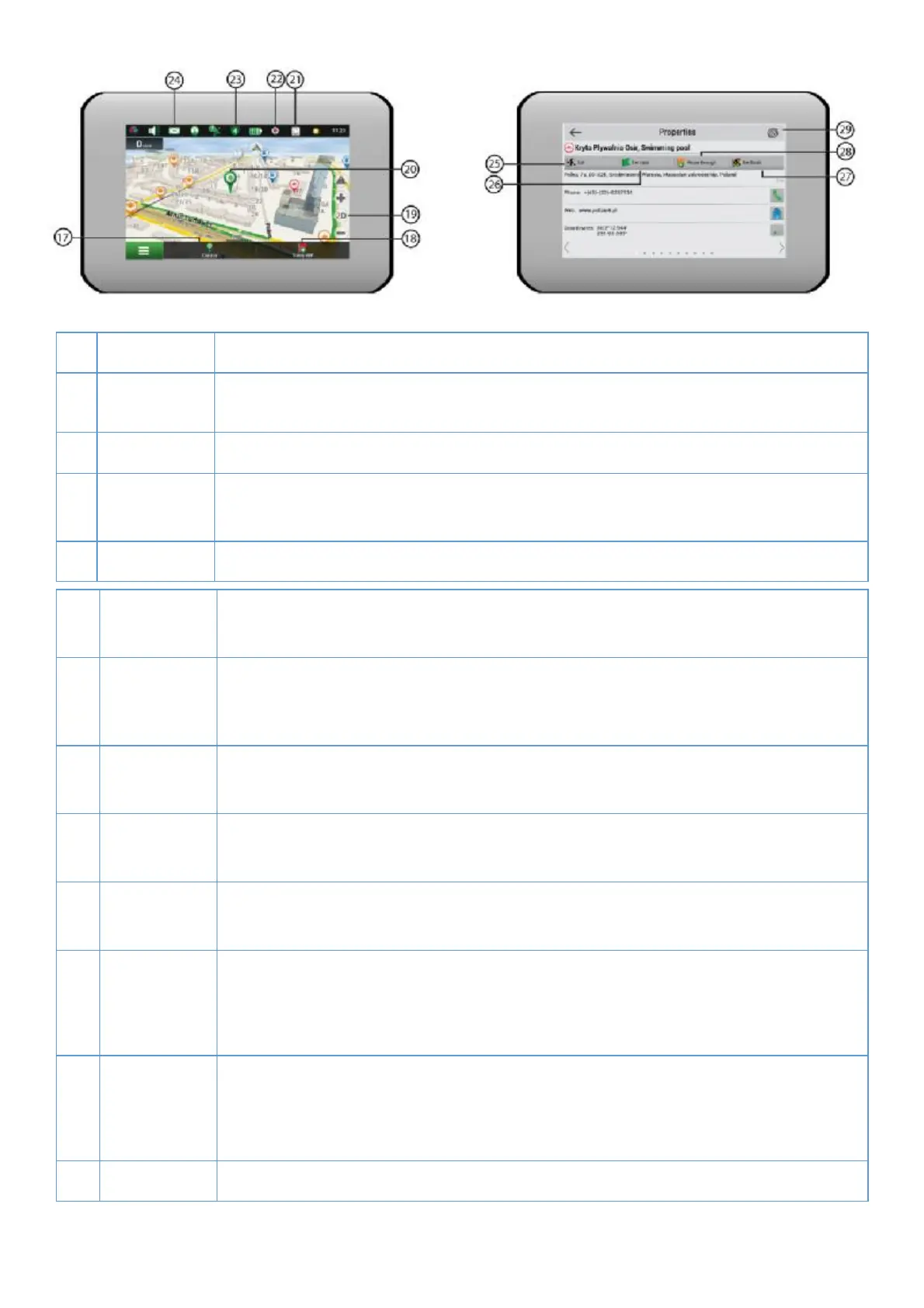
20
17 Cursor bu/ on Tapping on the bu0 on shows the menu for opera1ons
18 Save WP
bu2 on
Saves the point marked on the map as a waypoint.
19 2D/3D Switching between the plain 2D and the panoramic 3D map formats.
20 Point on the
map
Short tap on the map marks the point for further opera3ons with it: saving as a
21 Updates * Provides access to the program and map update menu screen.
22 Track
recording
Bu4 on for track recording: red dot– recording is on, grey dot – recording is
23 Navitel.
Tra' c *
The icon displays general tra' c intensity on ten-point scale. Tapping on the
bu5 on shows the menu for controlling the “Navitel.Tra' c” service.
24 Navitel SMS* The icon allows reading/sending messages and using coordinates in them. It also
25 Go Tapping on the bu6on gives a command to the program to calculate a route from
26 Set start Tapping on the bu7on determines the selected point as a star8ng point of the
27 Set #nish The bu9on is ac:ve only when there is an exis;ng route. Pressing the bu< on
con=nues the route up to the selected point making it the des>na?on point of the
route.
28 Rough
through
The bu@ on is acAve only when there is an exisBng route. Pressing the buC on
marks the selected point as a point to be included in the route. The last added
point becomes the #rst one in the route aD er the starEng point.
29 Map Back to map.
* – funcFonality is available only for devices, having access to the Internet.



 To Next Page