8
Connec(ng to Bluetooth
You may need to consult your mobile phone user manual to complete the connec;on to the DVR monitor
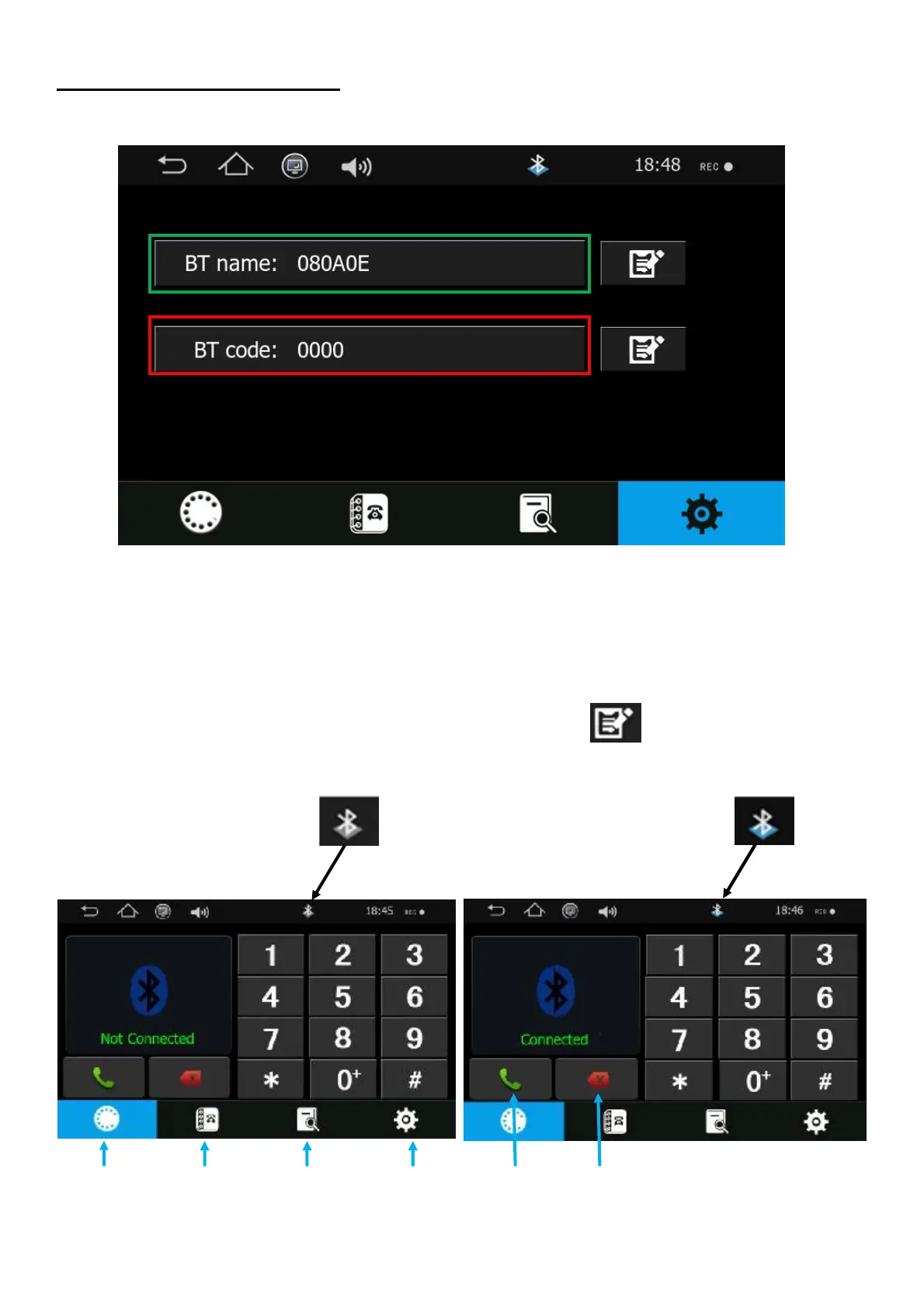
1. When searching Bluetooth devices #nd the name which appears in the green box above , please note
this name may be di"erent on your DVR, Please check this screen on your DVR.
2. Once the device has been selected please enter the password in the red box above
Note:- You can change the Name and Password by pressing this icon
GREY - Device not connected BLUE - Device connected
Dialler Phonebook Call record Se) ngs Accept / Call End / Cancel



 To Next Page