EasyManua.ls Logo

Parkside 275390 - User Manual

Parkside 275390
44 pages
Go to English
Print Icon
To Next Page IconTo Next Page
Loading...
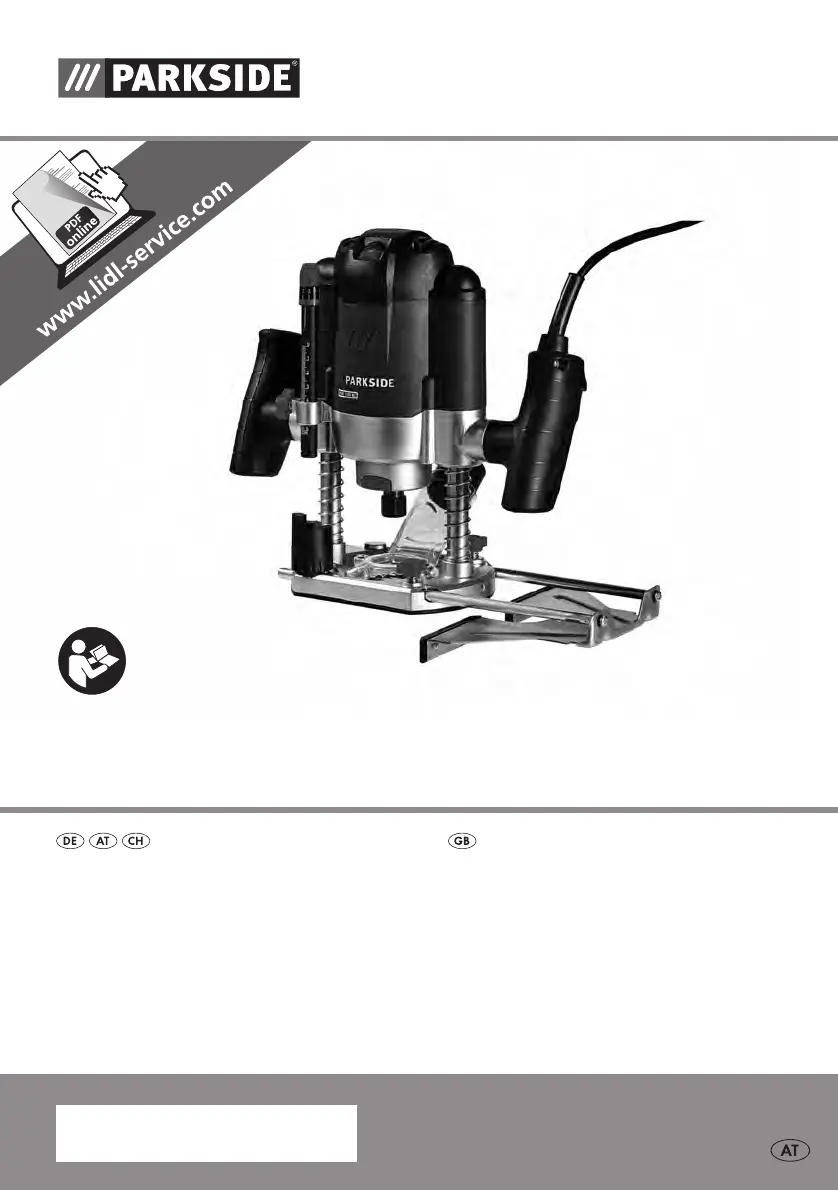
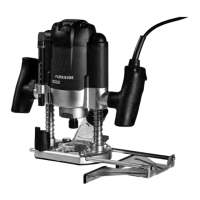
OBERFRÄSE POF 1200 B2
IAN 275390
OBERFRÄSE
Originalbetriebsanleitung
ROUTER
Translation of the original instructions
275390_par_Oberfräse_cover_AT.indd 2 24.06.16 08:19

Table of Contents

Questions and Answers

  • C
    Cassandra TylerAug 18, 2025
    What to do if my Parkside 275390 does not start?
    • D
      Danielle GarciaAug 18, 2025
      If your Parkside Power Tool doesn't start, check the socket, power cable, line, and power plug. If necessary, have repairs carried out by a qualified electrician. Also, check the main circuit breaker. If the on/off switch is broken, get it repaired by Customer Care. Note that a faulty motor may also cause this issue.
  • K
    Kyle GuzmanAug 20, 2025
    Why is my Parkside Power Tool engine slower and stops?
    • D
      David WallaceAug 21, 2025
      Your Parkside Power Tool engine might be slowing down or stopping because the device is overloaded by the workpiece. Reduce the pressure. Alternatively, increase the rotation speed. Also, the workpiece may be unsuitable.
  • M
    Maria WattsAug 23, 2025
    What to do if the milled workpiece has burn marks with my Parkside 275390 Power Tool?
    • T
      tabitha83Aug 23, 2025
      If the milled workpiece has burn marks, the rotation speed may be too low, so increase it. The cutter might be unsuitable or blunt; in this case, change the cutter. Also, if the cutting depth is set too large, use the step stop to mill in multiple steps.
  • K
    Kathleen TaylorAug 26, 2025
    Why is dust not being sucked off when using my Parkside 275390 Power Tool?
    • W
      William ParkerAug 26, 2025
      If dust is not being sucked off, ensure the vacuum is switched on before milling. Also, check if the suction hose or suction adapter is clogged and remove any blockages.
  • F
    Francisco StokesAug 28, 2025
    What to do if the fringes of the milled part tear off when using my Parkside Power Tool?
    • N
      njacobsAug 28, 2025
      If the fringes of the milled part tear off, and there are grooves and uneven parts in the milling, the cutter may be worn out and dull, or the cutter blades may be damaged. In either case, change the cutter.
  • B
    Billy JonesAug 30, 2025
    How to fix a milling that is not straight with my Parkside 275390?
    • M
      megan03Aug 30, 2025
      If the milling is not straight, the guide bars of the parallel stop may not be mounted firmly. Retighten the screws of the guide bars if necessary.
  • N
    nortonnancySep 2, 2025
    How to fix a Parkside Power Tool that won't start?
    • E
      Emily GonzalezSep 2, 2025
      If your Parkside Power Tool doesn't start, check the socket, power cable, line, and power plug. If necessary, have a qualified electrician perform repairs. Also, inspect the main circuit breaker and the on/off switch. A faulty motor can also cause this issue.
  • A
    Alicia JonesSep 4, 2025
    Why does my Parkside Power Tool leave burn marks on the workpiece?
    • L
      Leslie RodriguezSep 4, 2025
      Burn marks on the milled workpiece can occur if the rotation speed is too low, so try increasing it. The issue could also stem from using an unsuitable or blunt cutter, in which case you should change the cutter. If the cutting depth is set too large, use the step stop to mill in multiple steps.
  • R
    Ryan RiveraSep 6, 2025
    What to do if my Parkside Power Tool engine is slower and stops?
    • K
      Kimberly ByrdSep 7, 2025
      If the engine of your Parkside Power Tool slows down or stops, it might be overloaded by the workpiece; reduce the pressure. Also, increasing the rotation speed may solve the problem. The workpiece itself might be unsuitable for the tool.
  • T
    Thomas WashingtonSep 9, 2025
    Why is dust not being sucked off by my Parkside Power Tool?
    • A
      Adrienne Parker DDSSep 9, 2025
      If dust isn't being sucked off, ensure the vacuum is switched on before milling. Also, check for clogs in the suction hose or suction adapter and remove any blockages.

Parkside 275390 Specifications

General IconGeneral
Model Number275390
Chuck size10 mm
Weight1.1 kg
TypeDrill
No-load speed0-400 rpm

Related product manuals