32
Troubleshooting
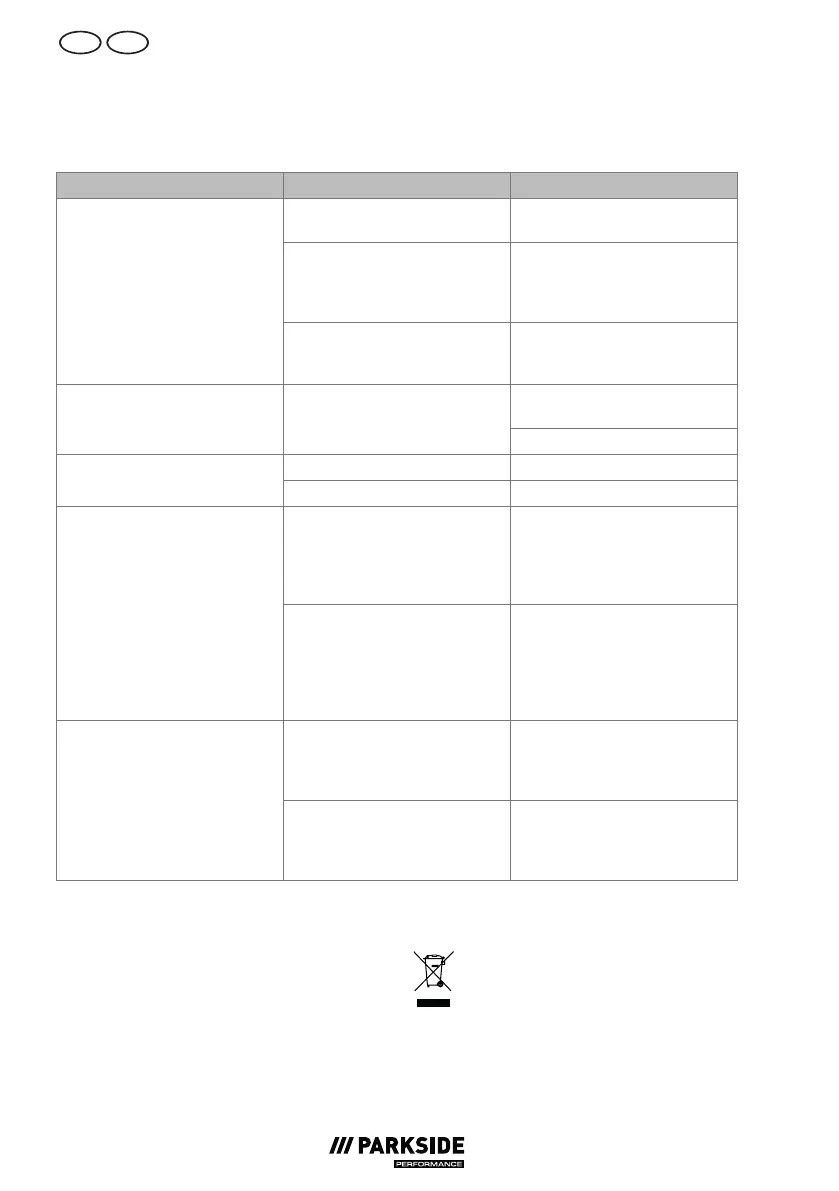
The following table will assist you in fixing faults:
Problem Possible cause Error correction
On/Off switch (32) turned off Check the position of the On/
Off switch
No mains power supply Check the socket, mains connec-
tion cable, plug and fuse and
have them repaired by a quali-
fied electrician if necessary.
Device does not work
Incorrect voltage supply Check whether the electrical sys-
tem matches the information on
the type plate
Turn the device on and press the
switch lever (17).
Device does not convey water Air locks in the pressure washer
Bleeding, p.30
Air locks in the pressure washer Bleeding, p.30No pressure in device
Pressure loss in line Check the water supply
Connections not correctly in-
stalled
Turn off the device and discon-
nect it from the mains. Reconnect
the device to the water supply
(see Establishing a water supply,
p.27)
Water system leaky
Water connection (28) leaky Turn off the device and discon-
nect it from the mains. Change
the quick connector for the
garden hose (29) including seal-
ing ring (see Spare parts and
accessories, p.35)
3-in-1 nozzle (23) is dirty Rinse the 3-in-1 nozzle (23)
with water. If required, clean the
nozzle bore hole with a needle
(see Cleaning, p.30).
Strong pressure fluctuations
3-in-1 nozzle (23) clogged Remove the 3-in-1 nozzle (23)
and ensure that the water can
discharge from the trigger gun
(1) unimpeded.
Disposal/
environmental
protection
The device, accessories and packaging should
be properly recycled. If you have any ques-
tions regarding disposal, contact your local
waste management provider or the service
centre.
Electrical devices must not be disposed
of with domestic waste.







 To Next Page