

EasyManua.ls Logo

Parkside PKB 5 A1 - User Manual

Parkside PKB 5 A1
20 pages
Print Icon
To Next Page IconTo Next Page
Loading...
IAN 420992_2201IAN 420992_2201
BLUETOOTH
®
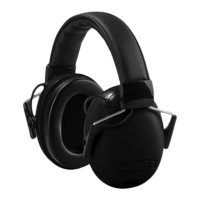
EAR DEFENDERS
PKB 5 A1
BLUETOOTH
®
EAR DEFENDERS
Operation and Safety Notes
XXXXXXXXXXXXX
Instrucciones de utilización y de seguridad
Distributed by / Distribuido por:
LIDL US, LLC, Arlington, VA 22202
Model No. / Modelo Núm.: HG06608A-US / HG06608B-US
Version / Versión: 06/2022
FCC ID : TBD
Made in / Hecho en: China
2AJ9O-HG6608
Question and Answer IconNeed help?

Do you have a question about the Parkside PKB 5 A1 and is the answer not in the manual?

Summary

Description of Signal Words

Customer Service Information

Warnings and Symbols Overview

Product Introduction

Intended Use of Bluetooth Ear Defenders

Details the intended purpose of the Bluetooth® Ear Defenders for audio transmission and noise reduction.

Trademark and Brand Notices

Lists registered trademarks related to Bluetooth® and the Parkside brand.

Scope of Delivery

Parts Description

Technical Data Specifications

Important NRR Information

Level Dependence of Noise Reduction

Explains how noise reduction rating can vary with frequency and usage conditions.

Important Safety Notes

Danger to Life and Risk for Infants and Children

Highlights suffocation hazards from packaging and risks for children.

General Usage and Safety Recommendations

FCC Part 15 Compliance Information

FCC;IC RF Exposure Warning

General Safety Instructions

Danger to Life and Risk for Infants and Children

Warns of suffocation hazards from packaging and risks to children.

Wireless Interference Precautions

Risk of Property Damage

General Safety and Operational Warnings

Radio Interference Precautions

High Sound Pressure Warning

Safety Instructions for Built-in Rechargeable Batteries

Danger to Life and Explosion Risk

Warns about keeping batteries from children and explosion risks from improper handling.

Risk of Battery Leakage

Advises on avoiding extreme conditions and handling battery acid exposure.

Charging the Battery

Fitting Instructions for Ear Muffs

Proper Fit and Seal for Noise Reduction

Guides on adjusting ear muffs for optimal fit, seal, and noise reduction.

Power On Mode with Bluetooth or Aux

Connecting to a Bluetooth Device

Steps for pairing and connecting the ear muffs to a communication device via Bluetooth.

Connecting to a Second Bluetooth Device

Clearing Paired Bluetooth Devices

Putting on the Ear Muffs

Conversations Function (Level-Dependent Attenuation)

Ear Muff Button Functions for Music Playback

Ear Muff Button Functions for Telephone Calls

Answering and Ending Calls

Details how to answer, end, ignore, and manage calls using ear muff buttons.

Connecting Ear Muffs via AUX Cable

Cleaning Instructions

Storage When Not in Use

Troubleshooting Common Issues

No Bluetooth Connection

Provides solutions for problems like no sound or no Bluetooth connection.

No Sound Output

Troubleshooting steps for when no sound is heard from the ear muffs.

Unable to Use All Functions

Addresses issues where not all ear muff functions are operational.

Product Disposal Guidelines

Three Year Limited Warranty

Warranty Coverage and Exclusions

Details what damages are covered and excluded under the warranty terms.

Warranty Processing and Claims

Explains how to initiate a warranty claim and what information is needed.
Summary

Description of Signal Words

Customer Service Information

Warnings and Symbols Overview

Product Introduction

Intended Use of Bluetooth Ear Defenders

Details the intended purpose of the Bluetooth® Ear Defenders for audio transmission and noise reduction.

Trademark and Brand Notices

Lists registered trademarks related to Bluetooth® and the Parkside brand.

Scope of Delivery

Parts Description

Technical Data Specifications

Important NRR Information

Level Dependence of Noise Reduction

Explains how noise reduction rating can vary with frequency and usage conditions.

Important Safety Notes

Danger to Life and Risk for Infants and Children

Highlights suffocation hazards from packaging and risks for children.

General Usage and Safety Recommendations

FCC Part 15 Compliance Information

FCC;IC RF Exposure Warning

General Safety Instructions

Danger to Life and Risk for Infants and Children

Warns of suffocation hazards from packaging and risks to children.

Wireless Interference Precautions

Risk of Property Damage

General Safety and Operational Warnings

Radio Interference Precautions

High Sound Pressure Warning

Safety Instructions for Built-in Rechargeable Batteries

Danger to Life and Explosion Risk

Warns about keeping batteries from children and explosion risks from improper handling.

Risk of Battery Leakage

Advises on avoiding extreme conditions and handling battery acid exposure.

Charging the Battery

Fitting Instructions for Ear Muffs

Proper Fit and Seal for Noise Reduction

Guides on adjusting ear muffs for optimal fit, seal, and noise reduction.

Power On Mode with Bluetooth or Aux

Connecting to a Bluetooth Device

Steps for pairing and connecting the ear muffs to a communication device via Bluetooth.

Connecting to a Second Bluetooth Device

Clearing Paired Bluetooth Devices

Putting on the Ear Muffs

Conversations Function (Level-Dependent Attenuation)

Ear Muff Button Functions for Music Playback

Ear Muff Button Functions for Telephone Calls

Answering and Ending Calls

Details how to answer, end, ignore, and manage calls using ear muff buttons.

Connecting Ear Muffs via AUX Cable

Cleaning Instructions

Storage When Not in Use

Troubleshooting Common Issues

No Bluetooth Connection

Provides solutions for problems like no sound or no Bluetooth connection.

No Sound Output

Troubleshooting steps for when no sound is heard from the ear muffs.

Unable to Use All Functions

Addresses issues where not all ear muff functions are operational.

Product Disposal Guidelines

Three Year Limited Warranty

Warranty Coverage and Exclusions

Details what damages are covered and excluded under the warranty terms.

Warranty Processing and Claims

Explains how to initiate a warranty claim and what information is needed.

Parkside PKB 5 A1 Specifications

General IconGeneral
BrandParkside
ModelPKB 5 A1
CategoryHeadsets
LanguageEnglish