
EasyManua.ls Logo

Parkside PSHL 2 C1 - User Manual

Parkside PSHL 2 C1
94 pages
Print Icon
To Next Page IconTo Next Page
Loading...
GB IE NI
FR BE
DE AT CH
DK
NL BE
IAN 315776_1904
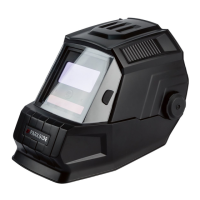
AUTOMATIC WELDING HELMET
MASQUE DE SOUDAGE
AUTOMATIQUE
AUTOMATIK-SCHWEIßHELM
AUTOMATISK SVEJSEHJELM
AUTOMAAT-LASHELM
Operation and Safety Notes
Translation of the original instructions
Consignes d’utilisation et de sécurité
Traduction du mode d’emploi d‘origine
Bedienungs- und Sicherheitshinweise
Originalbetriebsanleitung
Brugs- og sikkerhedsanvisninger
Oversættelse af den originale driftsvejledning
Bedienings- en veiligheidsinstructies
Vertaling van de originele bedieningshandleiding
AUTOMATIC WELDING HELMET PSHL 2 C1
BEDK
NIIEGB

Table of Contents

Questions and Answers

  • J
    Jennifer PorterAug 16, 2025
    Why is visibility poor when using my Parkside Welding Accessories?
    • M
      michele29Aug 16, 2025
      If visibility is poor when using Parkside Welding Accessories, several factors could be the cause. First, check if the protector or protective screen is dirty and clean them. Also, ensure that the protective film on the protective screen has been removed. Insufficient ambient light can also affect visibility, so provide more light to your working environment. Finally, the darkening level might be incorrectly set, so try re-setting it.
  • D
    Douglas WadeAug 18, 2025
    Why does the filter flicker on my Parkside Welding Accessories?
    • J
      Jorge ReillyAug 18, 2025
      If the filter on your Parkside Welding Accessories isn't darkening steadily or is flickering, it could be due to several reasons. The protector might be dirty or defective, so try cleaning or replacing it. The arc sensor might not be clear, so clean its surface. If the welding current is too low, set the sensitivity to the maximum level.
  • R
    Robert KochAug 21, 2025
    What to do if the reaction is slowed down on Parkside PSHL 2 C1?
    • E
      Eric WilliamsAug 22, 2025
      If the reaction time of your Parkside Welding Accessories is slow, it could be due to the ambient temperature being too low or too high. Only use the welding helmet at temperatures between -5°C and +55°C. Another cause could be that the sensitivity is set too low; try adjusting the sensitivity to a higher level.
  • M
    Mr. Timothy AllenAug 25, 2025
    How to fix a slipping welding helmet from Parkside PSHL 2 C1 Welding Accessories?
    • A
      aaron78Aug 26, 2025
      If the Parkside welding helmet slips, readjust the headband and make it tighter.
  • J
    Jordan MitchellAug 27, 2025
    Why is visibility poor when using Parkside Welding Accessories?
    • S
      Stephen ReyesAug 27, 2025
      Poor visibility when using Parkside Welding Accessories can occur for several reasons: * The protector or protective screen may be dirty; clean them. * The protective film on the protective screen might not be removed; remove the film. * The ambient light may be insufficient; increase the light in your working environment. * The wrong darkening level may be set; reset the darkening level.
  • J
    Jesse SmithAug 30, 2025
    What to do if the filter doesn't darken steadily or flickers on Parkside PSHL 2 C1?
    • B
      Brenda CarterAug 30, 2025
      If the filter on your Parkside Welding Accessories doesn't darken steadily or flickers, it could be due to a few reasons. First, the protector might be dirty or defective, so try cleaning or replacing it. Second, the arc sensor might not be clear; clean its surface. Finally, the welding current might be too low; in this case, set the sensitivity to the maximum level.
  • M
    martinezmarySep 2, 2025
    Why is the reaction slowed down on Parkside Welding Accessories?
    • P
      penakellySep 3, 2025
      A slowed reaction time in your Parkside Welding Accessories can be caused by two main factors. The ambient temperature might be too low or too high; only use the welding helmet at temperatures between -5°C and +55°C. Also, the sensitivity might be set too low; try adjusting it to a higher level.
  • S
    Sarah SteinSep 5, 2025
    Why is visibility poor with my Parkside Welding Accessories?
    • Z
      Zachary OliverSep 5, 2025
      If the visibility is poor when using your Parkside Welding Accessories, start by cleaning the protector and protective screen. Ensure that you have removed the protective film from the protective screen. Insufficient ambient light can also cause poor visibility, so provide more light to your working environment. Finally, check that the correct darkening level has been set and adjust if necessary.
  • J
    Jenna BellSep 8, 2025
    How to fix a filter that doesn't darken steadily on Parkside Welding Accessories?
    • S
      Stacie LucasSep 8, 2025
      If your Parkside welding accessories filter isn't darkening steadily or is flickering, it could be due to a few reasons. First, check if the protector is dirty or defective; if so, clean or replace it. Also, make sure the arc sensor surface is clean. If the welding current is too low, set the sensitivity to the maximum level.
  • L
    Lacey PetersonSep 12, 2025
    How to adjust a slipping welding helmet on Parkside Welding Accessories?
    • G
      gutierrezkarenSep 12, 2025
      If the welding helmet keeps slipping when you are using Parkside Welding Accessories, readjust the headband and make it tighter.

Summary

Introduction

Intended Use and Package Contents

Details the product's purpose for welding and lists items included in the package.

Product Details and Specifications

Flames Model Parts and Specifications

Lists components and technical data for the welding helmet with a flames design.

Black Model Parts and Specifications

Lists components and technical data for the welding helmet with a black design.

Safety Instructions

General Safety, Usage, and Operational Precautions

Covers essential safety notes, usage guidelines, and operational warnings for the helmet.

Maintenance, Component, and Environmental Safety

Discusses safe practices for maintenance, components, environmental exposure, and contact warnings.

Using the Device

Device Setup, Adjustment, and Darkening Control

Explains helmet setup, adjustment, darkening level control, and testing procedures.

Replacing the UV Filter;Solar Cell

Step-by-step instructions for replacing the UV filter or solar cell on both helmet models.

Troubleshooting

Identifying and Resolving Common Faults

Lists common problems with the welding helmet and their corresponding causes and solutions.

Maintenance, Storage, and Disposal

Cleaning, Storage, and Recycling Guidance

Instructions on cleaning, storing, and environmentally friendly disposal of the device.

Understanding Product Markings and Standards

Explains the meaning of symbols, codes, and standards found on the product.

EU Declaration of Conformity

Product Identification, Standards, and Notified Body

Details product info, harmonised standards, and the notified certification body.

Warranty and Service Information

Warranty Terms, Coverage, and Claims

Outlines warranty conditions, coverage, exclusions, and how to submit a claim.

Service and Spare Parts Information

Provides information on using original spare parts and contacting service for the helmet.

Parkside PSHL 2 C1 Specifications

General IconGeneral
BrandParkside
ModelPSHL 2 C1
CategoryWelding Accessories
LanguageEnglish

Related product manuals
