6
Flying
Flying
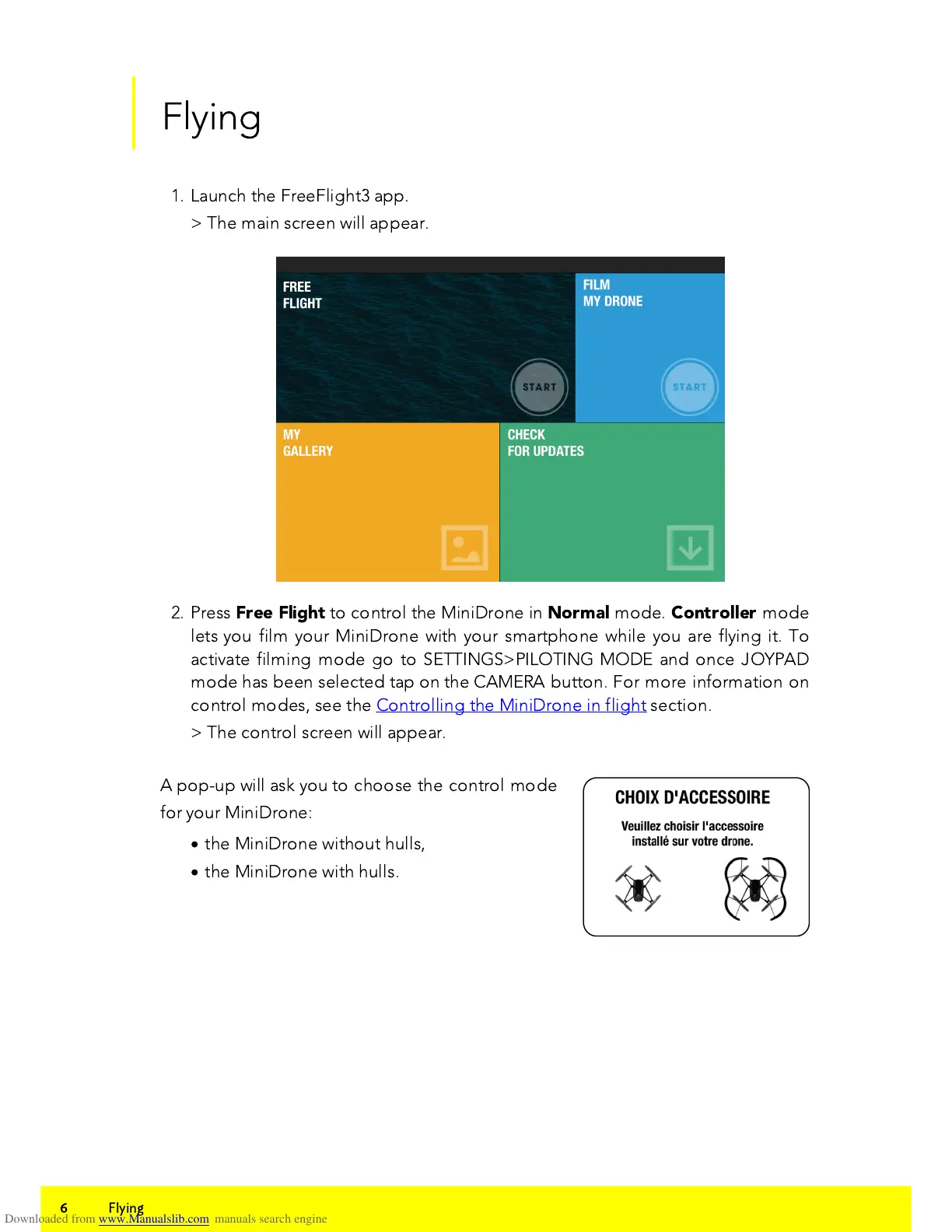
1. Launch the FreeFlight3 app.
> The main screen will appear.
2. Press
Free Flight
to control the MiniDrone in
Normal
mode.
Controller
mode
lets you film your MiniDrone with your smartphone while you are flying it. To
activate filming mode go to SETTINGS>PILOTING MODE and once JOYPAD
mode has been selected tap on the CAMERA button. For more information on
control modes, see the Controlling the MiniDrone in flight section.
> The control screen will appear.
A pop-up will ask you to choose the control mode
for your MiniDrone:
·
the MiniDrone without hulls,
·
the MiniDrone with hulls.



 To Next Page