02
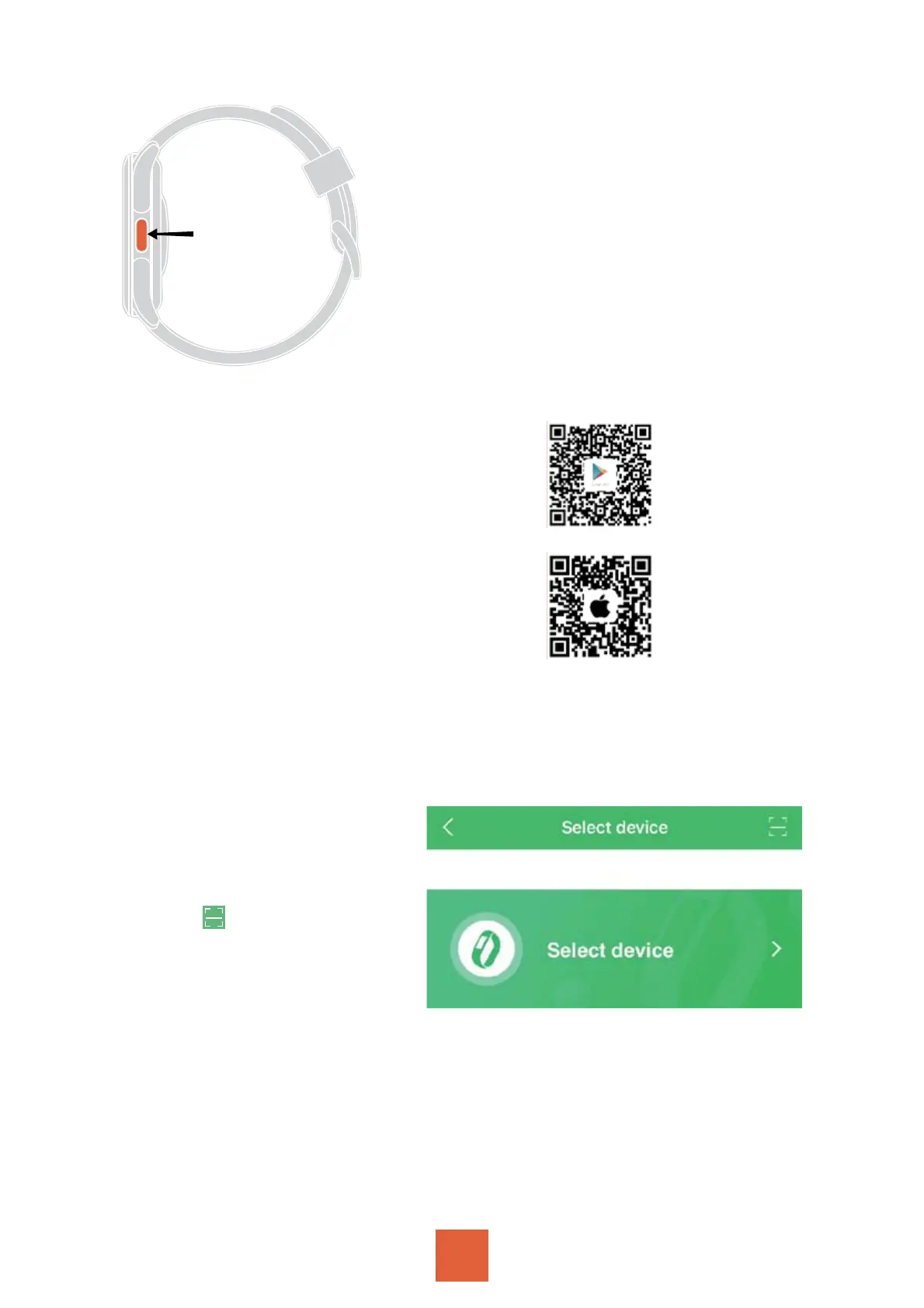
Press and hold the side
power button to turn on the
watch
Note:
ʹˢ˥Ё˥˦˧˨˦˘ʟˣ˟˘˔˦˘˖˛˔˥˚˘
˧˛˘˪˔˧˖˛˙ˢ˥ʨˠ˜ˡ˨˧˘˦ʟˢ˥˜˧ˠ˔ˬ
ˡˢ˧˕˘˧˨˥ˡ˘˗ˢˡʡʴˡ˗˜˧˧˔˞˘˦
˔˕ˢ˨˧ʥ˛ˢ˨˥˦˧ˢ˙˨˟˟ˬ˖˛˔˥˚˘˧˛˘
˪˔˧˖˛ʡ
Download App
˃ˢ˪˘˥ˢˡʠʶ˟˜˖˞˧ˢ˦˘˟˘˖˧˧˛˘
˟˔ˡ˚˨˔˚˘ʠˆ˖˔ˡ˧˛˘˄˅˖ˢ˗˘ˢ˙
˧˛˘˪˔˧˖˛ʠʷˢ˪ˡ˟ˢ˔˗Ϡʺ˟ˢ˥ˬʹ˜˧ϡ
app
ʹˢ˥˜˂ˆʭʴˣˣ˟˘ʴˣˣˆ˧ˢ˥˘
ʹˢ˥ʴˡ˗˥ˢ˜˗ʭʺˢˢ˚˟˘˃˟˔ˬˆ˧ˢ˥˘
1.Open the app, register and log in to your account.
2.Click the third small
icon “Device” at the
bottom of the page -
Click “Add a new device”
- Click in the upper
right corner - Scan the
QR code on the watch
(Settings - QR Code) - on
the App “FF1(ID-****) would like to pair with your phone.”
that pops up, select “Pair” - to achieve a successful con-
nection (Bluetooth Name: Parsonver FF1 )
Note:
1 )Turn on the Bluetooth on the mobile phone.
2)Reset the watch when no Bluetooth signal found.
ʺˢˢ˚˟˘
˃˟˔ˬˆ˧ˢ˥˘
Apple
App Store
Pair with Watch


 To Next Page