6 7
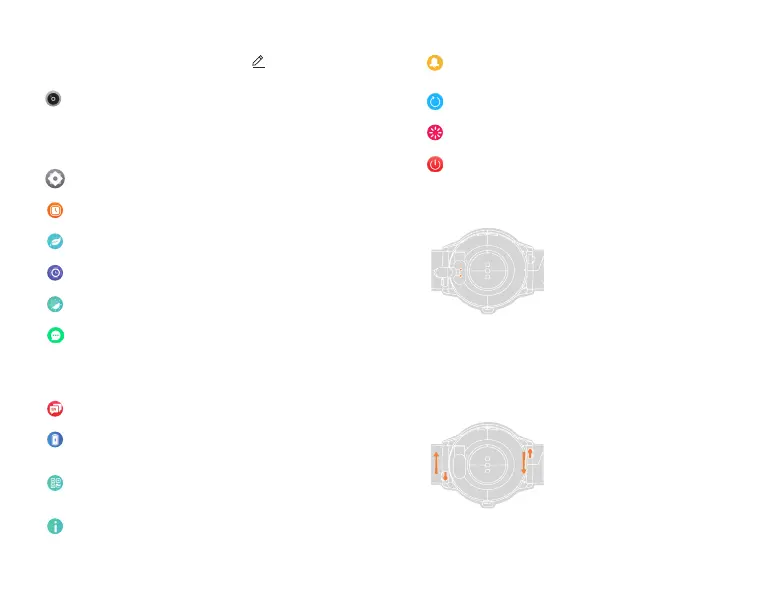
Restart
Restart the watch.
Reset
Reset the watch to factory settings.
Ringtone settings
Set system ringtone type and volume, turn on/o silent
mode.
Power o
Power o your watch.
Replace the watchband
Slide the switch of the
watchband, and replace the
same specication(watchband
width: 22mm).
Charge
For charging, please place the
watch at, and make sure the
metal holes on the back are
aligned with the metal tip of the
charging head (charging contact
spacing: 2.5mm).
Note:
1) The rated voltage of the
charging head cannot exceed
5V/2A.
2)Please do not use the vehicle
power supply to charge, to avoid
causing the charging cable
to age or burn out due to the
unstable voltage.
Open the app and nd the third small icon “Me" at the bottom
of the page - Click “Camera” - Click the watch camera icon
to enter the photograph function
Camera
Setting Mode
Menu style
There are 3 styles for you to choose.
Watch faces
Set the default watch faces.
Vibration
Choose the vibration intensity.
Fit notication
Turn on/o sedentary reminder, goal achieved, drink
water reminder, heart rate reminder.
Note: Goal achieved can be set in the account
information.
Screen time
Set the screen time.
Language
Choose the language.
Battery
Check the current battery and open the power saving
mode.
QR code
Scan the code to connect the watch or download the
APP.
About
Check system info, including Bluetooth name, Mac
address, rmware version, UI version.
Set Account Information: Open the app - Click the third small
icon “Me" at the bottom of the page - Click in the upper
right corner - Can modify account information


 To Next Page