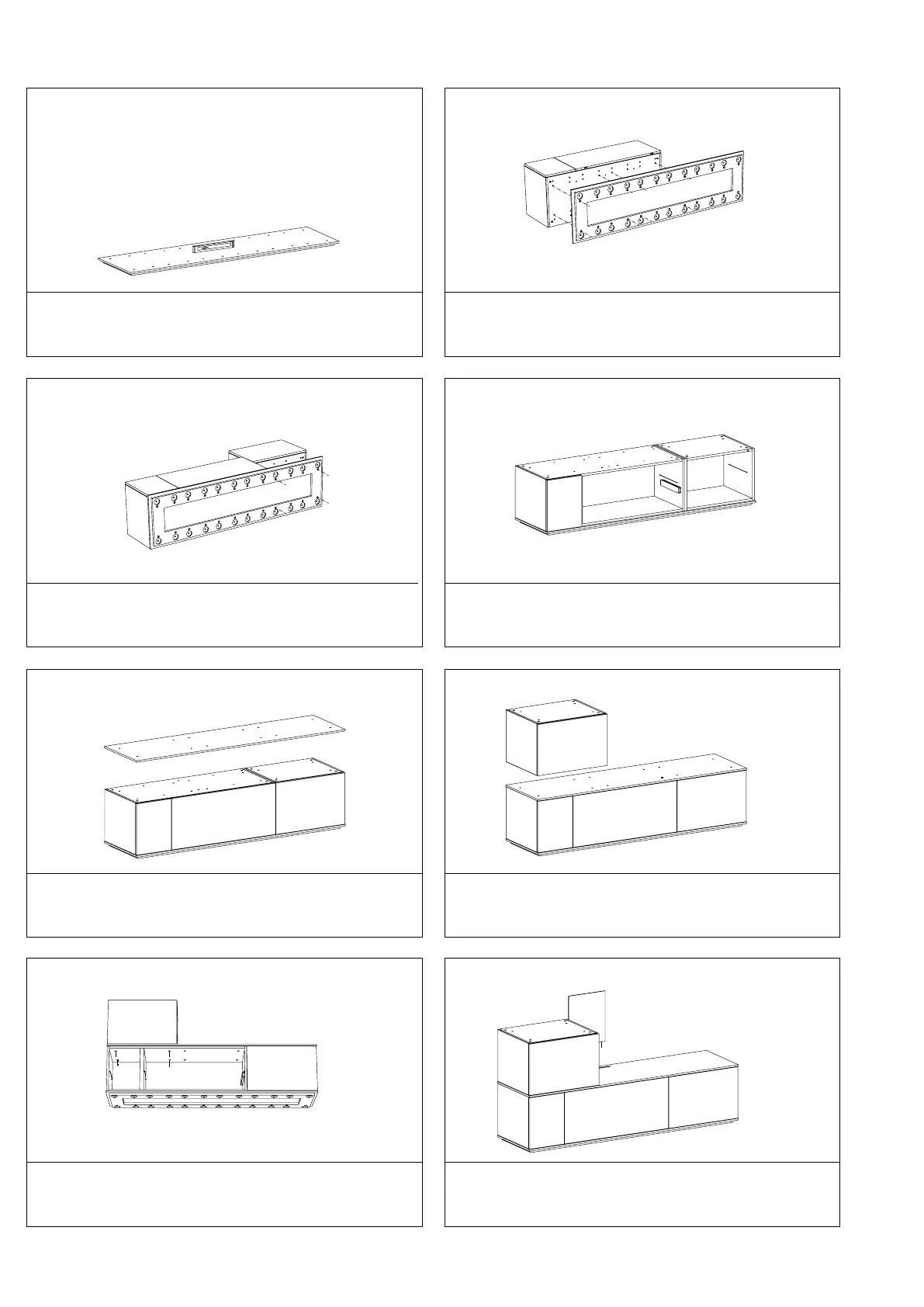
Place the plinth at the desired position and adjust until level
using the adjustable legs.
Rotate the plinth so that the underside can be accessed and
place the body. Screw the body to the underside of the plinth
using the supplied bolts (A; L=35mm).
Place the second body in the same manner. Set the cabinet in the desired position.
Place the divider.
1 2
3 4
5
Place the body on the divider.
6
Secure the body from the cabinet underneath using the supplied
long bolts (A; L=35mm).
7
If this cabinet does not feature an open compartment, please go
on to step 11.
Place the back panel using the lamellos (F).
8 OPEN COMPARTMENT
A
A
A
A
A
A
A
A
A
A
A
A
A
A
A
F
A
Assembly instructions



 To Next Page