www.scanitparts.com
Nightlyordersdidnotpull
If the computer that Scanit Parts is on shuts down or reboots overnight, ensure you complete the
following steps to ensure order and inventory is up to date before scanning.
Open Scanit Parts Main Menu.
*
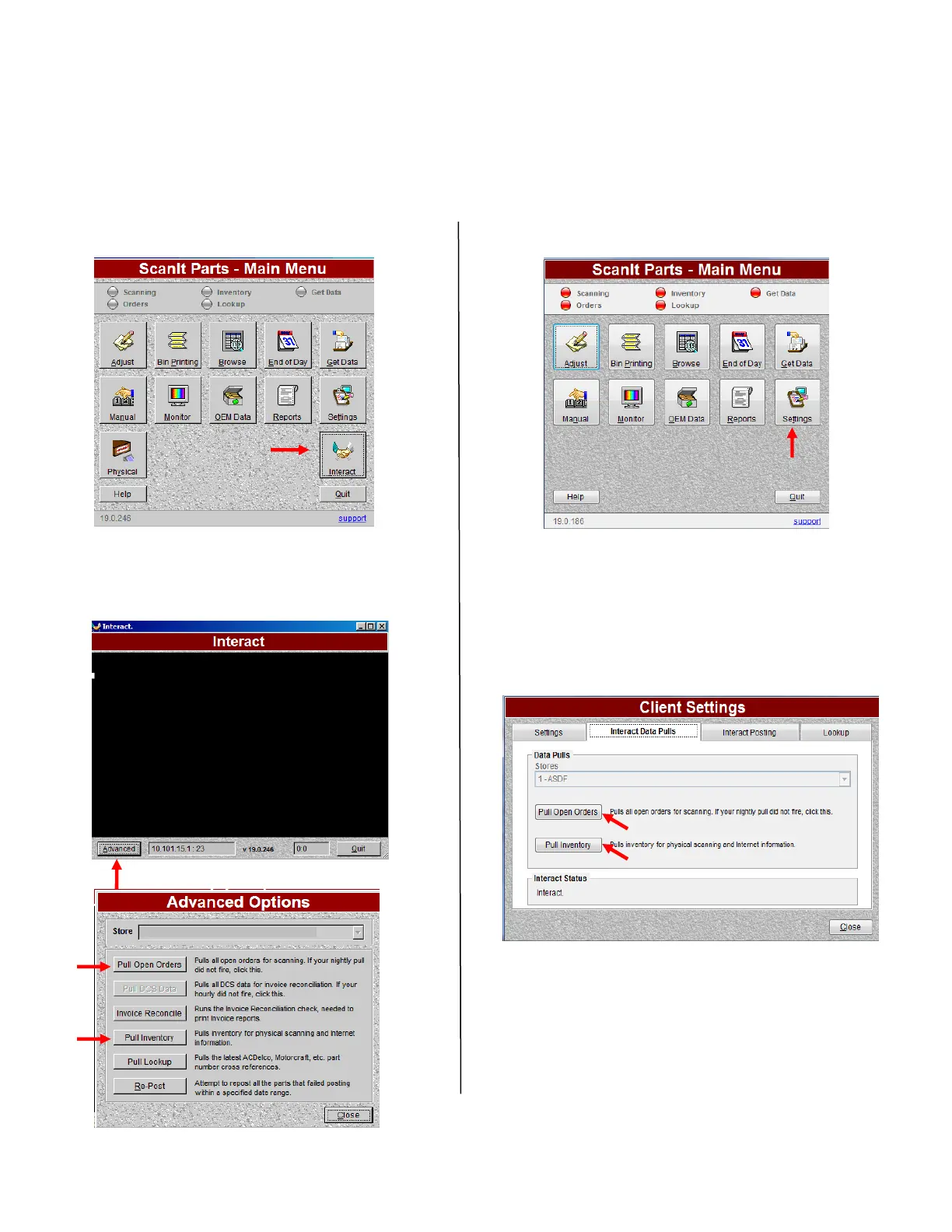
If your Main Menu looks like this: * If your Main Menu looks like this:
.
Step 1. Select Interact. Step 1. Select Settings.
Step 2. Pull Open Orders and Inventory. Step 2. Select Interact Data Pulls Tab.
Step 3. Select Pull Open Orders
and Pull Inventory.



 To Next Page