
 Need help?
Do you have a question about the Pathway connectivity solutions Pathport OCTO 64 Series and is the answer not in the manual?
Details on DMX512 and various Ethernet protocols like sACN, Art-Net, etc.
Explanation of ANSI E1.20 RDM standard for remote configuration of DMX devices.
Information on available wall-mount and truss-mount kits for the OCTO unit.
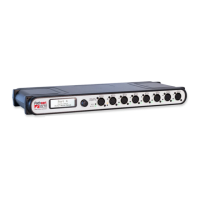
Details the LCD screen, rotary encoder, DMX ports, and LED indicators on the front panel.
Describes the rear panel connections including DMX ports, RJ45 etherCON, CCI, and AC input.
Provides context on cybersecurity legislation and its impact on Pathway products.
Explains the practical implications of security features for users, including password requirements.
Describes devices shipped after Jan 1, 2020, requiring domain addition for full access.
Explains devices in a domain appear with amber padlock, allowing read-only access until logged in.
Details devices configured for front-panel-only access via a local password.
Indicates devices within the current domain with full read/write access once logged in.
Describes devices opted out of security features, behaving like legacy devices.
Refers to older firmware devices (v4) that cannot be secured and are compatible with Pathscape 4.
Details domain management functions like changing passwords and domain names.
Describes how to add or remove devices from a security domain.
Guide on resetting devices to their original factory settings.
Information on creating, storing, and recalling device configurations.
Critical warning about the risks of using unsecured network protocols.
Describes the automatically generated ssACN password for security domains.
How to set custom ssACN passwords for specific network requirements.
Steps for configuring the device's network settings, including IP address and subnet.
Shows the assigned Security Domain for the device.
Displays the name of the Security Domain the device is currently assigned to.
Covers device identification, naming, notes, and front panel lockout/backlight settings.
Shows the current status, including Network DMX and DMX512 activity.
Settings for IP mode, IP address, subnet mask, gateway, and DNS server.
Critical warning about the risks of using unsecured network protocols.
Options for selecting the DMX transmit protocol, including Pathport, Art-Net, sACN, etc.
Settings for Domain Auto or Custom ssACN transmit passwords.
Option to map Art-Net Universe 0:0 to Universe 1.
Configuration options for output ports, including basic, network, DMX512, RDM, and advanced properties.
Option to enable or disable a DMX port for debugging or other purposes.
Setting the direction of the port as either Input or Output.
Configures the DMX512 output speed in packets per second.
Enables or disables RDM functionality on the selected port.
Controls background discovery of RDM devices online.
Displays the number of RDM devices detected on a port.
Suspends RDM discovery and commands for performance optimization.
Defines the action performed by the Contact Closure Interface when activated.
Covers subdevice name, notes, and status for input ports.
User-configurable label for the input port.
User-configurable text field for input port descriptions.
Shows active/inactive status for Network DMX and DMX512 on the input port.
Option to enable or disable a DMX port.
Sets the port direction to Input or Output.
Forces the port to snapshot and maintain current DMX levels.
Important prerequisites and recommendations before configuring the device via the front panel.
Configuration of network settings like IP mode, address, subnet mask, and gateway.
How to enable local security for front-panel-only configuration.
Options for restoring the device to factory settings.
Enabling or disabling a DMX port.
Setting the DMX direction to Input or Output.
Selecting standard or custom patches for ports.
Setting the DMX output speed.
Enabling or disabling RDM functionality on a port.
Selecting actions for the Contact Closure Interface.
Details power input, current consumption, and DMX port protection.
Lists relevant industry standards and certifications the device adheres to.
Provides physical specifications such as weight and dimensions.
 General
| Category | Gateway |
|---|---|
| Model | Pathport OCTO 64 Series |
| DMX Ports | 8 |
| Protocols Supported | Art-Net, sACN |
| Mounting | Rack |
| Dimensions | 19" x 1.75" x 8.5" |
| Operating Temperature | 0°C to 40°C |
| Humidity | 10-90% RH, non-condensing |

 To Next Page