EasyManua.ls Logo

Patlite LA6-POE - User Manual

Patlite LA6-POE
94 pages
Print Icon
To Next Page IconTo Next Page
Loading...
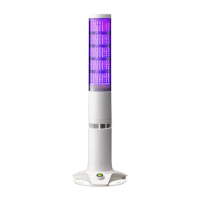
Signal Tower
Operation Manual
Model LA6-POE
B95100524_01

Table of Contents

Questions and Answers

  • C
    Cheryl MartinAug 20, 2025
    What to do if 'Unable to communicate with the LED Unit' is displayed on Patlite LA6-POE?
    • S
      Sarah PenningtonAug 20, 2025
      If 'Unable to communicate with the LED Unit.' is displayed on the WEB setting screen of your Patlite Desktop, ensure that the DC power is properly applied at the correct voltage. Also, check whether your device can communicate with a DHCP server. Wait before accessing the Web setting screen again. If the issue persists, the LED unit may be faulty.
  • P
    patriciabergAug 21, 2025
    How to fix Patlite LA6-POE Web Setting Screen if it's not displayed?
    • S
      Samuel WilsonAug 21, 2025
      If the Web Setting Screen for your Patlite Desktop is not displayed, check the following: * Ensure the LAN cable is connected correctly. * Use a LAN cable rated at category 5e or higher. * Verify the IP address setup for the product and the personal computer. * Ensure the IP address for the product is not duplicated. * Enable Java Script in your browser security settings. * Clear the browsing history.
  • M
    Michelle GarciaAug 25, 2025
    Why doesn't the LED light up on my Patlite Desktop?
    • S
      Samuel BellAug 25, 2025
      If the LED on your Patlite Desktop does not light up or flash, check if it is connected to the PoE power supply and if the power is properly supplying the correct rated voltage. Also, verify that 'BLACK' is not selected in the LED unit setting, that the control method is set up correctly, and that the electric wiring is connected correctly.
  • A
    Adrian WhiteAug 26, 2025
    Why does the buzzer not sound on my Patlite LA6-POE Desktop?
    • S
      Steven FloresAug 27, 2025
      If the buzzer on your Patlite Desktop does not sound, check if the buzzer sound is set to 'Mute' or if 'Buzzer: No sound' is selected in the smart mode setting. Also, ensure the power is properly supplying the correct voltage and that the electric wiring is connected correctly. Set the buzzer sound to an audible level or set up the desired buzzer pattern.
  • X
    Xavier MyersAug 27, 2025
    How to increase the buzzer volume on Patlite LA6-POE?
    • A
      Anthony AllenAug 27, 2025
      If the buzzer sound volume is low on your Patlite Desktop, ensure that the buzzer volume is not set to minimum and that the setup data is correct. Set the buzzer sound to an audible level and check the contents of the setup data.
  • P
    Patricia VanceAug 29, 2025
    What to do if the wrong LED tier lights up on Patlite LA6-POE Desktop?
    • C
      Claudia LaneAug 29, 2025
      If a different LED tier from what you thought lights up when you turn it on for your Patlite Desktop, check that the contents of the setup data is correct and whether the wiring is connected correctly.
  • C
    caitlynramirezAug 31, 2025
    How to fix Patlite Desktop Web Setting Screen if it's not displayed correctly?
    • J
      Juan FernandezAug 31, 2025
      If the Web Setting Screen is not displayed correctly for your Patlite Desktop, update the browser information and check again.
  • G
    grossrobertSep 3, 2025
    What to do if an error is displayed when logging in Patlite Desktop Web Setting Screen?
    • C
      Christopher PooleSep 3, 2025
      If you see an error when logging into the Web Setting Screen of your Patlite Desktop, check the IP address currently displayed in the address column of the browser.
  • M
    meltonbrianSep 4, 2025
    How to fix Patlite LA6-POE Desktop Signal Tower if it will not switch off?
    • J
      Jacob PayneSep 5, 2025
      If the Signal Tower will not switch off, even if the 'Clear' switch is pressed on your Patlite Desktop, set the control method to the command control method.
  • J
    josephsmithSep 7, 2025
    Why does the LED flash red on Patlite LA6-POE after powering on?
    • R
      Robert ElliottSep 7, 2025
      If the LED flashes red in all tiers immediately after switching on the power of your Patlite Desktop, rewrite the setting data.

Summary

Introduction

Safety Precautions

Information to prevent damage to users and assets, including warning symbols and their meanings.

Model Number Configuration

Installation

How to Install

Guides on mounting the signal tower, covering direct-mount, stationary, and terminal block connector procedures.

Wiring

Explains terminal block pin arrangement and the process of wiring the terminal block.

How to Operate

Operating Procedure

Outlines procedures for controlling the signal tower via commands and signal line inputs.

Setup and Configuration

Guides on configuring web setup, network, main unit, and LED units for operation.

Communication and Control Methods

Covers command configuration, Modbus/TCP, contact input, mirroring, and information transmission.

Operating Procedure

Modbus;TCP

Details controlling and obtaining status via Modbus/TCP protocol, including function codes and addresses.

Mirroring

Signal Wire Control

Contact Input Detection

HTTP Command Control

Signal Tower Information Transmission Function

Determine Signal Tower Input

Maintenance

Initialization and Reboot

Guides on resetting, reinitializing, and rebooting the product for maintenance.

Hardware Control and Updates

Details LED color changes, buzzer control, and firmware updates for LED and LAN units.

Troubleshooting

General Specifications

Patlite LA6-POE Specifications

General IconGeneral
BrandPatlite
ModelLA6-POE
CategoryDesktop
LanguageEnglish