EasyManua.ls Logo

PAWW WaveCast RX - User Manual

PAWW WaveCast RX
2 pages
Print Icon
To Next Page IconTo Next Page
Loading...
User Guide
Congratulations on your purchase of the Paww WaveCast RX Bluetooth wireless
receiver! WaveCast RX transforms any home audio system into a
Bluetooth-enabled system which can wireless stream audio from any
Bluetooth-enabled source device, such as your smartphone, tablet, laptop, etc.
Now you can stream music through your favorite audio system, without being
tethered by wires!
1. Product overview
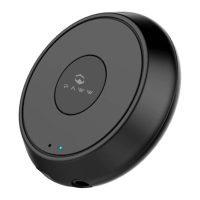
Multi-function button (MFB) – (Power on / Pairing Mode / Play / Pause /
Power off)
LED indicator
3.5 mm audio jack
Mirco-USB charging Port
2. Package Contents:
A. 1 Amp USB Power Adapter (UL certificated)
B. Aux 3.5mm audio cable
C. Micro USB charging cable
D. User Guide
1.INITIAL SETUP
Please use the diagrams above as reference for the steps below:
1. Connect the included 3.5mm auxiliary cable to the the 3.5mm port on
WaveCast RX (reference 3 of Product Overview).
2. Connect the other end of the 3.5mm auxiliary cable to the audio device’s
3.5mm AUX IN port (please ensure that you connect to the Aux In port and
not the output port marked with a headphone). Turn on your speaker and
set the input source to AUX.
Question and Answer IconNeed help?

Do you have a question about the PAWW WaveCast RX and is the answer not in the manual?

Summary

Product Overview

Multi-function Button (MFB)

Controls power, pairing mode, play/pause, and power off functions.

LED Indicator

Visual indicator for device status and Bluetooth connection.

3.5 mm Audio Jack

Port for connecting the receiver to an audio system.

Micro-USB Charging Port

Port for charging the WaveCast RX device.

Package Contents

USB Power Adapter

Includes a 1 Amp UL certificated USB power adapter.

Auxiliary Audio Cable

A 3.5mm audio cable for connecting to audio devices.

USB Charging Cable

A Micro USB cable for charging the receiver.

User Guide

This document providing instructions for the receiver.

Initial Setup Guide

Connect to Audio System

Connect the WaveCast RX to your audio device's AUX IN port.

Connect Power and Enter Pairing Mode

Connect power adapter and USB cable to automatically enter pairing mode.

Pairing with Your Device

Search for WaveCast RX on your phone/tablet and select to pair.

Device Operation

Powering Off

Turn off the device by holding the MFB for 5 seconds or removing the USB cable.

Pairing with Two Devices

Instructions for connecting and maintaining connections with two Bluetooth devices.

Reconnecting to Paired Devices

Automatic reconnection to the last paired device and manual re-pairing.

Functionality and Specifications

Function Descriptions and LED Indicators

Details on device functions like charging, power, pairing, play/pause, and standby modes.

Product Specifications

Lists Bluetooth version, chipset, operating range, supported profiles, and decoders.

Warranty Information

Information regarding the 1-year warranty and how to make a claim.

Factory Reset Procedure

Steps to perform a factory reset, clearing all paired devices.

PAWW WaveCast RX Specifications

General IconGeneral
Charging Time2 Hours
Audio Output3.5mm Aux
Outputs3.5mm stereo jack
Power5V
ModulationBluetooth
InterfaceUSB