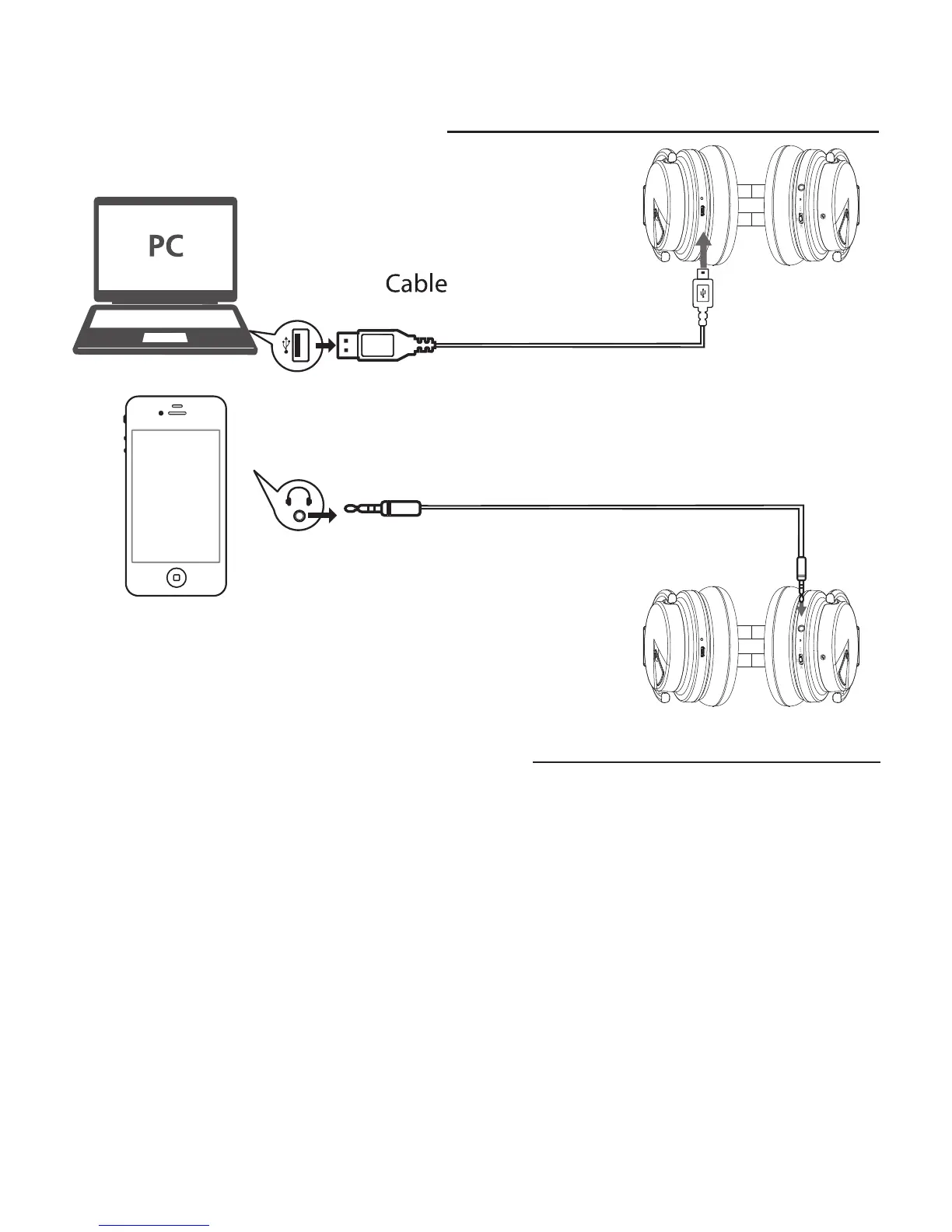
USB
for power
5. Bluetooth Connection
The Paww WaveSound 2 headphone system can be paired with most
Bluetooth enabled devices with the range of 20 meters (65.6 feet)
1. Activate pairing mode on the Paww WaveSound 2 by turning the
switch to “BT” mode. The LED will flash blue in color.
2. On your Bluetooth enabled device, navigate to the settings menu, and
select the Bluetooth option.
3. Select “Search” or “Discover” devices.
4. Select “WAVESOUND 2”.
5. If requested, type the password or PIN as 0000
6. Press the Enter key to complete setup.
-5-
4. Cable Connection
Cable
for audio


 To Next Page