Lip Sensing
A capacitive touch sensor quickly boosts the oven chamber
to the selected temperature when you draw from the mouthpiece.
This not only ensures a consistent temperature throughout the
loose leaf, but also preserves battery life during your session.
• When a PAX device is on, but not in use, the heating chamber
temperature is reduced by a few degrees.
• When your lips are in contact, PAX slightly boosts heat to the
selected temperature setting.
• When you’ve finished drawing, the oven temperature reduces
by a few degrees
• If PAX doesn’t sense your lips for 3 minutes, it will
automatically shut o.
Charging and Battery
• Three red LED blinks means it’s time to charge your PAX device.
• Connect the charging dock and cord provided to your computer,
then place PAX on the magnetic dock.
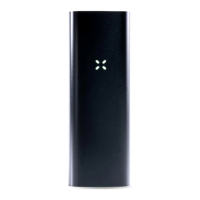
• Watch for the pulsing white petals, which indicate approximate
charge percentage.
• PAX is 75% charged when all three petals are solidly lit,
and 100% when all four are solidly lit.
• We do not recommend using 3rd party AC adapters.
PAX 3 Battery Specs
and Charging
PAX 3 comes with a rechargeable 3500mAh Lithium-ion battery
and lasts approximately 8-10 sessions with a full charge.
• Charge time via USB: 150 min
• Charge time via PAX AC Adapter: 90 min
• A full battery charge is indicated by four solid white petals
• All four petals blinking red, three times, means it’s time to recharge.
* If irregular charging behavior is observed, try using an alternate power source to ensure PAX
is receiving suicient power. If problems persist, please contact PAX Support.


 To Next Page
 Loading...