Setting Temperature
• Once the PAX device is on, give the power button on the
mouthpiece a longer press (approximately 2 sec) to reach
temperature setting mode.
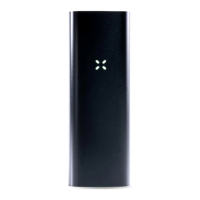
• You’ll know you’re in temperature set mode once the
LED petals change from green to yellow, then orange
and finally, red as you increase the temperature setting.
• Cycle through the temperature settings with a quick press
of the power button / mouthpiece.
• Exit temperature setting mode by holding down the mouthpiece
button for another extended press, or by shaking the device.
• If PAX ever feels warm during use, wrap your hand around the
shell and you’ll feel the heat immediately dissipate once in
contact with your hand.
• Holding PAX in your hand during heat-up will help prevent
the exterior of the shell from feeling too warm to hold.
Cool Down Mode
• If PAX 3 doesn’t sense your lips for 20 seconds the oven
temperature will lower by a few degrees to preserve the
internal temperatures of your material
• After 30 seconds of sitting idle, PAX will indicate it’s in
“Cool Down” mode with a Blue LED.
• Pick PAX up again to begin to heat the chamber.
• After 3 minutes of idle time, PAX automatically shuts o.
Oven Capacity
• PAX 3’s oven holds about 0.35 grams of ground flower material.
The Half Pack Oven Lid (included in the PAX 3 box or sold
separately for PAX 2), holds about 0.17 grams of material. These
amounts may vary with moisture content and level of grind.


 To Next Page
 Loading...