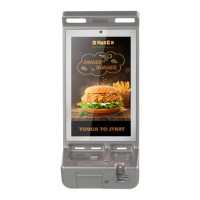
Interface Diagram
3、Operating Instruction
· Power on: Plug in the AC power cable and turn on the power button.
· Contactless module indicator: Light indication when using the Contactless module.
· LED working indicator: Light indication when the device is working at night.
· Card Readers:
Magnetic stripe card:
Insert magnetic stripe card into card slot and push to the end with magnetic stripe facing
down, then pull out the card at a constant speed to swipe card.
IC chip card:
Insert card with IC chip facing up, then push it to the end of the card slot. Keep the card
inserted for 2~4 seconds until the display prompts to remove the card.
Contactless card:
Place the contactless card at the center of contactless card reader logo area.
4、Specifications
Operating System: Android 6.0
CPU: Quad-Core Cortex A17, 1.8GHz
Memory: 2GB RAM+16GB Flash
Display: 23.8-inch, 1920X1080 resolution, multi-touch Anti-vandalism capacitive screen.
Printer: 3 inch high-speed / mute thermal printer with auto cutter, printer speed: 150mm/S,
Printer module is replaceable
Audio: Built-in speaker, support telephone handle (optional)
Camera: 8-mega pixels auto-focus front camera
Fingerprint Module: Capacitive Fingerprint, Image collection 256 * 360 pix (optional)
Wireless communication:LAN(10M/100M/1000M), WIFI(2.4GHz&5GHz), Bluetooth(4.0),
3G/4G
Positioning:GPS, GLONASS, Galileo, QZSS, SBAS
Card Slots:
Micro SIM card slot x 1


 To Next Page