EasyManua.ls Logo

Paxton 654-549-US - User Manual

Paxton 654-549-US
10 pages
Print Icon
To Next Page IconTo Next Page
Loading...
Page1
redaeR
:n oitu
a
C yl
nos
redaerC D V21roF
+V out
Red LED
Amber LED
Green LED
Data/D0
Clock/D1
Media Detect
0V
Entry
12V
12V Lock
0V
0V
N.C.
N.O.
COM
Alarm
12V
Green LED
Exit
0V
Contact
0V
0V
Tamper
PSU
0V
nott
u Btix
E
yaleR
kcoL
stuptuO
stupnI
rewoP
tcatnoC
repmaT/USP
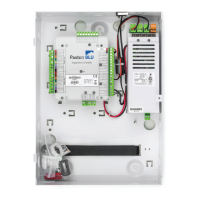
Net2 nano
Ins-40075-US Net2 nano control unit - UL
Exit button
(push to make)
Reader/keypad
Tamper switch
Door contact switch
(held closed by door)
01/28/2013
12V DC
power supply
This is the heartbeat of the
system and should pulse
regularly. This indicates that
the processor is functioning.
Net2Air wireless activity (Tx/Rx) - Blue
12V (Green) - Power LED.
Lock (Orange) - The 12V lock output is energised.
Relay (Orange) - The relay is energised - (NO/COM contacts are closed).
Alarm (Red) - 12V Alarm output is active.
Exit (Orange) - The exit button contacts are closed.
Contact (Orange) - The door contacts are closed.
Tamper (Orange) - The tamper contacts are closed.
PSU (Orange) - The PSU contacts are closed.
Net2Air (Blue) - Net2Air interface Tx/Rx activity.
OK (Green ash) - The internal software is running.
LED indications
This access control unit uses wireless communication. It is recommended that a Net2Air
site surveyor is used to determine the best position for the bridge and control units.
Diagnostic LEDs
This wireless unit requires a Net2Air bridge to communicate with the server PC.
*
Not connected
*
Lock release
A new unit requires approximately 30 seconds after initial power up to self congure.
During this time the OK LED will not be ashing.
The unit will not operate correctly until this function has completed.
Paxton
Technical Support
Technical help is available: Monday - Friday from 02:00 AM - 8:00 PM (EST)
1.800.672.7298
supportUS@paxton-access.com
Documentation on all Paxton products can be found on our web site - http://www.paxton-access.com/
For instructions in alternative languages - http://paxton.info/1000
Question and Answer IconNeed help?

Do you have a question about the Paxton 654-549-US and is the answer not in the manual?

Summary

Technical Support and LED Indicators

LED Indications

Details the meaning of various indicator LEDs on the Net2 nano unit, including power, lock, relay, and alarm status.

Net2 Air Wireless Communication Principles

Radio Frequency Considerations

Discusses optimal placement, potential interference issues for 2.4GHz wireless, and site surveyor usage.

Net2 nano PC;Server Operation

Explains how Net2 nano units communicate with the PC server via Net2Air bridges, emphasizing the Nano's active role.

Installation and Mounting Guide

Mounting Hardware and Procedures

Lists parts provided in the fitting kit and instructions for securing the control unit during installation.

Cable Type Specifications

Specifies recommended cable types and lengths for reader/keypad and input/output connections.

Control Unit Indoor Installation

Provides instructions for installing the Access Control Unit (ACU) indoors, including wiring guidance.

PC Installation Requirements

Directs users to a website for current PC hardware, network, and operating system specifications.

Software and Bridge Setup

Net2 Software Installation

Guides the installation of Net2 software on the controlling PC, requiring at least one Net2Air bridge.

Net2 Air Bridge Configuration

Details the process of configuring Net2Air USB and Ethernet bridges within the Net2 Server Configuration Utility.

System Enrollment and Configuration

Enrolling Net2 nano Units

Describes binding a Net2 nano to a Net2Air bridge and enrolling it into the Net2 system via user token.

System Checks and Operator Setup

Outlines essential system checks, password changes, and setting up operators and access levels.

Net2 Software Configuration Details

Explains configuring door settings, reader types, keypad types, and output assignments in Net2 software.

UL Compatible Reader Compatibility

Lists part numbers for various UL compatible PROXIMITY and TOUCHLOCK readers and keypads.

Maintenance and Output Wiring Basics

Routine Maintenance Advice

Advises on checking third-party backup power supplies and the policy on battery replacement.

Net2 nano Hardware Reset Procedure

Provides step-by-step instructions for performing a hardware reset to clear bridge address information.

Input;Output Wiring Flexibility

Explains the Net2 nano's three configurable outputs for functions like lock, relay, and alarm.

Specific Output Wiring Configurations

Lock Wiring for Door Lock (12 V DC)

Illustrates wiring the 12V Lock output for fail-locked, fail-unlocked, or toggle door lock functions.

Lock Wiring using Relay Output

Shows how to wire the relay output for door lock functions, including fail-open/closed options.

Alarm Sounder Output Configuration

Describes configuring the local alarm output and its capabilities for different alarm types.

Input and Output Device Integration

Door Bell Relay Output Wiring

Wiring diagram for using the relay output to activate a door bell for one second.

Exit Button Operation and Wiring

Details the 'push to make' exit button function and its wiring to activate the lock output.

Door Contact Input Monitoring

Explains wiring a door contact switch and its use for 'Door Forced' or 'Door left open' alarms.

Tamper Switch and PSU Monitoring

Describes tamper switch monitoring and how PSU status is reported as a 'Power Fail' alarm.

Advanced Wiring and Compliance

Panic Hardware Integration

Wiring a break glass unit with a fail-open release for emergency egress control.

Fire Door Interface Wiring

Wiring a fire alarm system interface to release fire doors using external relay contacts.

UL Compliance and Installation Conditions

Lists requirements for UL listed installations, including power sources, wiring, and components.

Product Specifications and Compliance

Technical Specifications Overview

Details features, electrical parameters, and environmental operating conditions for the Net2 nano unit.

FCC Compliance Statement

Outlines FCC Part 15 compliance rules, co-location restrictions, and labeling requirements.

Summary

Technical Support and LED Indicators

LED Indications

Details the meaning of various indicator LEDs on the Net2 nano unit, including power, lock, relay, and alarm status.

Net2 Air Wireless Communication Principles

Radio Frequency Considerations

Discusses optimal placement, potential interference issues for 2.4GHz wireless, and site surveyor usage.

Net2 nano PC;Server Operation

Explains how Net2 nano units communicate with the PC server via Net2Air bridges, emphasizing the Nano's active role.

Installation and Mounting Guide

Mounting Hardware and Procedures

Lists parts provided in the fitting kit and instructions for securing the control unit during installation.

Cable Type Specifications

Specifies recommended cable types and lengths for reader/keypad and input/output connections.

Control Unit Indoor Installation

Provides instructions for installing the Access Control Unit (ACU) indoors, including wiring guidance.

PC Installation Requirements

Directs users to a website for current PC hardware, network, and operating system specifications.

Software and Bridge Setup

Net2 Software Installation

Guides the installation of Net2 software on the controlling PC, requiring at least one Net2Air bridge.

Net2 Air Bridge Configuration

Details the process of configuring Net2Air USB and Ethernet bridges within the Net2 Server Configuration Utility.

System Enrollment and Configuration

Enrolling Net2 nano Units

Describes binding a Net2 nano to a Net2Air bridge and enrolling it into the Net2 system via user token.

System Checks and Operator Setup

Outlines essential system checks, password changes, and setting up operators and access levels.

Net2 Software Configuration Details

Explains configuring door settings, reader types, keypad types, and output assignments in Net2 software.

UL Compatible Reader Compatibility

Lists part numbers for various UL compatible PROXIMITY and TOUCHLOCK readers and keypads.

Maintenance and Output Wiring Basics

Routine Maintenance Advice

Advises on checking third-party backup power supplies and the policy on battery replacement.

Net2 nano Hardware Reset Procedure

Provides step-by-step instructions for performing a hardware reset to clear bridge address information.

Input;Output Wiring Flexibility

Explains the Net2 nano's three configurable outputs for functions like lock, relay, and alarm.

Specific Output Wiring Configurations

Lock Wiring for Door Lock (12 V DC)

Illustrates wiring the 12V Lock output for fail-locked, fail-unlocked, or toggle door lock functions.

Lock Wiring using Relay Output

Shows how to wire the relay output for door lock functions, including fail-open/closed options.

Alarm Sounder Output Configuration

Describes configuring the local alarm output and its capabilities for different alarm types.

Input and Output Device Integration

Door Bell Relay Output Wiring

Wiring diagram for using the relay output to activate a door bell for one second.

Exit Button Operation and Wiring

Details the 'push to make' exit button function and its wiring to activate the lock output.

Door Contact Input Monitoring

Explains wiring a door contact switch and its use for 'Door Forced' or 'Door left open' alarms.

Tamper Switch and PSU Monitoring

Describes tamper switch monitoring and how PSU status is reported as a 'Power Fail' alarm.

Advanced Wiring and Compliance

Panic Hardware Integration

Wiring a break glass unit with a fail-open release for emergency egress control.

Fire Door Interface Wiring

Wiring a fire alarm system interface to release fire doors using external relay contacts.

UL Compliance and Installation Conditions

Lists requirements for UL listed installations, including power sources, wiring, and components.

Product Specifications and Compliance

Technical Specifications Overview

Details features, electrical parameters, and environmental operating conditions for the Net2 nano unit.

FCC Compliance Statement

Outlines FCC Part 15 compliance rules, co-location restrictions, and labeling requirements.

Paxton 654-549-US Specifications

General IconGeneral
BrandPaxton
Model654-549-US
CategoryControl Unit
LanguageEnglish

Related product manuals