Shenzhen pc-pen Co.,Ltd
TEL:+86-755-83995718 FAX:+86-755-83995708 http://www.pc-pen.com
4
-Avoid detaching the pen freely, which will make the guarantee
become invalid.
Any trouble, please contacts the local distributor and
don’t open it by you!
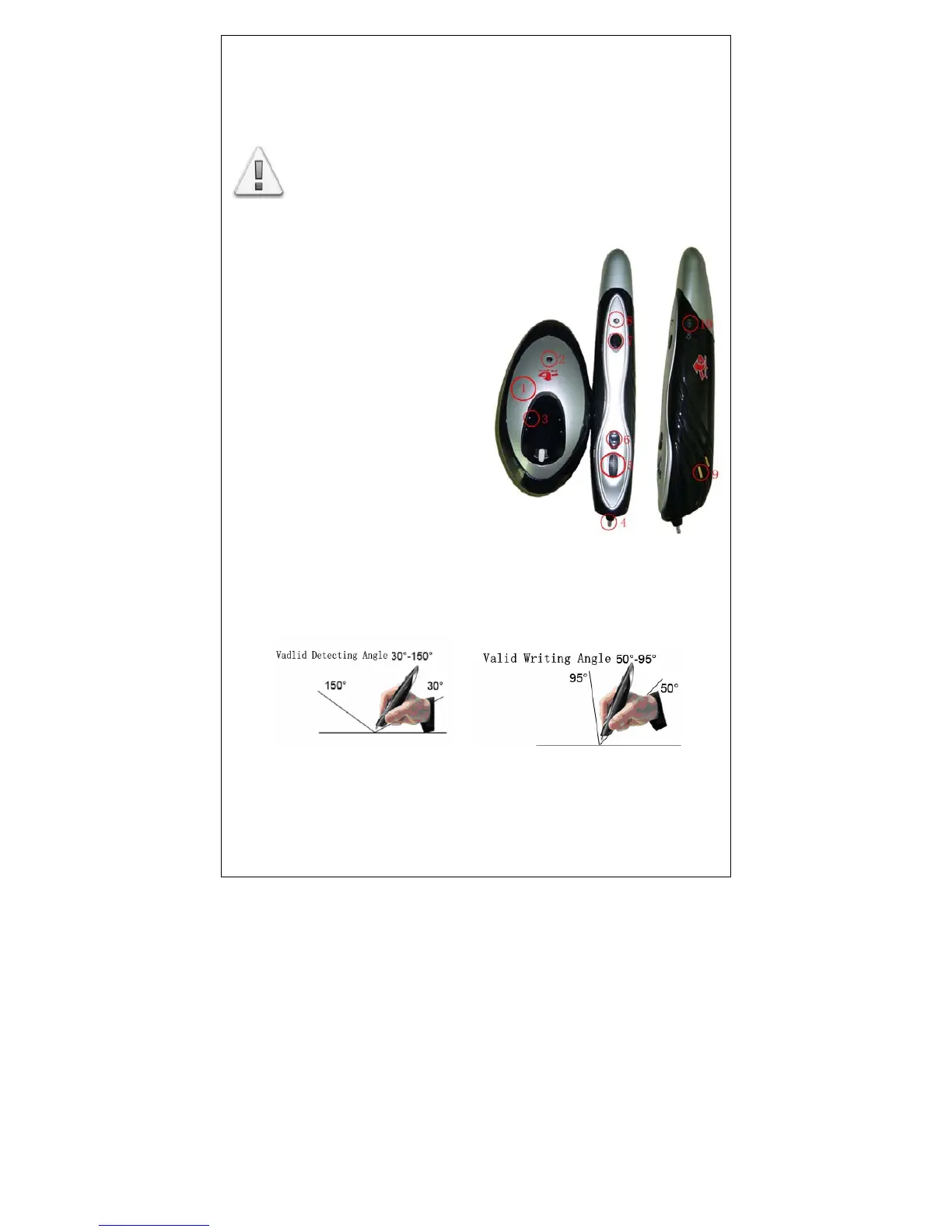
Hardware introduction
错误!未找到引用源。Pen seat
② Pen seat source of
electricity indicated light
③Battery charger
④Pen nib
⑤Rolling key +Middle key
⑥Right key
⑦LED speed control button
⑧ Pen working indicated light
⑨ Charging copper chip
⑩ Switch for power supply
The right way of holding pen
1. Please follow the below pictures to control the pen.
2. In order to avoid the useless detecting, when you hold the



 To Next Page