Elysium
GAMING MONITOR
EN
9
4. INSTALLATION
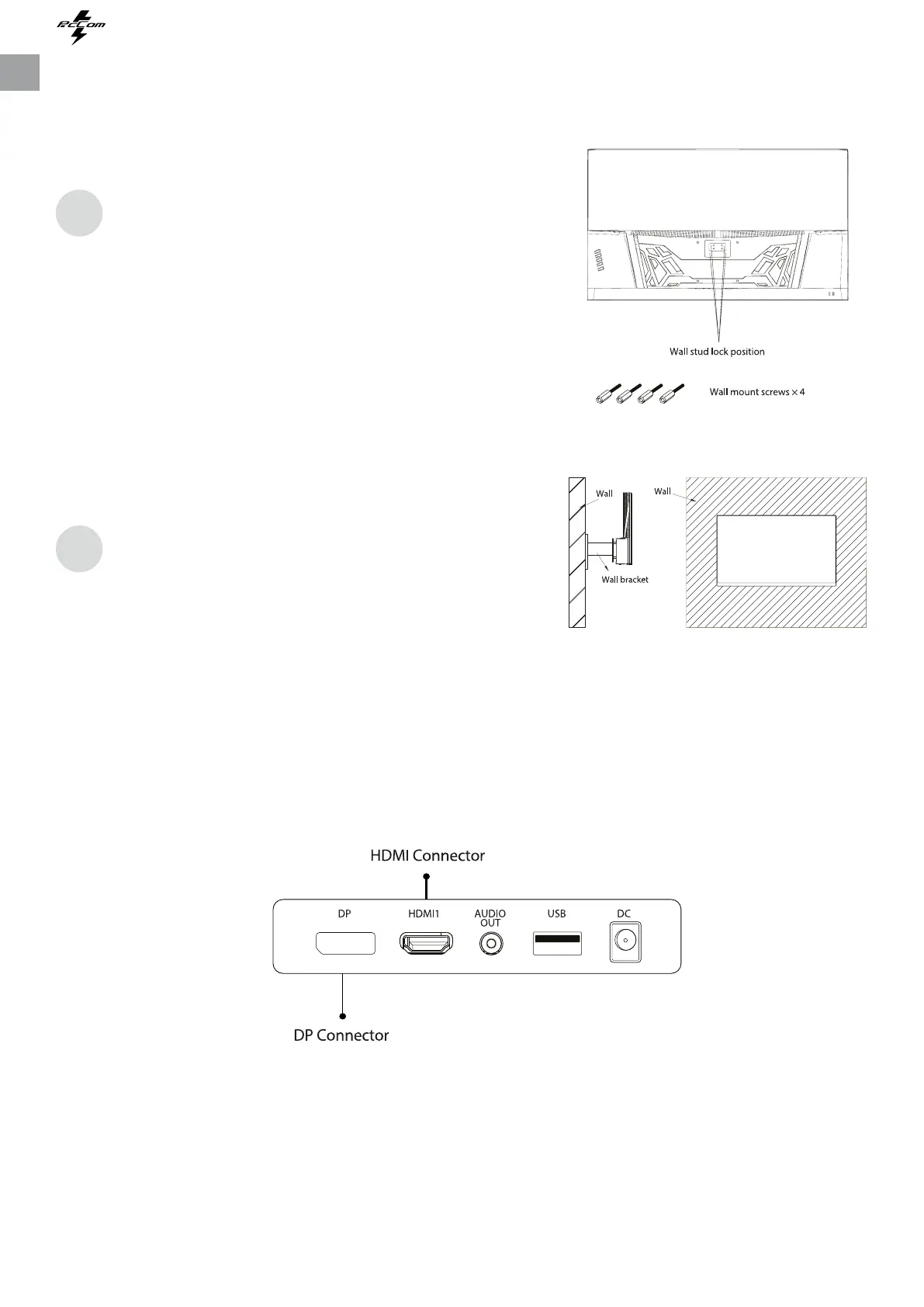
The iron stud found from the accessory bag can
be locked in M4 threaded hole of the rear shell as
shown in the gure below and locked with a
at-blade screwdriver.
Do not pinch the screen directly with your hand
during the process of hanging the product to prevent
the screen from being broken.
1
2
5. BASIC OPERATION
1. Insert one end of DP cable into your PC’s graphics card. HDMI cable may be also used.
2. Connect the other end of the cable to the corresponding connector of your monitor.
FreeSync
This feature is o by default. To acvate, you must have hardware with FreeSync capability, a DP or
HDMI cable and the latest graphic drivers installed. Aer connecng your computer and monitor
with DP or HDMI, you may receive a prompt to enable the feature on your computer. If not, you
may need to enable the funcon in your graphics card menu. See your graphics card manufacturer’s
documentaon for instrucons.


 To Next Page