EN
9
1. Product Description
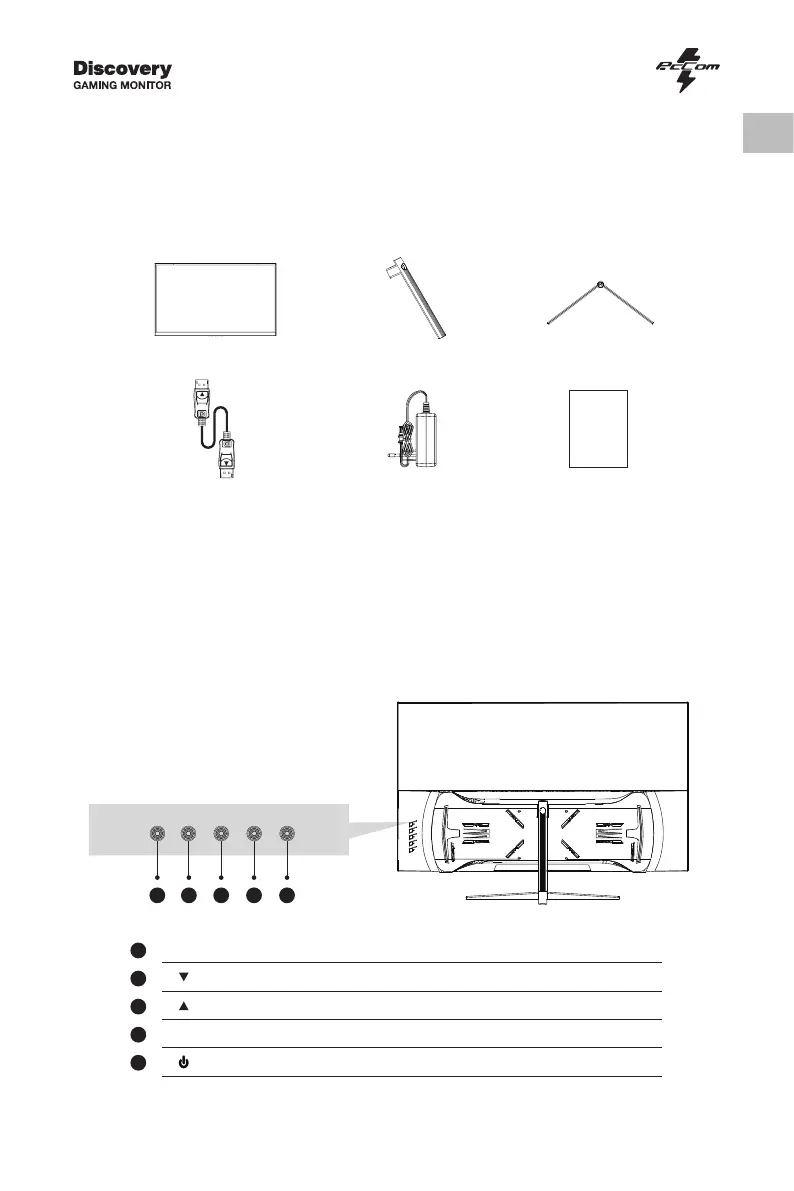
Packing list
Please check the following items in the packing case before installation:
lf any of above items is missing, please contact with the dealer.
Monitor×1 Stand stem×1
DP cable×1
Stand base×1
Power Adaptor×1 User Manual×1
2. Product Overview
2.1 Monitor Buttons
1
2
3
4
5
M
Menu Button
Press to display the OSD menu or enter sub-menus.
Down Button
Press to move down in the menus.
Up Button
Press to move up in the menus.
E
Exit Button
Press to exit.
Power Button
Press to turn the monitor on/off.
• Redundant screws can be used as spare screws.
1 2 3 4 5


 To Next Page