English
3.2.1 For keyboard users
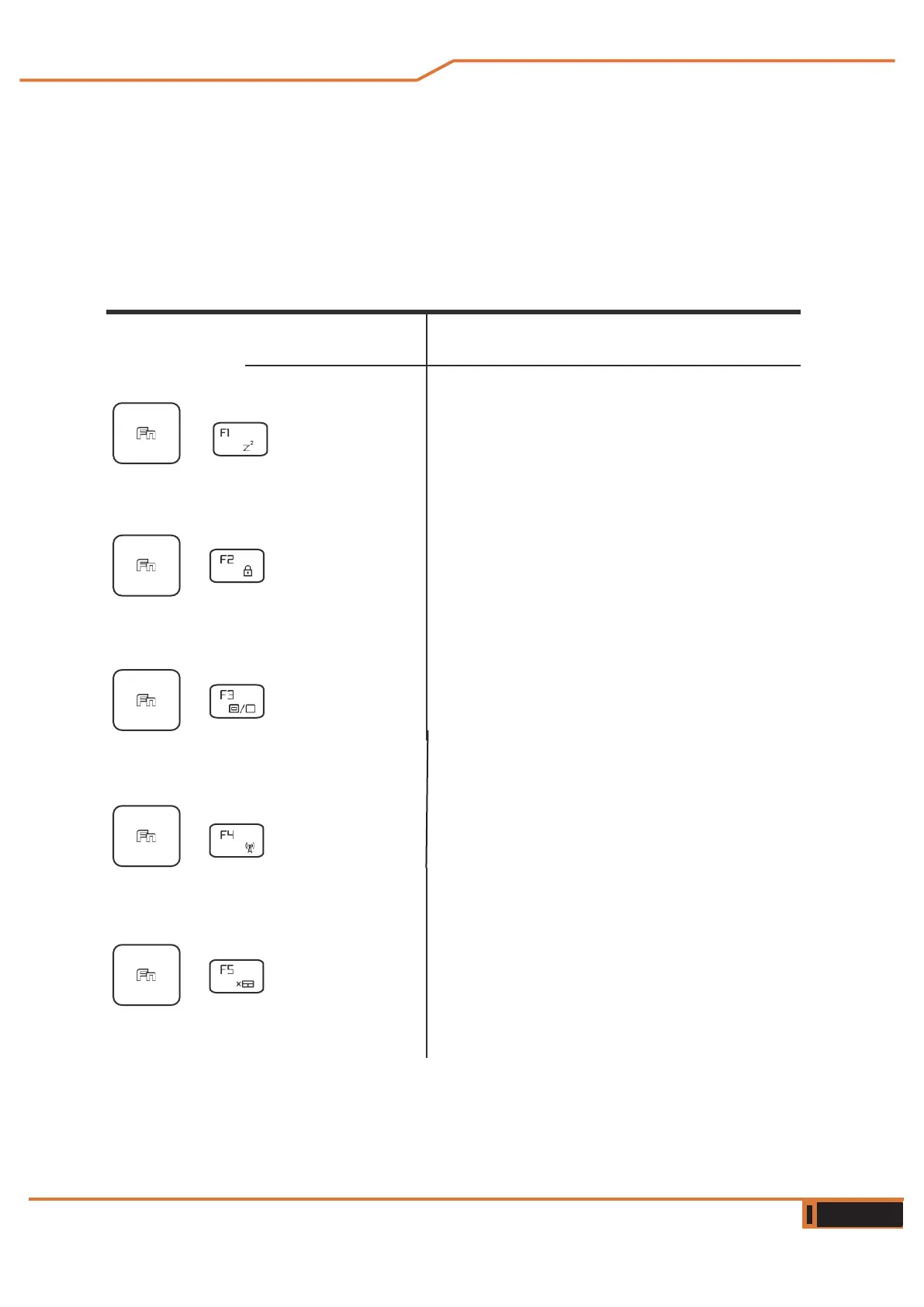
To activate these functions, press the shortcut key associated with the
desired function, as shown below :
Function keys
Keyboard Description of the function
Suspend: Press this key combination (Fn+F1)
to enter sleep mode.
Windows Press this key combination
Lock: (Fn+F2) to activate or deactiva
te the Windows
Mode Press this key combination
Display: (Fn+F3) to activate the Display
Mode.
RADIO Press this key combination
On/Off: (Fn+F4) to turn all radios on or
off.
Touch pad Press this key combination
On/Off: (Fn+F5) to activate/deactivate
the touch panel mode.
+
+
+
+



 To Next Page