2
www.lockncharge.com www.pclocs.com.au
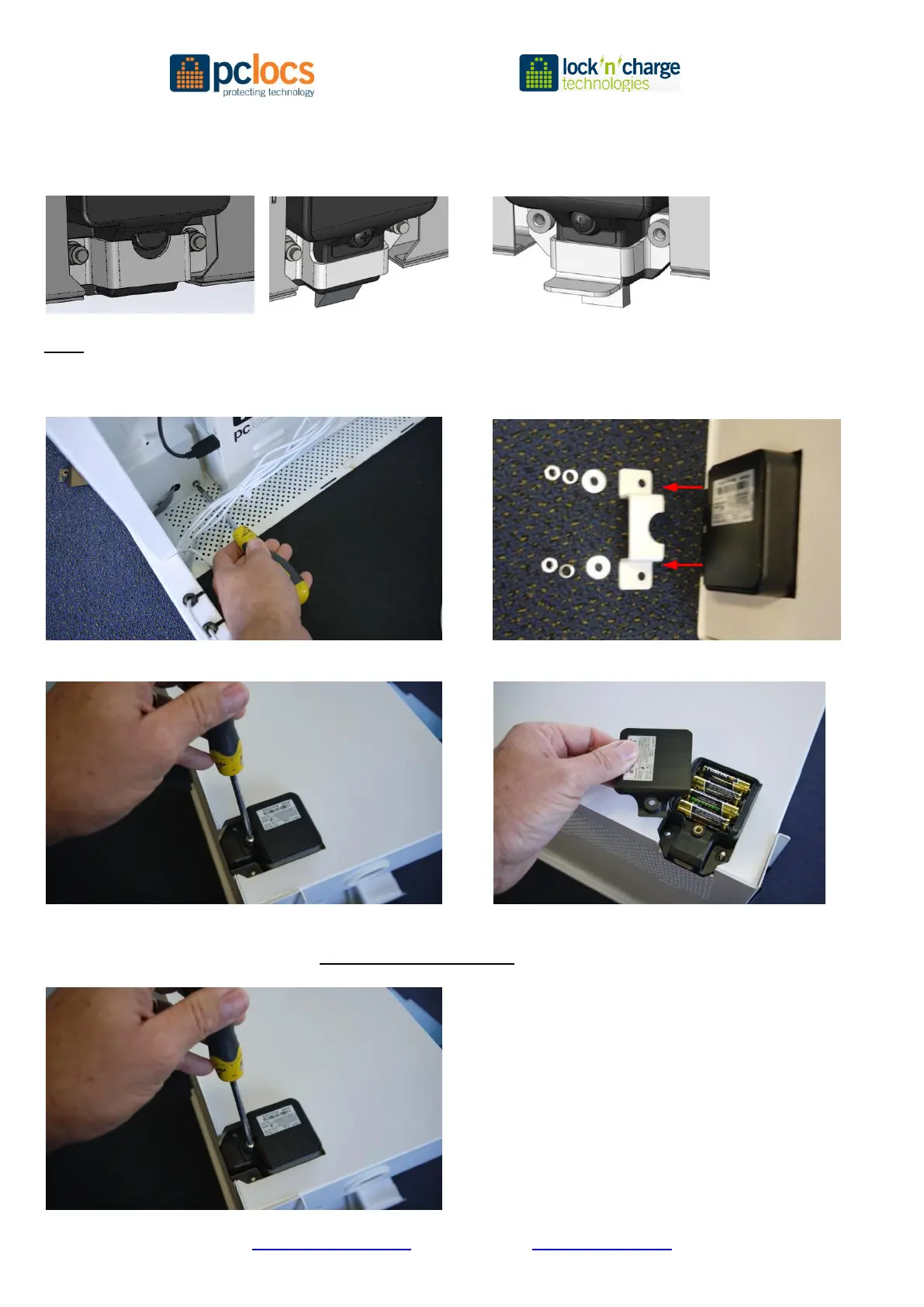
6. Examine the lock strengthening bracket – there are three types:
Version (A) Version (B) Version (C)
(Released Sep 12) (Released Oct 12) (Released Feb 13)
Note: for versions (B) and (C) go to step 8
7. For Version (A) undo the two screws using a Philips screwdriver and an 8mm socket for the nuts on the rear
Note the bracket, washers and nut in this order:
8. Unscrew the battery cover and remove. Remove the batteries
9. Replace the batteries with 4 x high quality AA 1.5V (LR6) batteries (dispose of batteries safely)
NOTE: The manufacturer recommends NOT using lithium batteries as the initial voltage is high
Replace the battery cover


 To Next Page
 Loading...