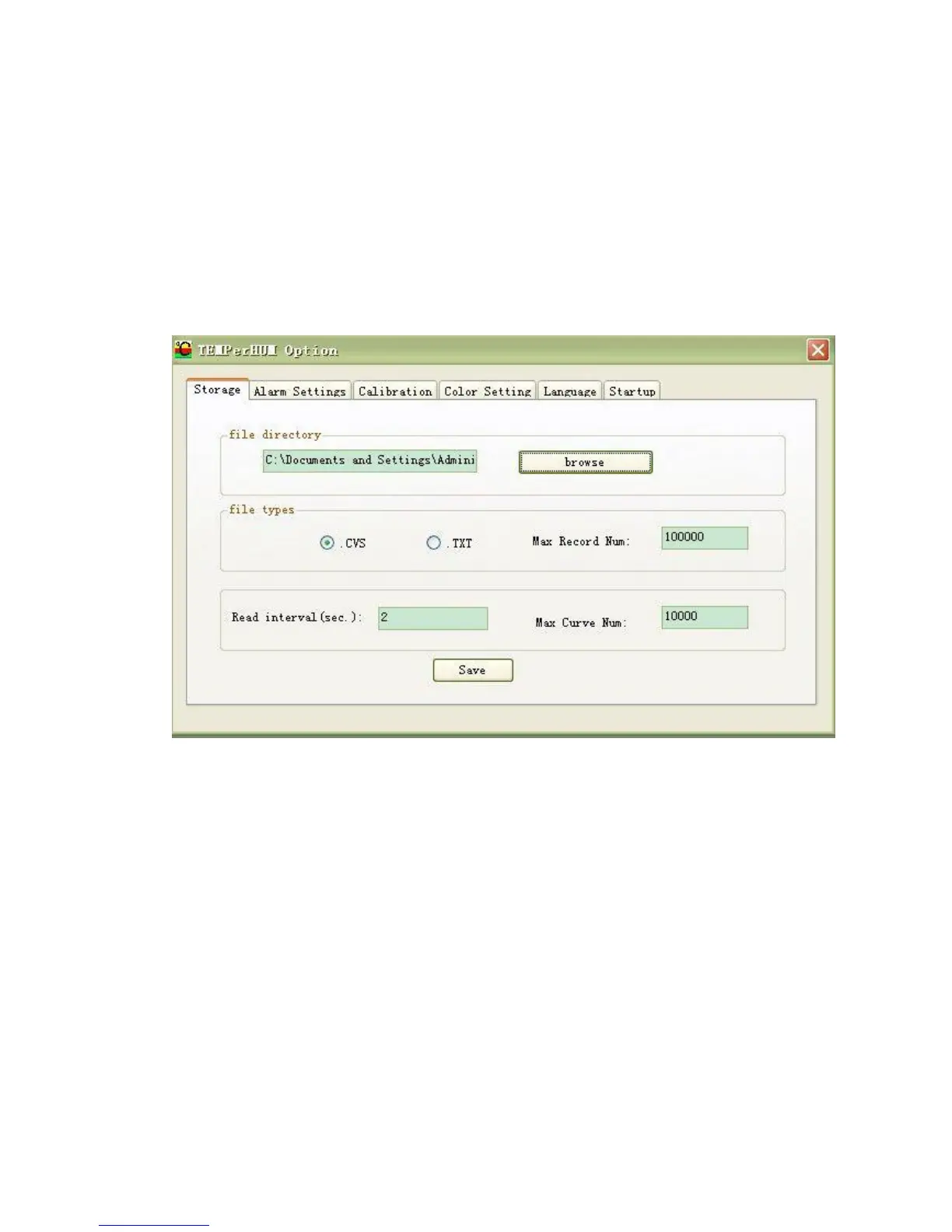
6) THE SAVING SETTING OF FILE
Select “Tool->Option->Memory Setting” then you can Set the
Saving File Catalog, File Type and the Maximum Record Count the
File can Save. (see picture5)
Picture 5 TEMPerHUM_Storage
7) THE ALARM SETTING
Set the Temperature of Alarm or the humidity of alarm and Open it.
When the Temperature or humidity Reach the Higher Limit, the
Voice of Alarm will Play, and it will Stop when the Temperature or
humidity Drop to the Lower Limit.


 To Next Page