Operaon Systems, Premium Series | ProView™ Control
46
WARNING: R . PDC Spas, PDC Internaonal assumes no responsibility for
personal injury or property damage sustained by or through the use of this product. When installing and using this equipment
basic safety precauons should always be taken to reduce risk of electrical shock, ensure safe usage, and safeguard the user’s health.
Preparaon and Filling
Fill the spa to its correct operang level. Be sure to open all valves and jets in the plumbing system before filling to allow as much air as
possible to escape from the plumbing and the control system during the filling process.
Aer turning the power on at the main power panel, the top-side panel will display a startup screen.
Priming Mode
Aer the inial start-up sequence, the control will enter Priming Mode and display a Priming Mode screen.
Only pump icons appear on the priming mode screen. During the priming mode, the heater is disabled to allow
the priming process to be completed without the possibility of energizing the heater under low-flow or no-
flow condions. Nothing comes on automacally, but the pump(s) can be energized by selecng the “Jet”
buons. Manually exit Priming Mode by pressing the “Exit” Buon.
Priming the Pumps
As soon as the Priming Mode screen appears on the panel, select the “Jets 1” buon once to start Pump 1 in low-speed and then again
to switch to high-speed. Also, select the other pumps, to turn them on. The pumps should be running in high-speed to facilitate priming.
If the pumps have not primed aer 2 minutes, and water is not flowing from the jets in the spa, do not allow the pumps to connue to
run. Turn off the pumps and repeat the process. Note: Turning the power off and back on again will iniate a new pump priming session.
Somemes momentarily turning the pump off and on will help it to prime. Do not do this more than 5 mes. If the pump(s) will not
prime, shut off the power to the spa and call for service.
Important: A pump should not be allowed to run without priming for more than 2 minutes. Under NO circumstances should a pump be
allowed to run without priming beyond the end of the 4 minute priming mode. Doing so may cause damage to the pump and cause the
system to energize the heater and go into an overheat condion.
Exing Priming Mode
You can manually exit Priming Mode by navigang to the “Back” buon on the Priming Mode Screen. Note that if you do not manually
exit the priming mode as described above, the priming mode will be automacally terminated aer 4minutes. Be sure that the pump(s)
have been primed by this me.
Once the system has exited Priming Mode, the top-side panel will display the Main Screen, but the display will not show the
temperature yet, as shown below. This is because the system requires approximately 1 minute of water flowing through the heater to
determine the water temperature and display it.
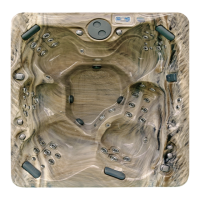
Premium Series Hot Tub
Pumps
On the Spa Screen, select a “Jets” buon once to turn the pump on or off, and to shi between low- and high-speeds if equipped. If le
running, the pump will turn off aer a me-out period. The pump 1 low-speed will me out aer 30 minutes. The high-speed will
me-out aer 15 minutes.



 To Next Page
 Loading...