EasyManua.ls Logo

PDi PERSONA 10 - User Manual

PDi PERSONA 10
33 pages
Print Icon
To Next Page IconTo Next Page
Loading...
Installation
Operating
Instructions
Communication
Systems, Inc.
40 Greenwood Lane
Springboro, Ohio 45066
PH: 937-743-6010
FX: 937-743-5664
http://www.pdiarm.com
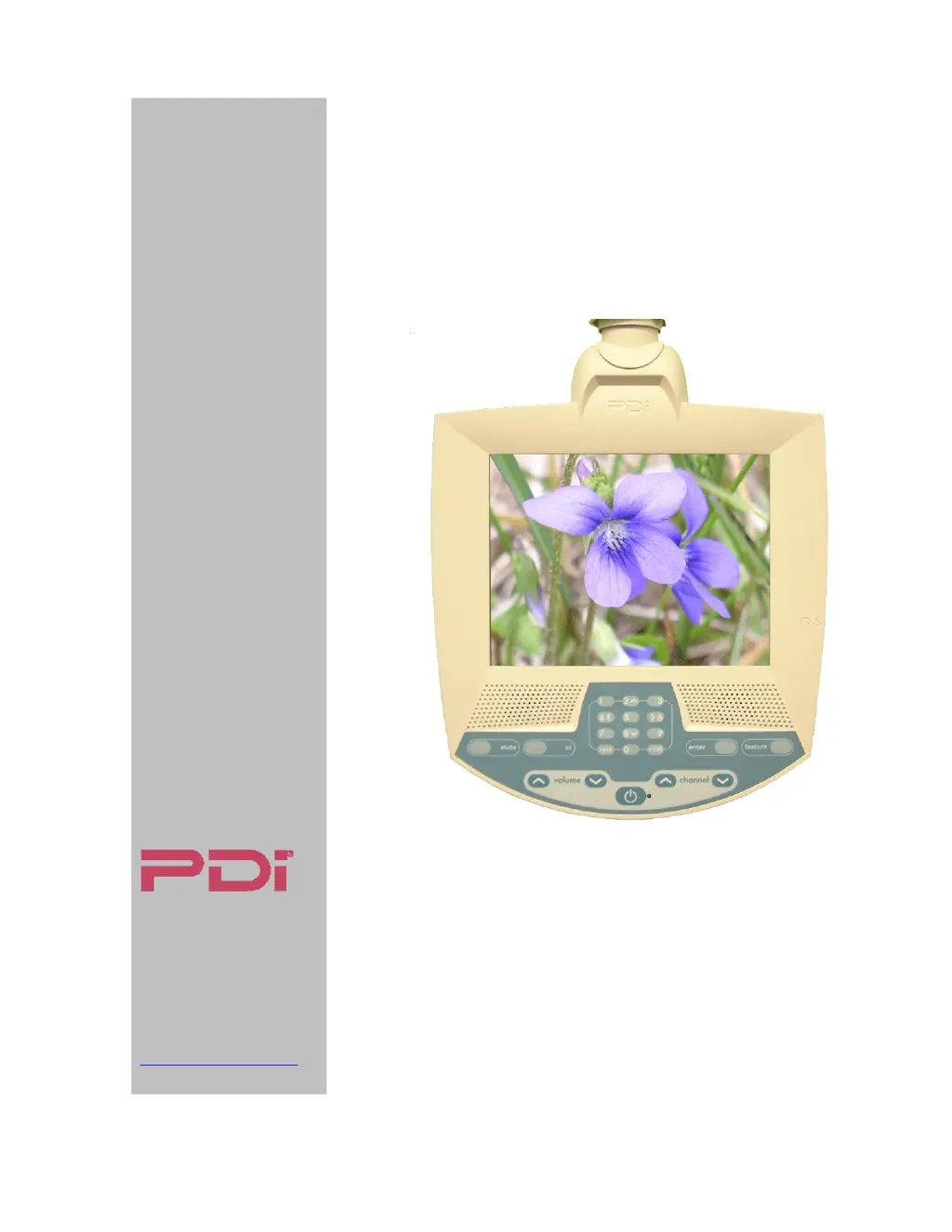
PERSONA
10
Hospital-Grade LCD
Television Receiver
MODEL PDI-P10LCDD
Better Solutions Are Within Reach
®
DOCUMENT NUMBER PD196-058R4

Other manuals for PDi PERSONA 10

Questions and Answers

  • R
    Richard WilliamsAug 5, 2025
    What to do if my PDi LCD TV has a black picture but sound is okay?
    • C
      carolyn27Aug 5, 2025
      If you're getting a black picture but the sound is fine on your PDi LCD TV, first check the on-screen menu to ensure brightness and contrast are at their maximum. Then, verify that the P1 ribbon connector is properly seated on the IR board and that the Backlight connectors are securely plugged in. If the issue persists, the main board may need to be replaced.
  • L
    Lisa ColeAug 10, 2025
    Why is my PDi LCD TV picture so noisy?
    • A
      Ashley LongAug 10, 2025
      If your PDi LCD TV has a noisy picture, first verify that the TV RF signal level is +10dbmv ±2dbmv. Try tuning to another channel. If the issue continues, try turning off nearby equipment to isolate the noise source and move the TV and cables to minimize noise. As a last resort, replace the main board.
  • G
    Gary RodriguezAug 15, 2025
    How to fix PDi LCD TV when picture is okay but there is no speaker sound?
    • J
      Justin ClayAug 15, 2025
      If you're not getting any sound from the speakers on your PDi LCD TV but the picture is fine, first, make sure the TV isn't muted. Check that the cable is properly connected into P701 on the main chassis and into P2 of the IR Board. Also, ensure that earphones are not plugged in and that the TV speaker hasn't been disabled in the Sound/Internal Speaker Enable settings for the current Service Level. If none of these steps work, try replacing the speaker. If there's still no sound, the main board might need replacing.
  • A
    Alexis LeeAug 20, 2025
    Why does my PDi LCD TV have a snowy picture?
    • M
      Mary OliverAug 20, 2025
      If your PDi LCD TV has a snowy picture, first verify that the TV RF signal level is +10dbmv ±2dbmv. You may also want to try tuning to another channel and verify the correct signal type is set in the Setup/Channels menu. If the problem persists, consider replacing the main board.
  • C
    Christopher DavisAug 25, 2025
    What to do if my PDi LCD TV has picture but no earphone sound?
    • S
      Susan RossAug 26, 2025
      If you have picture but no sound through the earphones on your PDi LCD TV, first ensure the earphone is fully inserted into the TV's earphone jack. Try a different earphone to rule out a faulty set. Make sure the TV is not muted and the volume is adjusted to the maximum. If these steps don't work, the main board may need to be replaced.
  • R
    Raymond PattonAug 30, 2025
    How to fix inoperative TV keypad on PDi LCD TV?
    • J
      James EverettAug 30, 2025
      If the keypad on your PDi LCD TV is not working, first ensure the TV is powered on. Then, check if the TV operates with the remote control. Verify that the ribbon is correctly seated to the P701 main chassis connector. If it's still inoperative, replace the keypad. If the issue continues, replace the main board.

Summary

Graphical Symbols

Safety and Operational Warning Symbols

Identifies key symbols indicating electrical hazards and essential operating instructions.

Important Safety Instructions

General Usage Safety Guidelines

Essential rules for safe installation, use, and maintenance of the television.

Copyright and Legal Information

Copyright, Disclaimer, and Trademarks

Legal notices regarding product content, disclaimers, and registered trademarks.

Regulatory Compliance

FCC and Underwriters Laboratories

Compliance with FCC regulations and safety standards by Underwriters Laboratories.

Installation Precautions

Installation Safety and Cable Guidelines

Critical precautions for installation, including power source, ventilation, and coaxial cable specifications.

About the PERSONA 10

Product Overview and Target Use

Introduction to the PERSONA 10 TV, its design for healthcare facilities, and intended use.

Installing TV on Suspension Arm

Mounting Procedure and Safety Checks

Steps for attaching the TV to a suspension arm, including critical safety warnings.

PDI-508 C-7 Suspension Arm Installation

Detailed TV Mounting Steps

Comprehensive instructions for securely mounting the TV onto the specified suspension arm.

Control Panel Functions

Button Operations and Keypad Use

Explanation of the TV's control panel buttons, including power, volume, channel, and feature controls.

Audio and Remote Control

Earphone Operation and Headset Use

Guidance on using earphones for private listening and available earphone models.

Remote Control Requirements and Operation

Information about the required remote control, its availability, and operating range.

On-Screen Menu Navigation

Navigating the TV Setup Menus

Visual guide to the TV's menu structure for accessing various settings and adjustments.

Service Levels and Picture Settings

Managing Service Tiers and Picture Adjustments

How to configure service levels and adjust picture parameters like brightness and contrast.

Advanced Picture Adjustments

Color Temperature and Noise Reduction

Fine-tuning picture color balance using temperature settings and enhancing clarity with noise reduction.

Sound Menu and Volume Controls

Minimum and Maximum Volume Settings

Setting the acceptable range for TV volume, from minimum to maximum levels.

Sound Output Configuration

Power-On Volume and Speaker Modes

Configuring initial volume on power-up, internal speaker enablement, and headphone audio mode.

Channel Setup and Signal Configuration

Signal Type Selection and Auto Program

Choosing the correct signal type and initiating the automatic channel scanning process.

Automatic Channel Programming

Auto Program Scan Modes and Sequence

Detailed steps for auto-programming channels, including mode and sequence selection.

Manual Channel Management

Add;Delete Analog and Enable;Disable Digital Channels

Procedures for manually managing analog channels and enabling/disabling digital channels.

Service Level Management

Clearing Programmed Channels from Service Levels

Instructions for emptying a selected service level of all its programmed channels.

Service Level Operations

Copying Service Levels and Setting Power-On Channel

Copying channel configurations between service levels and setting the default channel upon power-on.

Channel Control and Security Features

Channel Lock and Memory Override Settings

Features to lock channels to prevent changes and override programmed channel memory for restricted access.

TV Features Customization

Captioning and Power-On Behavior

Configuring caption display settings upon power-on and related caption features.

Advanced TV Feature Settings

Auto Power, Timers, and Caption Text Modes

Managing auto power, inactive power off timer, and caption text mode settings.

Digital Caption and Time Setup

Digital Caption Customization and Automatic Time Setting

Customizing digital caption appearance and setting the TV's time via digital broadcast signals.

System Diagnostics

Viewing TV Operational Data

Accessing read-only diagnostic information such as operating hours and firmware version.

Channel and Display Options

Channel Wrap-Around and OSD Language

Configuring channel wrap-around behavior, aspect ratio control, and on-screen display language.

TV Cloning Functionality

Saving and Restoring TV Configurations via USB

Procedures for cloning TV settings to and from a USB thumb drive for quick setup.

Frequently Asked Questions (FAQ)

Troubleshooting Common TV Issues

Answers to common user questions regarding channel availability and welcome channel setup.

Appendix A: Suspension Arm Installation

Adjusting Suspension Arm for TV Weight

Detailed instructions for adjusting suspension arms to correctly support the TV's weight.

Product Warranty Information

Limited Warranty Terms and Conditions

Overview of the product's limited warranty, including coverage, exclusions, and service contact.

PDi PERSONA 10 Specifications

General IconGeneral
BrandPDi
ModelPERSONA 10
CategoryTV Receiver
LanguageEnglish