4. Using the Pro BFG in Bluetooth Mode:
A. To use the Pro BFG in Bluetooth Mode, turn on the controller by pressing the Xbox button.
B. Next, press and hold the Xbox and Menu buttons together for 4 seconds until you see the
“Function” button LED (located on the front of the controller above the 3.5mm jack) begin
flashing Blue.
C. Once the LED is flashing Blue, release the buttons and go to the Bluetooth pairing screen on
your supported Bluetooth Device and select “Victrix Pro BFG” to connect.
D. The Function button LED will turn off and the LED ring on the controller’s Xbox button will turn
solid purple to indicate it has successfully paired to your Bluetooth device.
Note: Your controller will remain in Bluetooth mode until you change it back to Xbox mode by pressing
and holding the Xbox and Menu buttons again for 4 seconds until the Function button LED flashes
Green.
5. Removing/Swapping Modules:
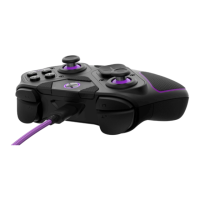
The Pro BFG has a unique design with swappable modules. The controller comes standard with a
Reversible D-pad and Left Analog Stick module, a Button & Right Analog Stick module, and a 6-Button
Fightpad module. The following instructions can be used to remove and swap any modules including
additionally purchased ones:


 To Next Page