EasyManua.ls Logo

Peachtree Audio Nova - User Manual

Peachtree Audio Nova
14 pages
Print Icon
To Next Page IconTo Next Page
Loading...

Questions and Answers

  • L
    Lauren SalasAug 12, 2025
    What to do if my Peachtree Audio Amplifier turns on but there is no sound?
    • J
      Jane ElliottAug 12, 2025
      If your Peachtree Audio Amplifier turns on but you're not getting any sound, ensure you've selected the correct input and that the mute function isn't activated. Verify that your audio source is powered on and playing. If the input button is blinking, the digital signal isn't locked, so check your cable connections and source.
  • M
    michelle75Aug 16, 2025
    Why is my Peachtree Audio Nova Amplifier remote control not working?
    • D
      dthompsonAug 16, 2025
      If the remote control for your Peachtree Audio Amplifier isn't working, first check the batteries by removing the cover on the back of the remote. Remember that it's an infrared remote, so make sure there's a clear line of sight between the remote and the sensor on the front panel of the Nova.
  • J
    Janet HartAug 19, 2025
    How to fix a Peachtree Audio Amplifier that will not turn on?
    • Y
      Yvonne HooperAug 20, 2025
      If your Peachtree Audio Amplifier doesn't turn on, ensure the power switch on the front panel is engaged. Also, check that the AC plug is securely connected and inspect the fuse.
  • C
    Crystal PetersonAug 23, 2025
    What to do if Peachtree Audio Amplifier USB input signal is lost intermittently?
    • A
      allenzacharyAug 25, 2025
      If you're intermittently losing signal on the USB input of your Peachtree Audio Amplifier, try rebooting your music server program (like iTunes, Foobar, or WMP). If that doesn't work, turn the amplifier off, reboot your computer, and then turn the amplifier back on. If the computer still doesn’t recognize the USB DAC, repeat the process, unplugging and replugging the USB cable from both the computer and the amplifier right before rebooting.
  • D
    davisamandaAug 27, 2025
    Why does my iPod not sound right through my Peachtree Audio Nova Amplifier?
    • D
      Dr. Gina RichardsAug 27, 2025
      If your iPod doesn't sound right through your Peachtree Audio Amplifier, it might be due to custom equalizations set for headphone use. Set the iPod's response to 'flat' and ensure its volume matches the other components in your system.
  • B
    Brenda PenaAug 31, 2025
    Why am I picking up hum and noise through my Peachtree Audio Amplifier?
    • K
      kellybenjaminAug 31, 2025
      If you're experiencing hum and noise through your Peachtree Audio Amplifier in your office system, it's possible that your computer is introducing a ground loop. To test this, connect a laptop with music files to the amplifier and speakers using battery power. If the noise disappears, the office computer is likely the cause. The amplifier has transformer-coupled digital inputs to minimize this issue.
  • E
    Emma ChambersSep 3, 2025
    Why do my coaxial digital connections not sound right on my Peachtree Audio Amplifier?
    • W
      william98Sep 4, 2025
      If your Coaxial Digital connections on your Peachtree Audio Amplifier don't sound right, make sure you're using a wide bandwidth 75 ohm digital interconnect cable. A standard audio RCA cable won't provide optimal results.
  • K
    Kenneth WashingtonSep 7, 2025
    What to do if Peachtree Audio Nova Amplifier makes a loud click or pop when switching sources?
    • K
      Kara DavisSep 7, 2025
      Sometimes a loud 'click' or 'pop' when switching sources on your Peachtree Audio Amplifier is from static buildup. If this issue persists, contact your dealer or Signal Path.

Summary

Important Safety Instructions

Back Panel Connections

Back Panel Ports and Features

Description of speaker terminals, storage bay, various inputs/outputs, and voltage selector.

Front Panel

Front Panel Inputs and Controls

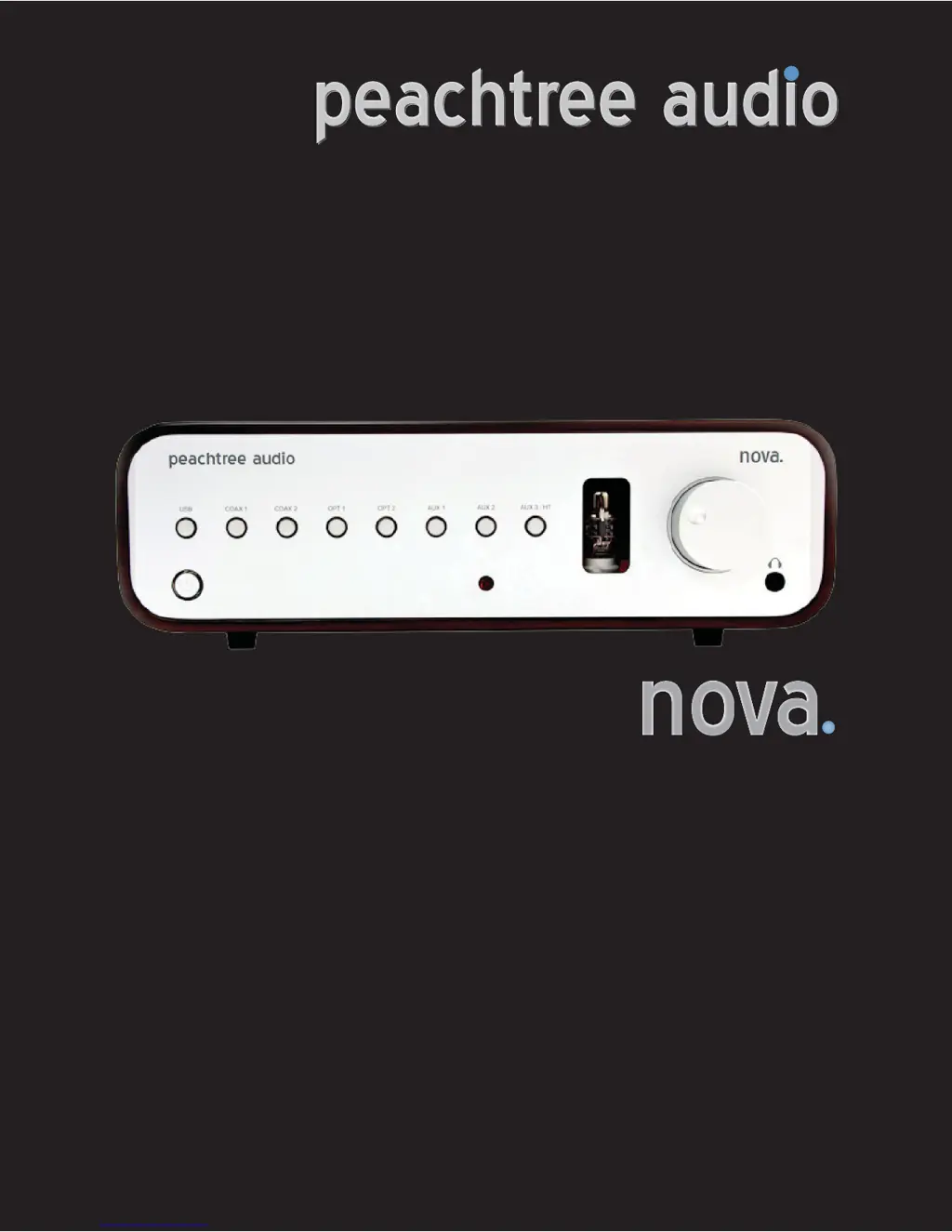
Details on USB, Coax, Optical inputs, analog inputs, remote sensor, tube window, volume, and headphone jack.

Remote Control

Remote Control Buttons and Functions

Explanation of each button on the remote control for power, source selection, volume, mute, and tube mode.

Technical Specifications

Trouble Shooting

Nova Power Issues

Troubleshooting steps for when the Nova unit fails to turn on.

No Sound or Signal Issues

Solutions for no sound, intermittent signal loss, or poor digital connection quality.

Remote Control Malfunctions

Guidance for when the remote control is not functioning correctly.

Warranty, Contact, and Support Information

Connections

Digital Coaxial and Optical Inputs

Instructions for connecting digital sources via coaxial or optical cables.

Peachtree Audio Nova Specifications

General IconGeneral
TypeIntegrated Amplifier
Signal-to-Noise Ratio>100dB
Power Output80W per channel (8 ohms)
Frequency Response20Hz - 20kHz (±0.5dB)
Total Harmonic Distortion<0.1%
InputsUSB
OutputsPreamp, Headphone