
 To Next Page
A
AndreySep 26, 2026
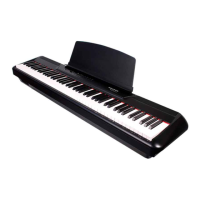
How I can turn-out the bluetooth after start of digital piano Pearl River P60?

How I can turn-out the bluetooth after start of digital piano Pearl River P60?
Basic precautions to avoid serious injury or death from electrical hazards.
Basic precautions to avoid physical injury or damage to the instrument/property.
Identifies numbered controls on the instrument's panel.
Details the purpose of various jacks like headphone, USB, pedal, and power.
Step-by-step guide for connecting the AC adapter and powering the instrument.
Adjusting volume and connecting headphones, including safety warnings.
Steps for recording music and playing back recorded audio.
How to select instrument sounds and use the metronome.
Details exterior, keyboard, sound source, polyphony, touch, and effects.
Addresses issues like noise, no sound, pitch discrepancies, and volume.
 General
| Keyboard | 61 keys |
|---|---|
| Polyphony | 64 voices |
| Presets | 128 |
| Effects | Reverb, Chorus |
| Connectivity | Headphone output, MIDI |