EasyManua.ls Logo

Pearl River V05 - User Manual

Pearl River V05
38 pages
Print Icon
To Next Page IconTo Next Page
Loading...
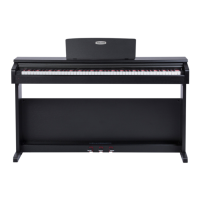
V05 DIGITAL PIANO
USER MANUAL

Questions and Answers

  • T
    Tiffany MoralesAug 15, 2025
    What to do if the pitch is wrong on my Pearl River Musical Instrument?
    • D
      Darlene DunlapAug 15, 2025
      If the pitch of your Pearl River Musical Instrument does not match the keyboard when playing, check if you have activated the SPLIT mode function and turn it off.
  • T
    Tammy FryAug 18, 2025
    What to do if my Pearl River Musical Instrument has no sound when pressing keys?
    • M
      Matthew WattsAug 18, 2025
      If your Pearl River Musical Instrument produces no sound after being turned on when you press the keys, adjust the master volume or check if headphones are connected.
  • S
    Spencer RoyAug 21, 2025
    How to increase the volume on my Pearl River Musical Instrument?
    • D
      donnajohnsonAug 22, 2025
      If the volume on your Pearl River Musical Instrument is too low, please adjust the master volume knob.
  • A
    Allen PaceAug 26, 2025
    What to do if Pearl River Musical Instrument has distortion when playing demo songs?
    • R
      Ronald MaddoxAug 26, 2025
      If you experience distortion or intermittent sound when playing demo songs on your Pearl River Musical Instrument, it may be due to the speakers overheating. Lower the volume or turn the instrument off for a while.
  • D
    Dana JamesAug 28, 2025
    Why is the dynamics not the same on my Pearl River Musical Instrument?
    • M
      Mary MckenzieAug 28, 2025
      The dynamics may not be the same as before on your Pearl River Musical Instrument because of the piano touch curve setting. There are 5 piano touch curve options: Default, Soft, Standard, Hard, and Touch off. Set the touch curve to the one you need.
  • W
    waltersandrewSep 1, 2025
    Why does my Pearl River Musical Instrument play two tones at once?
    • B
      Bryan GonzalezSep 1, 2025
      If two tones are produced simultaneously when playing your Pearl River Musical Instrument, the dual sound function might be activated. Turn it off to resolve the issue.
  • C
    Casey JohnsonSep 4, 2025
    How to correct the pitch on my Pearl River Musical Instrument?
    • S
      Shawn SharpSep 4, 2025
      If the pitch is wrong on your Pearl River Musical Instrument, confirm the pitch setting or set it to “Zero”.
  • M
    Mary DavisSep 7, 2025
    Why is there no accompaniment on my Pearl River Musical Instrument?
    • Y
      yalexanderSep 7, 2025
      If there is no automatic accompaniment and chord function on your Pearl River Musical Instrument, confirm the accompaniment volume or check if the chord function is turned on.
  • G
    gibsonmeganSep 12, 2025
    Why is there noise when I turn on/off my Pearl River Musical Instrument?
    • M
      Mary PerrySep 12, 2025
      The noise when turning on or off the power of your Pearl River Musical Instrument is normal. There is no need to worry.

Summary

Safety and Handling

General Safety Warnings

Crucial warnings for operation, electrical safety, and environment.

Electrical and Environmental Safety

Precautions for power, humidity, and fire hazards.

Assembly and Installation Precautions

Guidelines for safe assembly and placement.

Control Panel and Basic Operation

Control Panel Overview

Identification and function of control panel keys.

Power, Volume, and Headphones

How to power on, adjust volume, and connect headphones.

Recording and Playback Functions

Instructions for recording, playing back, and demo songs.

Advanced Piano Functions - Part 1

Accompaniment and Rhythm Control

Using accompaniment, rhythms, and sync start.

Voice Selection and Teaching Modes

Selecting instrument voices and using teaching features.

Advanced Piano Functions - Part 2

Metronome and Voice Restoration

Using the metronome and restoring default voice settings.

Function Control and Customization

Activating functions, adjusting pitch, volume, and split points.

Sound Effects and Modes

Transposition and Resonance

Adjusting pitch and activating soundboard resonance.

Dual Voice and Split Keyboard

Using dual voice and dividing the keyboard.

Beat, Touch, and Percussion

Setting beats, touch sensitivity, and percussion sounds.

Connectivity and Reference

Bluetooth and USB Connectivity

Wireless and wired connections for audio and MIDI.

Rear Panel Ports and Audio

Description of rear ports and audio connection procedures.

Reference Lists and Specifications

Lists of voices, rhythms, percussion, and technical details.

Troubleshooting and Compliance

Problem Resolution Guide

Common issues encountered and their solutions.

FCC Compliance Information

Regulatory information and operational cautions.

Pearl River V05 Specifications

General IconGeneral
BrandPearl River
ModelV05
CategoryMusical Instrument
LanguageEnglish