EasyManua.ls Logo

Pearl P-930 - User Manual

Pearl P-930
3 pages
Print Icon
To Next Page IconTo Next Page
Loading...
Congratulations on your purchase!
To get optimum performance from your P-930 Drum Pedal,
please read this Instruction Manual before playing.
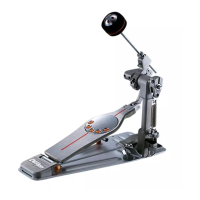
P-930
PEARL DRUM PEDAL
Instruction Manual
Beater Holder Link
Key Bolt
(for Beater Angle Adjustment)
Beater Angle Cam
Spring Assembly
Spring
Hoop Clamp
Wing Bolt
Upper Nut
Lower Nut
Footboard
DuoBeat Beater
(2-Surface Beater)
Key Bolt
(for Beater Setting)
Chain
Click Lock
Question and Answer IconNeed help?

Do you have a question about the Pearl P-930 and is the answer not in the manual?

Summary

DuoBeat Beater Features and Sound

DuoBeat Beater Features

Explains the two surfaces (Felt and Plastic) of the DuoBeat Beater and their respective sounds for playing style.

Adjusting Beater Angle

Beater Angle Adjustment

How to adjust the beater's position relative to the bass drum head using the Key Bolt for desired angle.

Setting Beater Height

Beater Setting

Instructions on inserting and tightening the beater into the holder link for optimal height and performance.

Adjusting Spring Tension

Spring Tension Adjustment

How to use the Click Lock system to increase or decrease spring tension for desired pedal feel.

Securing Pedal with Hoop Clamp

Hoop Clamp Wing Bolt

Steps to place the pedal on the bass drum hoop and tighten the wing bolt to secure it.

PowerShifter Leverage Adjustment

PowerShifter

How the PowerShifter feature changes footboard leverage and pedal feel by switching positions.

Interchangeable Cam System for Pedal Action

Interchangeable Cam System

How to switch between Orange Cam (Off-Centered) and Perfect Circle Cam for different pedal actions.
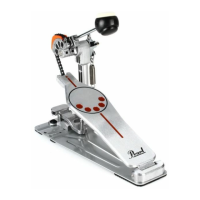
Pearl P-930 Specifications

General IconGeneral
BrandPearl
ModelP-930
CategoryDrums
LanguageEnglish

Related product manuals