EasyManua.ls Logo

Peavey Messenger M100 - User Manual

Peavey Messenger M100
56 pages
Print Icon
To Next Page IconTo Next Page
Loading...
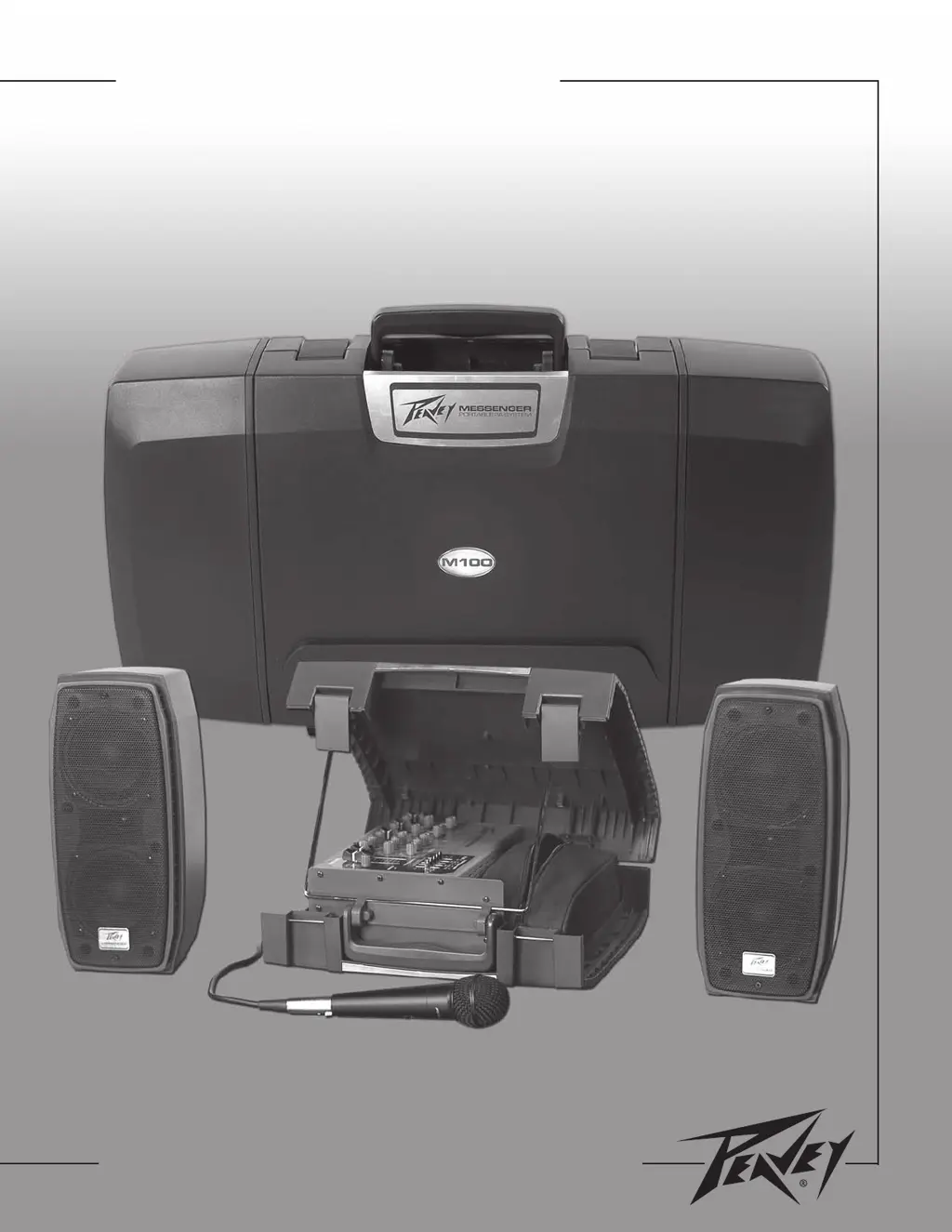
Messenger
M100
Portable PA System
For more information on other great Peavey products, visit your local Peavey dealer or visit us online at www.peavey.com

Table of Contents

Questions and Answers

  • A
    Anna McdowellAug 9, 2025
    Why is my Peavey Messenger M100 making a loud howling noise?
    • H
      harveyanthonyAug 9, 2025
      If you're experiencing loud howling or squealing from the speakers of your Peavey Portable pa system, and it disappears when lowering the CHANNEL or MASTER volume, it's likely acoustic feedback. To resolve this, reduce the microphone volume. Also, try repositioning the microphone behind or farther away from the speakers. Observe the FLS light above the EQ and reduce the level of that band.
  • W
    Wayne BeardAug 14, 2025
    What to do if my Peavey Messenger M100 sound is distorted?
    • J
      Jason JonesAug 14, 2025
      If the sound from your Peavey Portable pa system is distorted, it might be due to the CHANNEL LEVEL being set too high. Try reducing the CHANNEL LEVEL and increasing the MASTER LEVEL to balance the sound.
  • R
    Regina OrtegaAug 19, 2025
    How to fix a Peavey Portable pa system with no sound but power light on?
    • M
      Mark CaldwellAug 19, 2025
      If you're not getting any sound from your Peavey Portable pa system, but the power light is on, try the following: Adjust both the MASTER and CHANNEL LEVEL controls upward to the desired level. Check all speaker connections to ensure they are secure. Make sure the microphone switch is turned on. Verify the connection of your microphone or sound source.
  • C
    Christopher BaldwinAug 25, 2025
    How to troubleshoot a Peavey Portable pa system with no sound and no power?
    • M
      mooremichaelAug 25, 2025
      If you're not getting any sound from your Peavey Portable pa system and the power light is off, make sure the power switch is turned on and that the power cord is connected to a live outlet.
  • K
    Krista TaylorAug 29, 2025
    Why does my Peavey Messenger M100 Portable pa system have a hum?
    • B
      Beth BrayAug 29, 2025
      If you are experiencing system hum with your Peavey Portable pa system, ensure all line cord ground connections are properly made on both the Messenger and any auxiliary equipment connected to it. Check that all connections are secure and that all interconnect cables are shielded, except for the speaker cables. Determine if the system hums when touching the microphone. Turn the volume down on each channel, starting with channel 1, to see if the issue originates from an external audio source or a faulty recording. It's recommended that all units connected to the Messenger are plugged into the same AC power strip. Try changing the microphone cable and/or the microphone itself.
  • J
    Janice TaylorSep 3, 2025
    What to do if only one speaker works on my Peavey Messenger M100?
    • C
      Courtney JohnsonSep 4, 2025
      If only one speaker of your Peavey Portable pa system is working, fully insert the connector. Additionally, swap the speaker cables between the left and right speakers and outputs to check for any damaged cables.

Peavey Messenger M100 Specifications

General IconGeneral
TypePortable PA System
Speaker Configuration2-way
Power Output100 Watts
Woofer Size10 inches
Tweeter Size1 inch
Inputs1 x RCA stereo