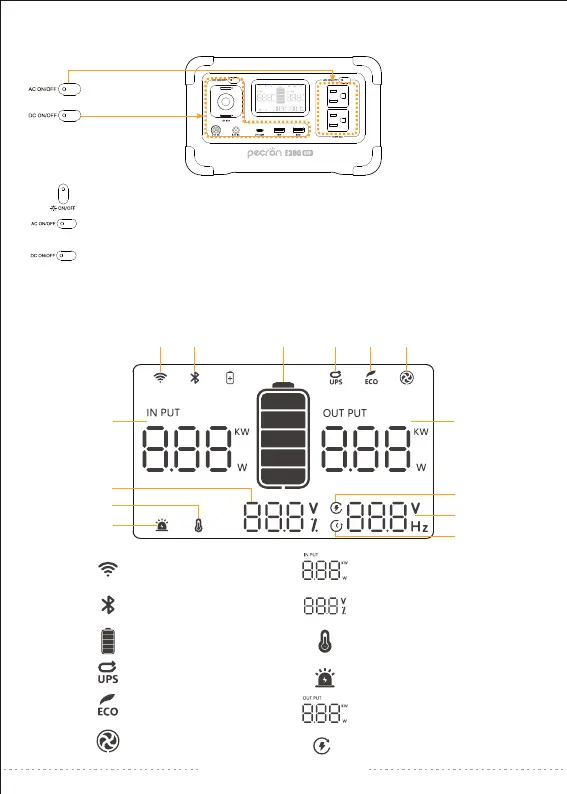
HOW TO USE THE E300 LFP
LCD SMART DISPLAY
①
②
③
④
⑤
⑥
Wireless Connection
Bluetooth Connection
Battery Level
UPS Function
ECO Mode
Fan Working
⑦
⑧
⑨
⑩
⑪
⑫
AC/DC Input Wattage
Battery Volume(voltage)
Temperature Alarm
Equipment Alarm
AC/DC Output Wattage
Remaining Charging Time
①
⑦
② ③ ④ ⑤ ⑥
⑪
⑫
⑬
⑭
⑩
⑨
⑧
Long press to turn on/off the LED light,
short press to switch the brightness of the LED light.
Press and hold to turn on / off AC,
short press to view voltage and frequency after turning on.
Long press ON/OFF button to control DC/USB/Wireless output or short press to
view battery voltage.
(Turn off the AC power when E300 LFP is not in use for a long time.)
support@pecron.com


 To Next Page