APP FUNCTION
You can review product specifications, control it and set personalized features remotly
while connecting with PECRON App.
Please long press AC and DC switch together for 3s when you do first connection or
connect with another unit. When the WIFI icon is flashing, the pairing model is working.
Iphone user can search for PECRON APP at Apple store.
Android users can search for and download PECRON APP at Google Play.
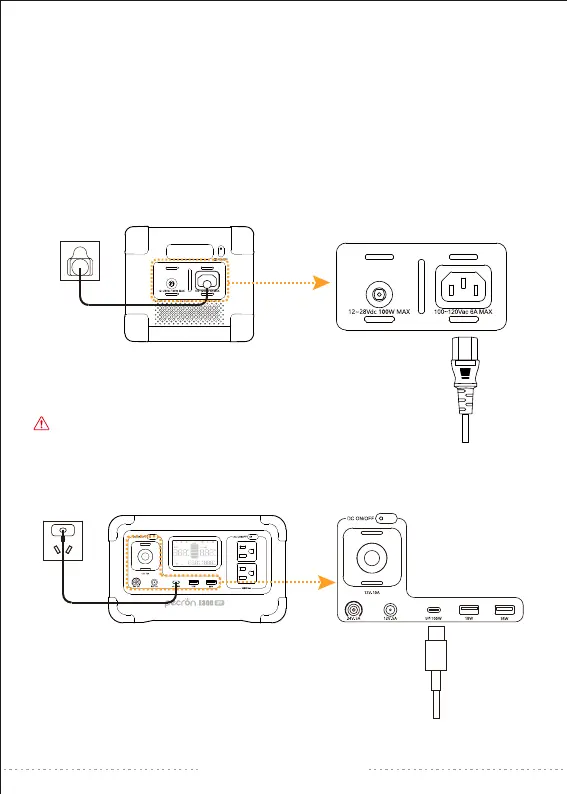
HOW TO CHARGE THE E300 LFP BY AC POWER
HOW TO CHARGE THE E300 LFP BY USB-C
During charging by generator, the voltage and
frequency is not stable, which may damage the device.
support@pecron.com


 To Next Page