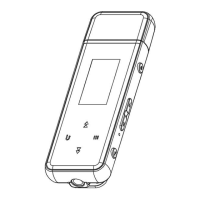
1. Power
Short press: play / pause / confirm ; Long press: switch device
2. Volume -
Short press: reduce the volume ; Long press: continuously reduce the volume
3. Volume +
Short press: increase the volume ; Long press: continuously increase the volume
4. Record
One key recording, long press to directly enter the recording interface
5. Clip wearable back clip
6. Home open the submenu
7. Last / Fast-Backward
Normally, short press: left, up cursor selection; long press: quick switch
In [music playing]mode, short press: last song; long press: music fastback
8. Next / Fast-Forward
Normally, short press: right, down cursor selection; long press: quick cut
In [music playing]mode, short press: next song; long press: music fast forward
9. Back
Return to the upper menu
10. USB Port
Charging / Data transmission
11. Reset
Reset function, press and hold the reset hole for 3 seconds to reset (by a pin), and
the device will restart and restore the factory settings



 To Next Page