Short description
______________________________________________________________________
Short description
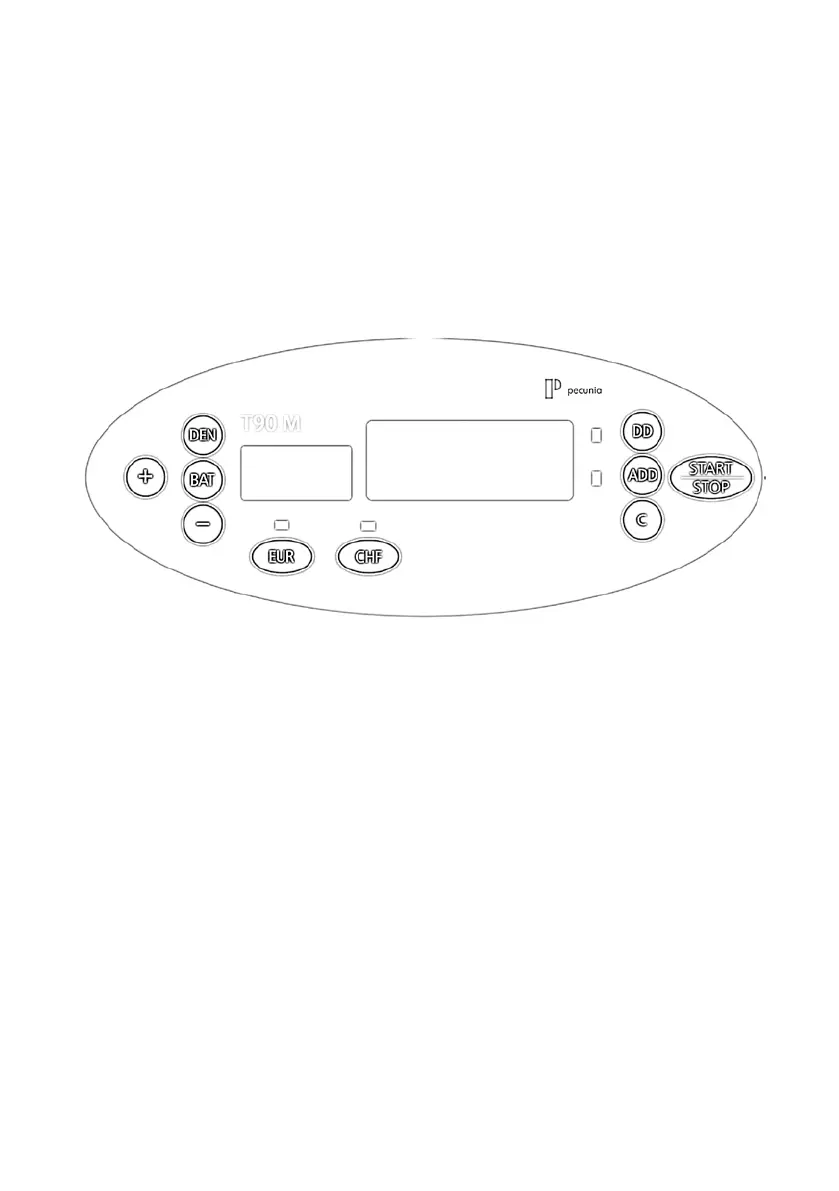
On the control panel you can adjust the counting mode and the counterfeit detection.
On the display you can see:
· all messages (error codes, e.g.)
· all active functions
· the counting results
Key “BAT“ Activate / Deactivate the batch function,
presetting default batches (5/10/25/50/10)
Key “+“ Increase the batch number (+1)
Key “-“ To decrease the batch number (-1)
Key “DEN“ Aktivate / Adjust the Double Note Detection
Key “DD“ Adjust the Size Detection (Recognition of devergent notes)
Key “ADD“ To activate / deactivate the addition mode.
Key “C“ Delete the current result / Reset the batch preset
Key “EUR“ Activate the Counterfeit Detection (EURO)
Key “CHF“ Activate the Counterfeit Detection (second currency)
(here: Swiss Franc)
Key “START/STOP“ Re-start / Stop an operation
Short description 9



 To Next Page