
 Need help?
Do you have a question about the Pegasus Astro NYX-101 and is the answer not in the manual?
Overview and welcome message for the NYX-101 mount.
Purpose of the manual to support users in operating the NYX-101 mount.
Pegasus Astro's right to modify the product and manual.
Details the product's three-year warranty and exclusions.
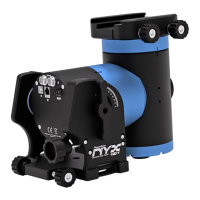
Highlights the main capabilities and specifications of the NYX-101 mount.
Provides detailed technical specifications for the NYX-101 mount.
Warns about the mount's high torque and potential dangers to cables or fingers.
Explains setting up and using the mount in Equatorial mode.
Details how to configure and operate the mount in Alt-Azimuth mode.
Details the circular GX12-2 male connector for power supply.
Describes the GX12-2 male connector for powering external equipment.
Explains connecting the mount to a computer via USB.
Details Wi-Fi connectivity options: Hotspot and Client modes.
Explains communication preferences between USB and Wi-Fi channels.
Describes the ST-4 auto guider input and its multi-functional role.
Illustrates the step-by-step process the mount follows during startup.
Details connecting via the mount's Wi-Fi hotspot and mobile app.
Provides step-by-step instructions for setting up the carbon fiber tripod.
Describes the optional accessory for increasing pier height and its assembly.
Guides on safely mounting the telescope head onto the tripod adapter.
Explains how to adjust the mount's pitch (altitude) from 0 to 90 degrees.
Describes the extra screw for securely locking the altitude of the mount.
Details how to adjust the mount's position along the azimuth axis.
Instructions for securely placing and attaching a telescope to the mount.
Explains how to balance the telescope on the declination axis.
Discusses payload limits and the use of counterweights with the mount.
Details how to install shafts and counterweights for heavier payloads.
Provides steps for installing the QHY PoleMaster for polar alignment.
Describes the mount's zero or home position for initialization.
Displays available and active communication channels (USB/Wi-Fi).
Describes the scenario when communication relies solely on the USB cable.
Explains how to set the maximum speed for mount slewing.
Details configuration options for pulse-guiding commands.
Details mount sensors for ambient temperature, pressure, altitude, and voltage.
Shows mechanical drawings for various tripod adapters.
 General
| Brand | Pegasus Astro |
|---|---|
| Model | NYX-101 |
| Category | Racks & Stands |
| Language | English |

 To Next Page
