WL-166N11 Hardware & Driver Reference
6
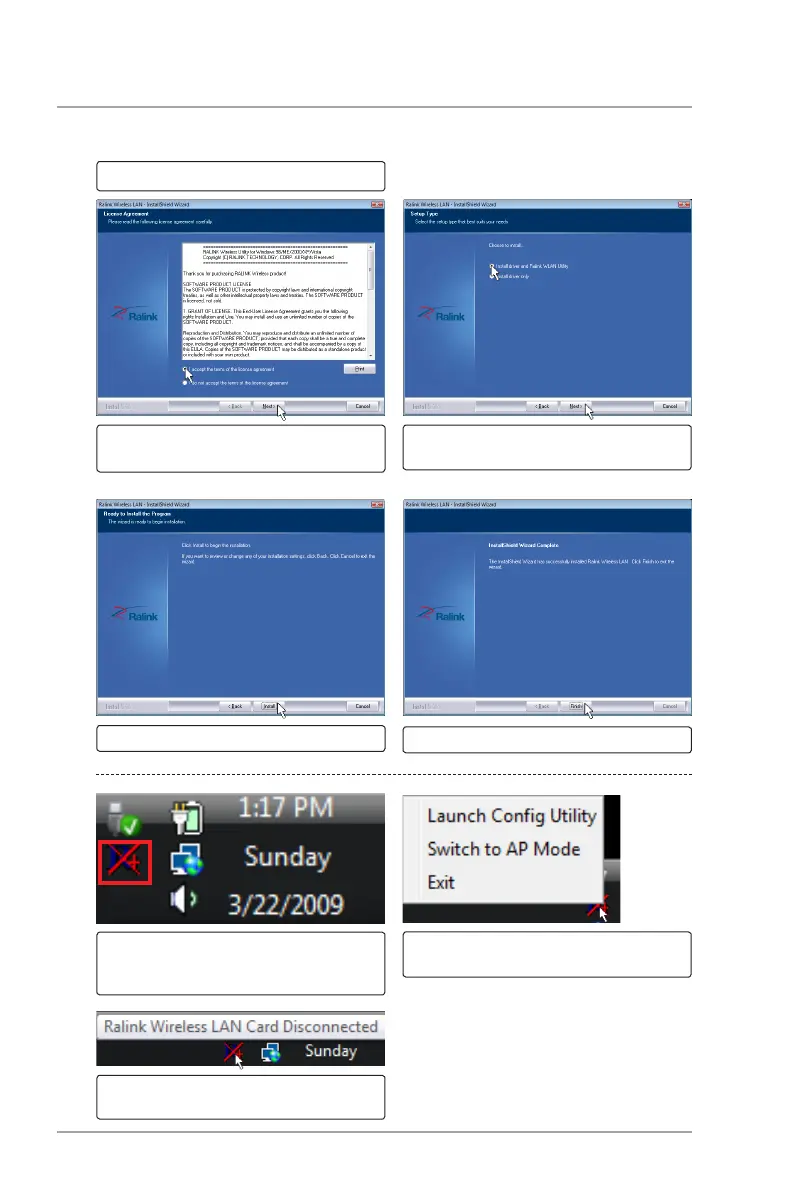
Double-click the driver setup le.
Select “Install driver and Ralink WLAN
Utility”. Click Next to continue.
Click Next to begin installation.
Read the agreement. Select “I
accept...” and click Next to continue.
INTRODUCTION
DRIVER INSTALLATION STEPS
After installation, click Finish to exit.
The Ralink Utility icon will show on the
Windows taskbar. A red X will show
when there is no connection.
Status will show when your cursor is
placed over it.
Right click the Ralink Utility icon to
bring up a shortcut menu.



 To Next Page