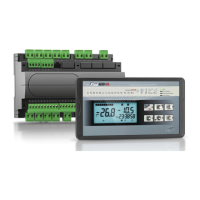
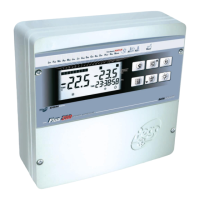
PLUS 100 AB
Page 25
Rev. 01-08 MANUALE D’USO E MANUTENZIONE
TROUBLESHOOTING GUIDE
In the event of any anomalies the PLUS100 system warns the operator by displaying alarm codes
and sounding the warning buzzer inside the control panel. If an alarm is tripped the display will
show one of the following messages.
ALARM CODE POSSIBLE CAUSE PROCEDURE TO BE FOLLOWED
E0
Roof temperature sensor faulty
• Check that the room sensor is
working properly
• If the problems persists replace
the sensor
E1
Defrost sensor faulty
(In this event any defrosts will have duration time d3)
• Check that defrost sensor is
working properly
• If the problems persists replace
the sensor
E2
Product temperature sensor faulty
• Check that product sensor is
working properly
• If the problems persists replace
the sensor
E3
EEPROM ALARM
EEPROM memory error detected.
(All outputs deactivated except alarms)
• Switch off unit and switch back on
E5
Data write alarm; the controller is not saving data
correctly.
• Contact technical assistance
service
E6
Flat battery alarm; the controller will function for at
least another 20 days; subsequently any power loss
to the board will involve loss of time settings (but not
previously recorded data)
• Change the battery
E7
Day/month/date anticipation attempt alarm
Happens when you try to bring forward the date by a
day, month or year or if data is already present.
• Switch off unit and switch back on;
date/day/month/year will be
restored as per the settings prior
to the variation attempt.
E8
Man in room alarm
The man in room alarm switch in the room has been
pressed to indicate a dangerous situation
• Reset the alarm switch inside the
cold room
E9
Faulty printer alarm
• Check printer connections
Ec
Compressor safety device tripped (e.g. Overheat or
max. pressure switch.)
(All outputs deactivated except the alarm one, if
present)
• Check the compressor status
• Check compressor absorption
• If problem persists contact
technical assistance service
Eu
Fan safety device
• Check fans are working properly
• If problem persists contact
technical assistance service
CHAPTER 6: TROUBLESHOOTING
CHAP. 6 - Troubleshooting


 To Next Page
 Loading...