EasyManua.ls Logo

Pelgrim PKS4178K - User Manual

Pelgrim PKS4178K
16 pages
Print Icon
To Next Page IconTo Next Page
Loading...
Instructions for use
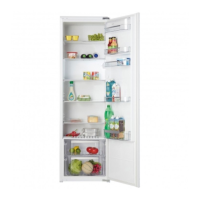
fridge
PKS4178K
PKS5088K
PKD5088K
PKS5102K
PKD5102K
PKS5122K
PKD5122K

Questions and Answers

  • S
    Sandra SimmonsAug 10, 2025
    What to do if water is dripping from my Pelgrim Refrigerator?
    • B
      becky75Aug 10, 2025
      If you notice water dripping from your Pelgrim Refrigerator, it could be due to a clogged drain outlet. Try cleaning the outlet using a plastic straw. Another possible reason is thick ice deposits; in this case, thaw the ice manually.
  • M
    Michael MartinezAug 17, 2025
    Why is my Pelgrim Refrigerator cooling system running constantly?
    • J
      John RamseyAug 17, 2025
      Your Pelgrim Refrigerator's cooling system might be running continuously due to several reasons: * The ambient temperature might be too high. * The door is opened frequently or left open too long. * The door is not closed properly, perhaps due to a particle obstructing the door gasket or a sagged door. Check the gasket sealing. * Too much fresh food was inserted at once. * The refrigerator probe is clogged with fresh food. If this is the case, relocate the food to allow air to circulate around the probe (certain models only). * There is insufficient air circulation for cooling the compressor, or the condenser needs cleaning.
  • J
    Jennifer LloydAug 23, 2025
    How to replace the bulb in my Pelgrim PKS4178K?
    • M
      mejiakellyAug 23, 2025
      To replace the light bulb in your Pelgrim Refrigerator, first disconnect the appliance from the power supply by unplugging it. Then, insert a screwdriver into the cover slot, lift the cover, and remove it. Replace the old bulb with a new one of the same type (E 14, same voltage as the original) and then replace the cover.
  • D
    Danielle DavisAug 28, 2025
    Why is there excessive ice formation in my Pelgrim PKS4178K's freezer?
    • D
      daniellekingAug 28, 2025
      Excessive ice formation at the rear interior wall of your Pelgrim Refrigerator's freezer can be caused by: * Frequent opening of the door, or leaving the door open for extended periods. * Placing hot food directly into the freezer. * Food or dishes touching the rear interior panel of the refrigerator. * A poor door seal. Try cleaning the gasket; if it's damaged, consider replacing it.
  • N
    nathankaneSep 3, 2025
    What to do if my Pelgrim Refrigerator does not operate after connecting to the mains?
    • E
      Evan BrownSep 3, 2025
      If your Pelgrim Refrigerator isn't working after you've connected it to the power, check if the socket has power and ensure that the appliance is switched on.

Pelgrim PKS4178K Specifications

General IconGeneral
Energy efficiency classA+
Climate classSN-T
Number of shelves4
Number of freezer drawers3
Refrigerator Net Capacity217 L
Freezer Net Capacity89 L
Number of Door Bins3

Related product manuals