1. Unpackage and account for all items before starting installation.
2. Determine location and water ow direction for system.
3. Install covers onto bracket orientating the INLET and OUTLET
correctly. Use 4 bolts and washers in each cover to attach.
Assembly
A. (8) Machine Bolts & Washers
B. (3) Lag Bolts & Washers
C. (1) Spanner Wrench
D. (2) 10” Housings w/Covers
E. (1) Sediment Cartridge
F. (1) Chlorine Cartridge
G. (1) Mounting Bracket
H. (2) Decals
I. (1) Silicone Grease
Items Included:
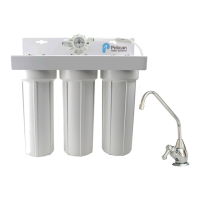
MODEL: PC-100
Specications:
Rated Service Flow 5 gpm
Minimum Working
Pressure
25 psi
Maximum Working
Pressure
80 psi
Operating
Temperatures
36°F - 120°F
PH Range 6 - 11
Chlorine Cartridge
Housing Cover
Housings
Stand Pipe
O-Ring
3060 Performance Circle • Deland, FL • 32724 877-842-1635 PelicanWater.com
EZ CONNECT COMPACT WATER FILTRATION SYSTEM
eco
A
E
B
C
D
F
G H
I
PC-100-RevB-0119
© Pelican Water Systems 2019

 Need help?
 General

 To Next Page