EasyManua.ls Logo

Pelican PDF-1000VF - User Manual

Pelican PDF-1000VF
11 pages
Print Icon
To Next Page IconTo Next Page
Loading...
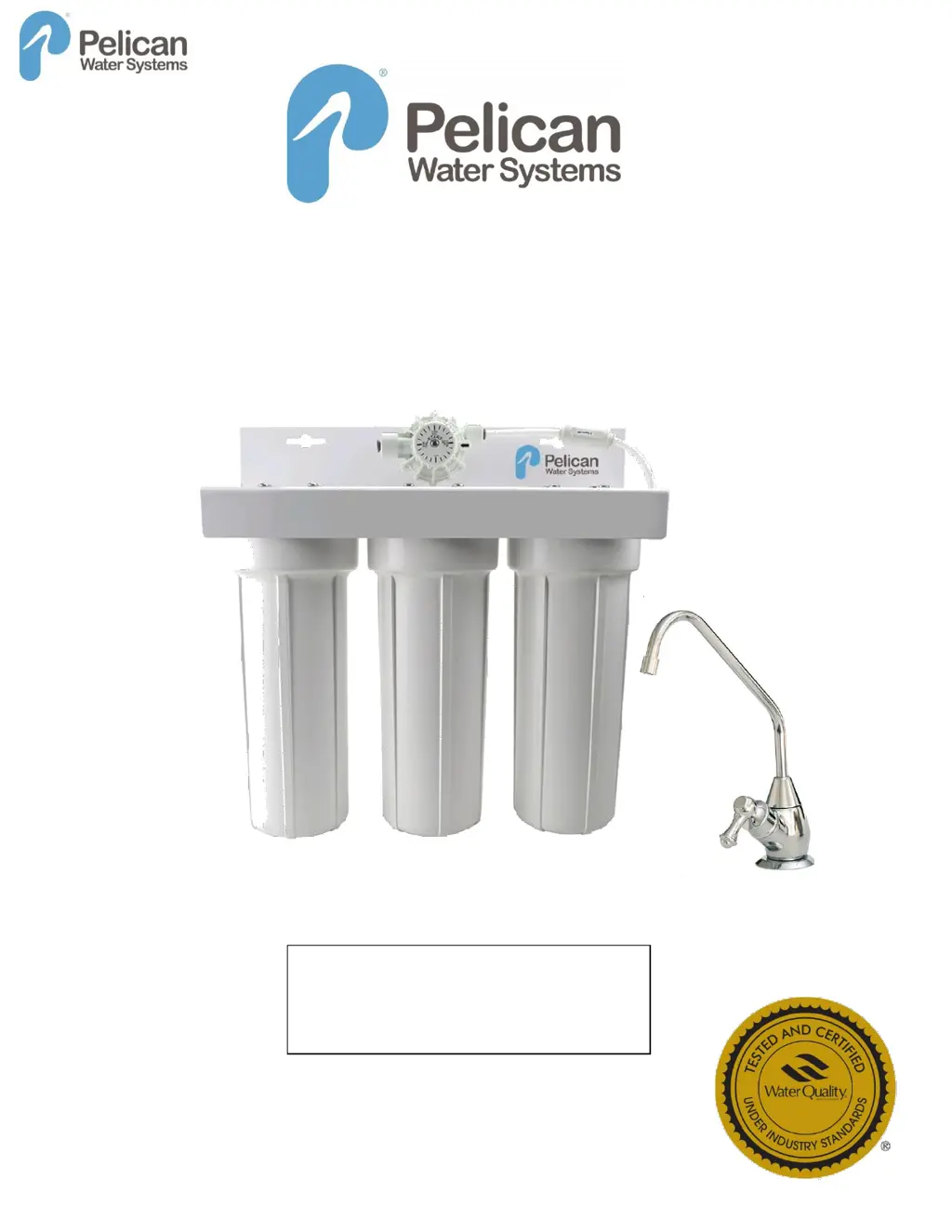
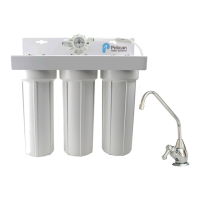
Model PDF-1000VF
How to install, operate and maintain your
Microbiological Drinking Water Purifier
Manufactured by Pelican Water Systems
3060 Performance Circle, Suite 2, DeLand FL 32723
Toll Free (877) 842-1635
Rev Date 3/11/2016
Installation and Operation Manual
System tested and certified to meet the
requirements of NSF Protocol P231 and
NSF/ANSI Standards 42 & 53.
See performance data sheet for details.
Water Purifier

Questions and Answers

  • T
    Tara PruittAug 2, 2025
    What to do if there are leaks on system inlet/outlet connections of Pelican Water Filtration System?
    • A
      Albert McknightAug 2, 2025
      If you notice leaks on the system's inlet/outlet connections: * First, turn off the water supply and release pressure by turning on a drinking water faucet. * Then, remove the tubing from the fitting, ensuring the tubing end is cut squarely and free of burrs. * Reinsert the tubing firmly into the fitting, pushing it to a hard stop. * Hand-tighten the compression nut initially, followed by an additional 1 to 1 1/2 turns for a new nut, or 1/2 to 1 turn with a wrench for a previously tightened nut. If leaks continue, turn off the water supply.
  • M
    Megan BlackwellAug 10, 2025
    How to fix leaks between cap and bottom of filter housing in Pelican Water Filtration Systems?
    • D
      Deanna BarnesAug 10, 2025
      To address leaks between the cap and the bottom of the filter housing: 1. Turn off the water supply and release pressure by turning on a drinking water faucet. 2. Remove the bottom of the housing. 3. Clean the O-ring groove located directly beneath the housing threads. 4. Lubricate the O-ring with silicone grease and securely replace it into the groove. 5. Screw the bottom of the housing onto the cap and hand-tighten, being careful not to overtighten. 6. Turn on the water supply and check for any leaks.
  • E
    Elijah MillerAug 17, 2025
    What to do if there are leaks on faucet / tubing connection in Pelican Water Filtration System?
    • J
      Jennifer FosterAug 17, 2025
      In case of leaks on the faucet/tubing connection: 1. Turn off the water supply and turn on a drinking water faucet to release pressure in the system. 2. Loosen and remove the compression nut fitting on the faucet stem. 3. Ensure the tubing is inserted firmly into the end of the faucet stem, then retighten the compression nut with your fingers until secure. 4. Turn on the saddle valve, and then turn off the faucet to check for leaks. If leaks persist, turn off the water supply.
  • M
    Michelle ReynoldsAug 26, 2025
    Why is there no water or decreased water flow in my Pelican Water Filtration System?
    • P
      Paula MartinAug 26, 2025
      If you're experiencing no water or decreased water flow, several factors could be at play. First, check the flow at the faucet; the PDF-1000VF system should fill a gallon jug in about 2 minutes, though this can vary based on your household's water pressure. Next, ensure all filter cartridges are correctly oriented in their housings. Finally, consider replacing the filter cartridges.

Summary

What the Microbiological Drinking Water Purifier Will Do

Precautions

Lists important safety considerations and usage warnings for the system.

Specifications & Dimensions

Details technical specifications like pressure, temperature, flow rate, and physical size.

Before You Start

Parts of the System

Materials and Tools Needed

Installation Instructions

Step 1 - Installing the Saddle Valve

Detailed instructions for connecting the system to the water supply using a saddle valve.

Step 2 - Selecting the Faucet Location

Guidance on choosing the optimal placement for the dedicated drinking water faucet.

Step 3 - Mounting the Faucet

Step-by-step process for installing the faucet onto the sink or countertop.

Step 4 - Mounting the System

Instructions on securely attaching the main filter unit to the wall or cabinet.

Step 5 - Connecting Tubing to the Faucet

Details on how to connect the water lines from the system to the faucet.

Step 6 - Attaching Tube to Effective Life Indicator (ELI)

Explains how to connect the tubing to the system's life indicator.

Step 7 - Connecting the Saddle Valve

Instructions for connecting the tubing from the saddle valve to the filter system inlet.

Step 8 - Connecting Inlet Line to System

Details on connecting the water supply line to the system's inlet port.

Step 9 - Setting the Effective Life Indicator

Guide on how to set the indicator for filter replacement tracking.

Step 10 - Putting the System into Operation

Final steps to turn on the system, flush filters, and check for leaks.

Filter Cartridges

Filter Cartridge Replacement

Troubleshooting the System

Leaks between cap and bottom of filter housing

Specific advice for resolving leaks originating from the filter housing seals.

Leaks on system inlet;outlet connections

Guidance for troubleshooting leaks at the system's water inlet and outlet fittings.

Leaks on faucet; tubing connection

Solutions for leaks occurring at the faucet or tubing connections.

No water or decreased water flow.

Steps to diagnose and fix issues with water flow or lack of water.

Parts List

Exploded Parts View

Pelican PDF-1000VF Specifications

General IconGeneral
BrandPelican
ModelPDF-1000VF
CategoryWater Filtration Systems
LanguageEnglish

Related product manuals